


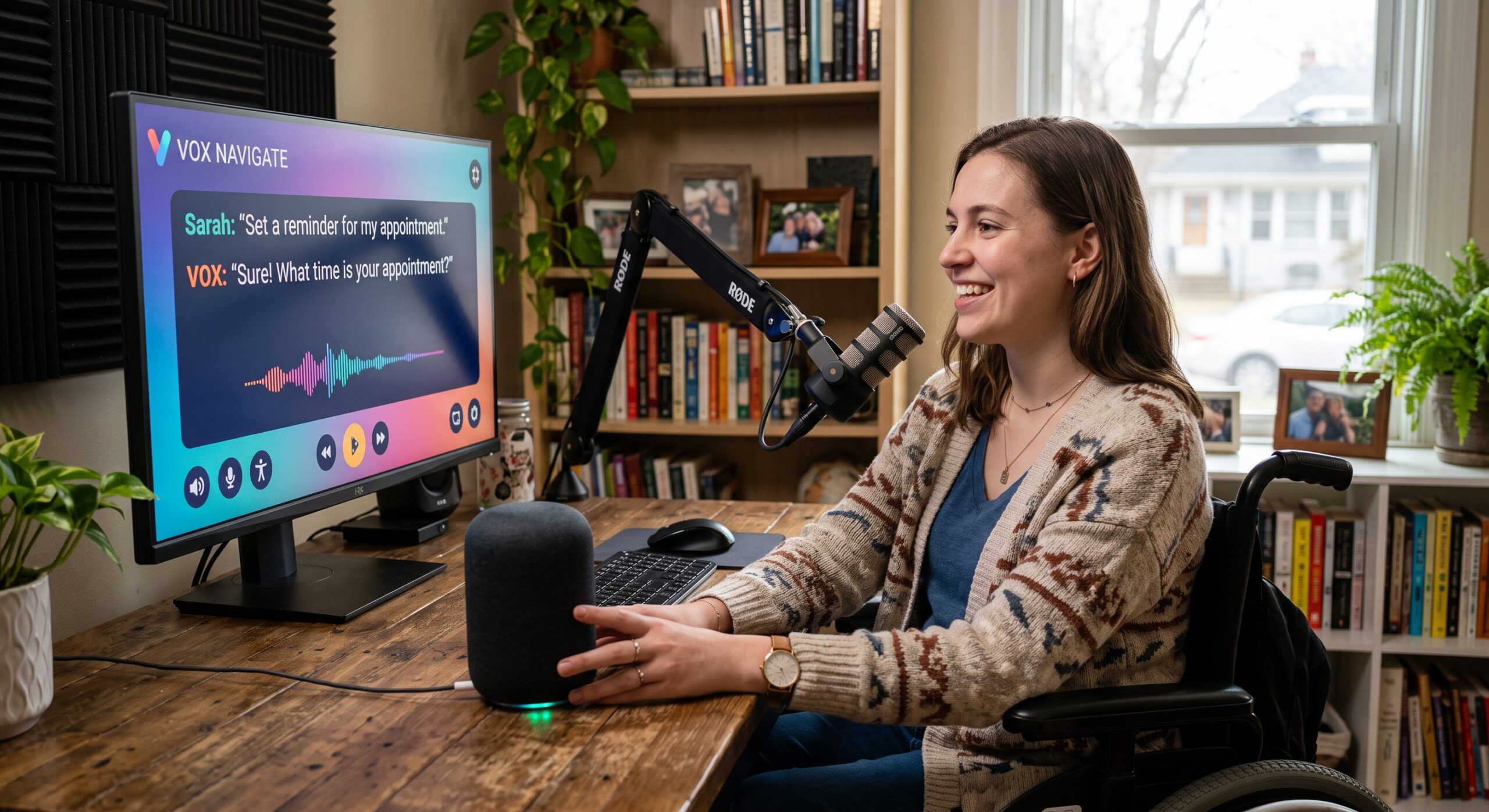
Voice interaction has changed how people use digital products, making voice accessibility an essential part of inclusive UX design. Instead of always tapping a button, scanning a menu, or typing into a search box, people can simply speak to ask for directions, control a device, or complete a task without needing a screen.
From my perspective as a Conversation Designer and Voice UX Designer, that shift is important for a reason that goes beyond convenience. Designing accessible voice interfaces gives people another practical, reliable way to interact with technology.
That does not mean the voice is automatically accessible. In fact, a poorly designed voice experience can create a completely different set of barriers. For instance, a system that speaks too quickly may be difficult to follow. A speech recognition system may struggle with certain speech patterns. Additionally, a long voice menu can overload someone’s memory. An assistant that does not offer another way to complete a task can leave a user stuck.
The better approach is to treat voice as one part of a broader experience.
The World Wide Web Consortium, or W3C, has specifically examined accessibility requirements for natural language interfaces, including voice interfaces and multimodal experiences that combine spoken commands with visual or physical interaction. Its guidance recognizes that natural language interfaces can affect sensory, physical, cognitive, speech, and language needs.
That is where good conversational design matters.
A successful voice experience should not simply understand words. It should understand the situation around those words and give people enough control to recover when something goes wrong.
Here are 6 practical principles I use when thinking about voice accessibility.
1. Give People More Than One Way to Interact
One of the biggest mistakes in voice design is assuming that everyone wants to use voice all the time.
They do not.
Some people may be unable to speak clearly. Others may be uncomfortable speaking in public. Beyond that, some may have hearing difficulties. Someone may be in a noisy environment. Another person may simply prefer typing or tapping.
That is why voice should rarely become the only path to completing an important task.
A multimodal experience gives people alternatives. A user might speak a request and then confirm it visually. Someone could start with a touch interaction and finish with speech. Another person could use text instead of audio from beginning to end.
This approach is particularly useful because accessibility needs are not identical from one person to another.
W3C guidance on accessibility for natural language interfaces describes these experiences as part of larger systems that can combine language with other forms of interaction.
From a design perspective, that means I would rather ask, “What happens if voice is unavailable?” than assume voice will always work.
For example, imagine a banking assistant that says:
“Tell me which payment you want to make.”
That sounds simple. But what happens if speech recognition does not understand the customer? There should be a visible list, a text option, or another clear route.
Accessibility is stronger when the user has a way forward.
2. Do Not Assume Everyone Speaks the Same Way
Speech recognition has improved significantly, but recognition is not equally reliable for every speaker.
Accent, pronunciation, speech rate, background noise, language, and individual speech patterns can affect how well a system understands someone.
This is especially important for voice accessibility because people with speech disabilities can encounter problems that ordinary testing may not reveal.
Research and guidance from W3C specifically identify speech and language production as an area that can affect interaction with voice systems. The organization’s research module also discusses the need to improve voice and speech recognition for a wider range of users.
As a designer, I would not treat an unsuccessful recognition attempt as the user’s fault.
The system should be responsible for recovering gracefully.
Instead of repeatedly saying:
“Sorry, I didn’t understand.”
A better experience might say:
“I didn’t catch that. You can say the name, type it, or choose from the list.”
That small change gives the user control. It also reduces frustration.
Good conversational design assumes that recognition will sometimes fail. The important question is what happens next.
3. Make Conversations Easier to Follow
A voice interface does not have the same visual advantages as a traditional screen.
When someone looks at a page, they can scan headings, compare options, reread a sentence, and move their attention around the interface.
A voice assistant cannot provide that same experience unless it is paired with a visual interface.
This makes the structure of spoken information extremely important.
Long explanations can become difficult to remember. Too many choices can overwhelm the listener. Fast speech can make the interaction harder for people who need more processing time.
W3C’s cognitive accessibility research on voice systems identifies several related concerns, including memory, processing speed, attention, reasoning, and understanding spoken information. It recommends practical measures such as reducing unnecessary words, simplifying error recovery, and allowing users to change settings.
In practice, that means keeping prompts focused.
Instead of saying:
“Okay, I can help you with several different things today, including checking your recent orders, changing your account information, helping you find a product, checking delivery information, or connecting you with one of our customer support representatives.”
I would break the interaction into smaller steps:
“How can I help?”
If the user needs guidance:
“You can check an order, change your account, or talk to support.”
That is easier to hear, remember, and answer.
The ultimate aim is not to make the assistant sound clever. Rather, the goal is to make the conversation easy to use.
4. Build Real Error Recovery
Every voice designer eventually learns an uncomfortable truth: people will say things the system did not expect.
- They will interrupt.
- They will change their minds.
- They will speak too early.
- They will use different words.
- They will ask a completely unrelated question.
- They will misunderstand the assistant.
A good conversation design does not try to eliminate all of these situations. Instead, it gives the user an easy way back.
For example:
- User: “I want to change my delivery.”
- Assistant: “Sure. Which order?”
- User: “The one from Tuesday.”
- Assistant: “I found two orders from Tuesday. You can say the product name, or choose one on screen.”
That is much better than forcing the user to start again.
Voice accessibility depends heavily on recovery because mistakes are particularly frustrating when the user cannot see the system’s internal state.
W3C’s guidance for accessible voice menus recommends simple error recovery and a human option when automated interaction continues to fail. It also recommends allowing pauses, repetition, slower responses, and different speech patterns.
For important services, I strongly believe that a human fallback should be easy to reach.
If someone has already failed three times, making them repeat the same process a fourth time is not good design.
5. Match Spoken Interaction With What People See
Voice is increasingly becoming part of multimodal products.
That means users may speak to an assistant while looking at a phone, dashboard, television, car display, smart appliance, or computer.
The relationship between spoken and visual information needs to be carefully designed.
Consider a screen containing a button labelled “Find nearby stores.”
If the system expects speech input such as “click local locations,” the user may have difficulty because the words they see do not match what the system expects.
W3C’s guidance on “Label in Name” specifically explains that speech input users often speak a command using the visible label of a control. If the accessible name and visible label do not match, speech interaction can become unreliable.
This is one of those details that can be easy to overlook during a normal design review. The screen might look fine, and the voice interaction might also look fine in isolation. But together, they may fail.
As a Voice UX Designer, I would therefore review the spoken and visual experience as one conversation rather than treating them as separate products.
If the screen says “Play,” the user should be able to say “Play.”
If the interface says “Next episode,” the spoken interaction should recognize that phrase naturally.
Consistency reduces cognitive effort.
6. Let Users Control the Pace
One of the simplest ways to improve voice accessibility is to stop rushing people.
Humans do not all process spoken information at the same speed.
Some people need a pause before responding. Others may need the system to repeat an instruction, or require the assistant to speak more slowly.
A voice interface that constantly interrupts or times out can become exhausting
W3C’s voice menu accessibility guidance specifically recommends waiting for slower speakers and allowing for quiet speakers, repetition, and stutters. It also emphasizes the importance of pauses between phrases.
That principle can be applied far beyond telephone menus.
An assistant might say:
“Your appointment is tomorrow at 10 a.m.”
Then immediately continue with another sentence.
Instead, it could pause and give the user an opportunity to respond:
“Your appointment is tomorrow at 10 a.m.”
“Would you like to change it?”
The second version gives the information room to breathe.
Users should also have control where practical. Commands such as:
- “Repeat that.”
- “Speak slower.”
- “Go back.”
- “Start over.”
- “Stop.”
- “Help.”
These should be considered basic conversational controls, especially in important or complicated tasks.
Voice Accessibility Is Not Just About Speech
One misconception is that voice accessibility is mainly about people who cannot use a keyboard or touchscreen.
That is only part of the picture.
Voice accessibility also involves hearing, cognition, language, memory, attention, speech, and the ability to understand what the system is communicating.
For example, a person with hearing loss may not benefit from an audio-only assistant. A person with a cognitive disability may struggle with a long list of spoken options. Furthermore, a individual with a speech disability may experience recognition failures. Someone with limited language proficiency may need simpler wording or another interaction method.
That is why accessibility should be considered throughout the conversation rather than added at the end.
W3C’s current work on cognitive accessibility for voice systems highlights these different needs and discusses solutions such as human assistance, adjustable settings, simpler prompts, improved speech recognition, and better conversational design.
This is also why I avoid designing conversations around the assumption that there is one “normal” user.
There isn’t.
Voice Search Needs the Same Attention
Voice search is another area where accessibility and conversational design overlap.
When someone types a search query, they can see the words they entered and modify them.
When someone speaks a query, the system has to interpret the spoken request.
That changes the nature of search.
People tend to use more natural language when speaking. Instead of typing
“weather Baguio tomorrow,” someone might ask,
“What’s the weather going to be like in Baguio tomorrow morning?”
The search experience therefore needs to understand conversational intent.
Accessibility makes this even more important because speech recognition errors can change the meaning of a query.
A good voice search experience should provide enough confirmation and context when the result matters.
For example:
“I found three clinics nearby. The first is open until 8 p.m.”
The user can then ask:
“Which one is closest?”
That feels more natural than forcing the person to restart the search every time.
Deque has also written specifically about the relationship between accessibility and voice search, noting that voice can remove the effort of typing while also presenting challenges for people whose speech may not be recognized reliably.
Designing for Accessibility Before Testing
One of the biggest improvements a team can make is moving accessibility earlier in the design process.
Do not wait until a voice assistant is finished.
During conversation mapping, ask:
- What happens if the user cannot speak?
- What happens if speech recognition fails?
- What happens if the user cannot hear the response?
- What happens if the user needs more time?
- What happens if the user forgets the previous question?
- What happens if the user gives an unexpected answer?
- What happens if the user wants a person?
These questions are more valuable when asked before implementation.
Accessibility testing should also include real people with different needs. Automated checks can help identify certain technical problems, but they cannot tell you everything about the quality of a conversation.
The difference between “technically available” and “actually usable” can be significant.
Why Voice Accessibility Matters for AI Assistants
AI assistants make conversational interfaces more flexible, but flexibility does not automatically produce accessibility.
An AI assistant may understand a wider range of questions than an older voice menu. It may remember context, explain an answer, or recover from an unexpected request.
However, it can also produce long responses, misunderstand a user’s intent, provide unclear instructions, or create inconsistent interactions.
That makes the role of conversation design even more important.
The assistant should know when to be brief. It should know when to explain, when to ask a question, and when to stop.
Most importantly, it should know when the user needs another way to complete the task.
This is where the human side of Voice UX remains essential. Technology can provide the capability, but designers determine how that capability behaves when a real person uses it.
A Practical 6-Point Voice Accessibility Review
Before launching a conversational experience, I would run a simple review around these 6 questions:
- Can users complete the task without speaking?
- Can people with different speech patterns interact successfully?
- Can users repeat, pause, go back, or start again?
- Are spoken instructions short enough to understand?
- Does the voice experience work consistently with the visual interface?
- Can users reach another form of help when automation fails?
These questions are simple, but they reveal a surprising number of problems.
They also help teams move the conversation away from “Does the assistant work?” toward the much more useful question: “Can different people successfully use it?”
The Future of Voice Accessibility
Voice interfaces are not replacing screens. They are becoming another layer of interaction.
That distinction matters.
The strongest experiences will combine speech, text, visuals, touch, and other forms of interaction depending on what the user needs at that moment.
AI makes these experiences more capable, but capability should not be confused with usability.
A voice assistant can understand a complicated sentence and still be difficult to use. It can have an impressive voice and still exclude people. On top of that, it can answer thousands of questions and still fail when someone needs help recovering from an error.
Good voice accessibility comes from designing for those moments.
As conversational interfaces become more common, accessibility should be treated as part of the conversation itself. It should influence the wording of prompts, the pace of responses, the structure of choices, the handling of errors, the relationship between voice and visual controls, and the availability of alternative interaction methods.
That is the standard I would aim for as a Conversation Designer: not simply making a voice interface capable of talking to people, but making it capable of listening, adapting, and giving people control.
FAQ: Voice Accessibility
What is voice accessibility?
Voice accessibility is the practice of designing voice and conversational interfaces so that people with different sensory, physical, cognitive, speech, and language needs can use them effectively. It includes speech recognition, spoken responses, conversation structure, error recovery, pacing, and alternative ways to interact.
Why is voice accessibility important?
Voice interfaces can provide another way to interact with technology without relying entirely on typing, pointing, or touch. However, voice can also introduce barriers. Accessible design helps make conversational experiences usable by a wider range of people.
Is voice automatically accessible?
No. Voice can improve access for some users while creating barriers for others. A system may have difficulty recognizing certain speech patterns, move too quickly, provide too many choices, or fail to offer an alternative interaction method.
How can voice interfaces support people with speech disabilities?
Designers should allow flexible phrasing, provide alternatives when recognition fails, avoid repeatedly asking users to repeat themselves, and offer another input method when necessary. Testing with people who have different speech patterns is particularly important.
How can voice assistants support people with cognitive disabilities?
Keep instructions short, provide pauses, reduce unnecessary choices, make error recovery simple, allow repetition, and provide clear ways to return to a previous step. W3C’s current research specifically addresses memory, attention, processing speed, reasoning, and other cognitive considerations in voice systems.
Should a voice interface always have a visual alternative?
For many products, especially important services, providing another interaction method is a strong accessibility practice. Multimodal experiences can allow people to combine voice with text, touch, or visual controls depending on their needs.
How does voice accessibility relate to WCAG?
WCAG addresses accessibility across web content and interfaces, including requirements related to perceivability, operability, understandable content, labels, input assistance, and alternative forms of interaction. W3C also publishes guidance specifically addressing speech input and natural language interfaces.
Reference Section
- W3C — Natural Language Interface Accessibility User Requirements:
Definitive W3C technical report establishing accessibility requirements, user scenarios, and design standards for voice, speech, and multimodal natural language interfaces. - W3C — Cognitive Accessibility Research: Voice Systems and Conversational Interfaces:
Research covering memory demands, speech production barriers, error recovery, and cognitive load management in conversational systems. - Deque — Why Accessibility is Important for Search & Voice:
Industry guide exploring how voice search removes typing barriers while introducing speech recognition and intent challenges for inclusive design. - WebAIM — Digital Accessibility Resources & Guidelines:
Essential repository detailing WCAG criteria, screen reader usage, input alternatives, and cognitive accessibility.