


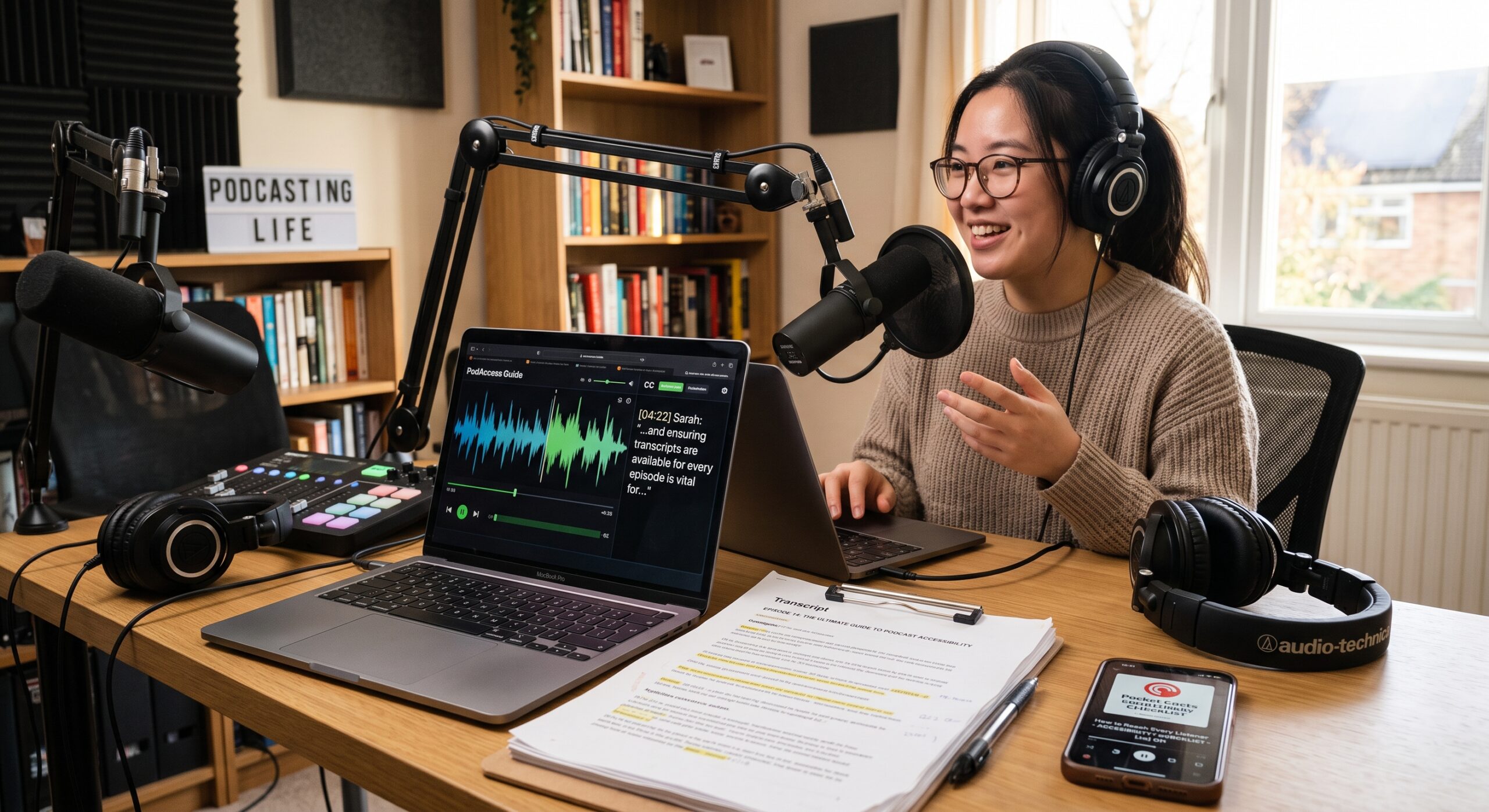
Mastering podcast accessibility ensures your content reaches every potential audience member rather than accidentally shutting them out. Audio-first media is often described as an intimate medium: one voice, one story, and one listener. However, audio-first content can unintentionally exclude people who are Deaf or hard of hearing, individuals with auditory processing differences, people who speak another language, and listeners who need text to search, review, or process information.
Podcast Accessibility should be part of every creator’s publishing process rather than an afterthought added after an episode goes live. Transcriptions, captions, descriptive writing, accessible web design, clear audio, and inclusive production choices can help more people enjoy a show. These practices can also make podcast content easier for search engines to understand and index.
The most effective approach to podcast accessibility is to offer audiences several ways to access the same information. One listener may prefer audio during a commute, while another may rely on captions when watching a video version. Someone else may use a transcript to locate a specific quote or review an episode before listening. Inclusive design respects all of these preferences and access needs.
What Podcast Accessibility Means
Podcast accessibility involves designing, producing, and publishing audio content so people with different abilities can understand, navigate, and enjoy it.
For a traditional audio episode, achieving podcast accessibility may include:
- A complete and accurate transcript.
- Captions for video clips, livestreams, and social media content.
- Clear speaker identification.
- Descriptions of meaningful sound effects, music, and other non-speech audio.
- Clear episode titles and descriptions.
- An accessible podcast website.
- An audio player that works with keyboards and assistive technologies.
- Audio that is easy to hear without excessive background noise.
- Alternative text for episode artwork and promotional images.
- Content that can be searched and read outside the audio player.
The benefits of podcast accessibility also extend beyond disability access. Transcripts help people who cannot listen in public, language learners, individuals with unreliable internet connections, and anyone who wants to scan an episode before deciding whether to play it.
Official guidance recommends including a text version of speech along with relevant non-speech information. It also encourages creators to make transcripts easy to locate online instead of hiding them behind unnecessary steps.
Transcripts Are the Foundation
A transcript is a written version of a podcast episode and serves as a primary pillar of podcast accessibility. It should include the spoken dialogue, identify speakers, and describe audio cues that contribute to the listener’s understanding.
A basic transcript might look like this:
Host: Welcome to the show.
Guest: Thanks for having me.
[Soft piano music begins.]
Host: Today, we are discussing accessible education.
A transcript should not be treated as a rough collection of words. Automated transcription can save time, but it often misinterprets names, technical terms, accents, overlapping dialogue, and background sounds. Every transcript should receive a careful review before publication.
What a Good Transcript Includes
A high-quality podcast transcript should contain:
- The names of the host, guests, and other speakers.
- Correct spelling of names, places, organizations, and specialist terms.
- Paragraph breaks that make the text easy to read.
- Descriptions of meaningful music, laughter, applause, silence, or sound effects.
- Chapter headings when the subject changes.
- References mentioned in the episode, collected clearly at the end.
- A note when a section has been edited or removed, if that information affects meaning.
Speaker labels help readers follow conversations, particularly when several people participate in an episode. Short paragraphs and clear headings also make long transcripts easier to navigate.
Descriptive Transcripts
A descriptive transcript advances your podcast accessibility strategy beyond basic dialogue by explaining important audio and visual information that might otherwise be unavailable to some listeners.
For example:
- [Audience applauds.]
- [The guest laughs quietly.]
- [A door closes in the background.]
- [The host displays a chart showing rising housing costs.]
For an audio-only podcast, describe sounds when they contribute to meaning, context, or atmosphere. There is no need to document every breath or minor background noise. The purpose is to provide an equivalent experience, not to record every detail.
Video podcasts may require additional visual descriptions. If a guest points to a graphic, explain what the graphic shows. When a facial expression or physical action changes the meaning of a statement, include that information when appropriate.
Captions vs. Transcripts
Captions and transcripts are closely related, but they serve different purposes in accessible media.
When captions are used, text is synchronized with the audio or video as the content plays. They can represent spoken dialogue along with meaningful non-speech information, such as music, laughter, sound effects, and speaker changes. A transcript, by comparison, is usually provided as a separate text document or webpage that readers can explore at their own pace.
For example, an audio podcast published alongside a video version might display captions like these:
HOST: Welcome back to the program.
GUEST: I am glad to be here.
[UPBEAT MUSIC FADES OUT]
When Captions Are Needed
Captioning becomes especially important when spoken content is presented through:
- Video podcast episodes
- YouTube versions of audio shows
- Short-form social media clips
- Livestreamed interviews
- Webinars and virtual events
- Promotional videos containing spoken dialogue
Automatic caption generators can provide a useful starting point, particularly for creators producing large volumes of content. However, the generated text should be reviewed before publication. Errors involving names, terminology, numbers, or complete phrases can change the meaning of what a speaker said and make important information difficult to understand.
Caption presentation also matters. Use sufficient contrast between the text and its background, allow enough time for viewers to read each caption, and avoid positioning captions over important visual information. After publishing, review the finished video on both desktop and mobile screens to make sure the captions remain readable and properly positioned.
Eight Practical Steps for Accessibility
1. Plan Accessibility Before Recording
Improving podcast accessibility begins with production planning. Ask what your audience will need before scheduling the interview or writing the script.
Prepare a clear outline, define unfamiliar terms, and confirm the spelling of every guest’s name. If guests appear on video, explain the visual setup and encourage them to describe charts, demonstrations, or objects that are central to the conversation.
Organize real-time captioning in advance for live recordings. While live captions can contain minor errors, providing immediate visual dialogue is more useful than making audiences wait days for a transcript.
2. Improve Recording Quality
Clear speech makes transcription and listening much easier. Record in a quiet room, place the microphone at a consistent distance, and monitor for clipping, echo, and background noise.
Avoid playing music beneath every sentence. Background music can make speech harder to understand, especially for people with hearing loss or auditory processing differences.
Ask participants not to talk over one another. Overlapping dialogue creates severe obstacles for listeners, captioners, transcriptionists, and automated parsing tools.
Use verbal signposts such as “first,” “next,” and “to summarize.” These phrases help listeners follow the structure of an episode and make the transcript easier to scan.
3. Create and Edit the Transcript
Generate a first draft using a transcription service or a human transcriptionist. Listen to the episode while editing the generated text.
Check:
- Names and proper nouns.
- Numbers, dates, measurements, and prices.
- Acronyms and technical vocabulary.
- Speaker changes.
- Punctuation and paragraph breaks.
- Sound descriptions.
- Advertisements and inserted segments.
- Quotes from books, articles, or other media.
A transcript should reflect what was actually spoken. Avoid rewriting every sentence into polished marketing copy. You can remove repeated filler words when doing so does not alter meaning, provided your editorial policy remains consistent.
4. Publish the Transcript on Your Website
Place the transcript on a dedicated, readable web page connected directly to the episode rather than relying strictly on file downloads.
A strong transcript page includes:
- The episode title.
- The publication date.
- A short summary.
- The embedded audio player.
- The full transcript.
- Speaker names.
- Chapter headings.
- Relevant resources.
- A clear way to return to the main podcast directory.
This format provides readers with a searchable text alternative while creating a structured page that search engines can analyze. It allows people to quote, share, and revisit specific sections without replaying the entire recording.
Major podcast platforms offer built-in transcript features that let listeners search an episode and jump to a selected point, allowing creators to supply their own text in supported workflows.
5. Use Accessible Page Design
An accessible transcript can still be difficult to use if the host page itself is poorly designed.
Implement a logical heading structure, readable font sizes, sufficient color contrast, and generous line spacing. Avoid placing essential information exclusively inside images. Ensure buttons have descriptive labels, references make sense out of context, and the page supports keyboard navigation.
The audio player should feature clearly labeled controls for play, pause, volume, speed, and progress. If the player cannot be navigated easily, place a plain text link to the audio file or an alternative player nearby.
Disable autoplay features. Unexpected sound can confuse users, disrupt screen readers, and make web page navigation frustrating.
Add meaningful alternative text to episode artwork. Instead of writing “podcast image,” describe the relevant visual details: “A host and guest sit across from each other in a recording studio beneath the title ‘Accessible Classrooms.’”
6. Caption Every Video and Social Clip
A short clip remains media content, requiring accessibility just as much as a full episode.
Use open or closed captions depending on the target platform and audience. Include speaker changes and relevant non-speech sounds. Make captions large enough to read on mobile displays while keeping them clear of platform overlays.
Avoid assuming that a moving waveform makes an audiogram accessible. Include accurate captions within the video and provide a text summary in the post description.
When a video contains meaningful visual information, add an audio description or a written narrative. Audio description explains key visual details during natural pauses, helping blind and low-vision viewers follow the action.
7. Make Episode Metadata Descriptive
Episode titles and descriptions assist both human listeners and search engines in understanding content.
Select titles that communicate the topic clearly. Avoid vague titles like “A Conversation About It.” A stronger alternative would be “How Accessible Transit Helps Older Adults and Disabled Riders.”
Write an informative episode description that answers:
- What is this episode about?
- Who is speaking?
- What core questions are addressed?
- Who will benefit from listening?
- What specific topics or chapters are included?
Weave key phrases naturally into the text. For this article, that phrase is “Podcast Accessibility.” Avoid repeating it unnaturally in every paragraph. True search visibility relies on useful content, logical organization, relevant terms, and a page that genuinely answers user queries.
8. Test with Real People
Automated checkers identify basic technical faults, but they cannot evaluate the complete user experience.
Invite individuals with varied access needs to review an episode page, transcript, video clip, and player. Involve Deaf and hard-of-hearing listeners, blind and low-vision users, screen reader users, and people with cognitive or learning disabilities wherever possible.
Gather direct feedback on key metrics:
- Was the transcript easy to locate?
- Were speakers clearly identified throughout?
- Did captions synchronize accurately with the audio?
- Could the player be operated using only a keyboard?
- Were essential sound cues or visual details explained?
- Was the page simple to scan?
- Did any element feel distracting or confusing?
Compensate testers fairly for their time and feedback. Accessibility evaluation should never rely on unpaid labor from disabled audiences.
Podcast Accessibility and SEO
Podcast accessibility and search engine optimization naturally complement each other when approached responsibly.
Improving Search Discoverability
Raw audio files can be difficult for search engines to interpret thoroughly, while a well-prepared transcript provides indexable text that helps search engines understand the subject of an episode. A transcript also creates opportunities to organize information through headings, summaries, chapter markers, speaker names, and descriptive titles.
A strong transcript can support an SEO strategy by helping creators:
- Answer specific search queries directly.
- Build clear chapter breakdowns.
- Highlight expert names, credentials, and important topics.
- Create internal links to related episodes.
- Repurpose audio content into newsletters and articles.
- Discover new subjects for future episodes.
- Serve audiences who prefer reading instead of listening.
The value extends beyond search visibility. A searchable transcript gives readers a practical way to find a specific topic, quote, name, or section without listening through an entire episode.
Repurposing Content Responsibly
Publishing a raw automated transcript simply to increase page length is rarely a good strategy. Poorly edited transcripts can contain confusing sentences, incorrect names, missing punctuation, and transcription errors that reduce the usefulness of the page.
A better approach is to edit the transcript for clarity while preserving the speaker’s original meaning and personality. Important terminology should be checked carefully, while headings and paragraph breaks can make longer conversations much easier to navigate.
One podcast episode can also become several accessible content formats. A creator might publish the complete transcript, a concise episode summary, captioned video clips, a terminology glossary, an accessible newsletter, and an audio version of the written article. This approach expands content reach without forcing every audience member to consume information in exactly the same way.
Common Mistakes to Avoid
Several accessibility problems repeatedly appear in podcast publishing workflows.
Treating Captions as Plain Transcripts
Captions need to communicate relevant non-speech information as well as spoken dialogue. Important sounds such as music, laughter, applause, alarms, or speaker changes may need to be identified when they contribute to understanding the content.
Publishing Unedited Automated Text
Automated transcription can save considerable production time, but it should not automatically become the final published transcript. A misspelled guest name may look unprofessional, while an incorrect medical, legal, scientific, or financial term can substantially change the meaning of an episode.
Hiding Transcripts Behind Barriers
A transcript becomes less useful when visitors must navigate complicated menus, create an account, or download an inaccessible document before they can read it. Place the transcript where users can find it easily from the episode page.
Isolating Important Information Inside Graphics
Promotional information, episode details, quotes, and other essential content should not exist only inside images. Provide equivalent text so screen-reader users and people who cannot see the image can access the same information.
Treating Accessibility as a One-Time Task
Podcast accessibility requires ongoing maintenance. Correct transcripts when episode information changes, repair broken captions, check embedded players, and review older content when platforms or publishing systems are updated.
Frequently Asked Questions
Is a transcript enough to make a podcast accessible?
A transcript provides an important foundation, but it may not satisfy every accessibility need across different media formats. Video podcasts generally need synchronized captions, while meaningful visual information may require audio description or an appropriate descriptive transcript. The correct combination depends on how the episode is produced and distributed.
Do audio-only podcasts need captions?
A traditional audio-only podcast generally benefits most from a complete transcript rather than synchronized captions. When that same episode becomes a video, livestream, or social media clip, synchronized captions become important. Transcripts and captions serve different purposes, so creators should choose the appropriate format for each publishing channel.
Can artificial intelligence create an accessible transcript?
AI transcription software can produce a useful first draft, but it should not be considered the final quality check. Human review is still important for verifying speaker names, accents, overlapping dialogue, technical terminology, sound descriptions, and sensitive information.
How long should a podcast transcript be?
The transcript should represent the full substance of the episode rather than target an arbitrary word count. Readability can be improved through descriptive headings, short paragraphs, speaker labels, chapter divisions, and clear formatting.
Will transcripts improve podcast SEO?
Transcripts give search engines indexable text and can help users discover specific topics discussed within an episode. However, publishing a transcript does not guarantee higher rankings. Search visibility also depends on content quality, relevance, page experience, technical SEO, authority, and how well the page satisfies the searcher’s intent.
Should every sound be written into a transcript?
Not necessarily. Focus on sounds that provide meaningful context, affect comprehension, establish atmosphere, or communicate information that would otherwise be unavailable. Excessive descriptions of insignificant background sounds can make a transcript unnecessarily difficult to read.
What is the most affordable accessibility improvement?
Publishing an accurate and easy-to-find transcript for every episode is a strong starting point. Creators can then add captions to video clips and social media content while gradually improving recording quality, website structure, and media-player accessibility.
How can creators receive better accessibility feedback?
Creators should invite disabled listeners and accessibility professionals to review their publishing experience when possible. Ask specific questions about transcript discoverability, caption accuracy, audio quality, navigation, media controls, and overall usability. Compensating accessibility testers fairly also recognizes the expertise they contribute.
References & Further Reading
- W3C Web Accessibility Initiative: Making Audio and Video Media Accessible – The official global standard and foundational guidelines for media accessibility, transcripts, and synchronized captions.
- Descript: Podcast Accessibility – A Practical Guide – A detailed creator’s guide covering accurate transcription, screen reader heading structures, audio leveling, and accessible show notes.
- ADA Site Compliance: 18 Tips for Making Podcasts Accessible – An actionable breakdown of best practices for clear audio recording, alt text, accessible web players, and diverse download formats.
- AudioEye: Five Tips for Building an Accessible Podcast – Key insights on choosing accessible media players, setting up keyboard-friendly site navigation, and leveraging accurate video captions.
Conclusion
Podcast Accessibility is ultimately about giving audiences meaningful choices in how they receive and process information. An episode may be convenient to hear during a commute, easier to understand through captions, faster to search through a transcript, or more useful when accompanied by descriptive information.
Providing these alternatives benefits more than one audience segment. Searchable transcripts help readers, captions support people who cannot hear the audio, descriptive content can improve understanding, and accessible websites make episodes easier to navigate.
Inclusive podcast production is therefore more than a compliance exercise or an SEO tactic. It creates a publishing system in which more people can discover, understand, and engage with the same content.