
What Is a Patient Portal? Benefits, Features, and Common Barriers

Most of my working week is spent between two groups of people who rarely talk to each other directly: the clinicians who document care and the patients who are supposed to be able to read it. My title is clinical informaticist, which in practice means I translate. When I was asked to sit down and answer questions about the patient portal, I agreed on one condition. We would talk about how it actually works on a Tuesday afternoon in a busy clinic, not how it looks in a vendor demo. What follows is that conversation, lightly edited.
Starting Simple: What Is a Patient Portal?
In plain terms, what is a patient portal?
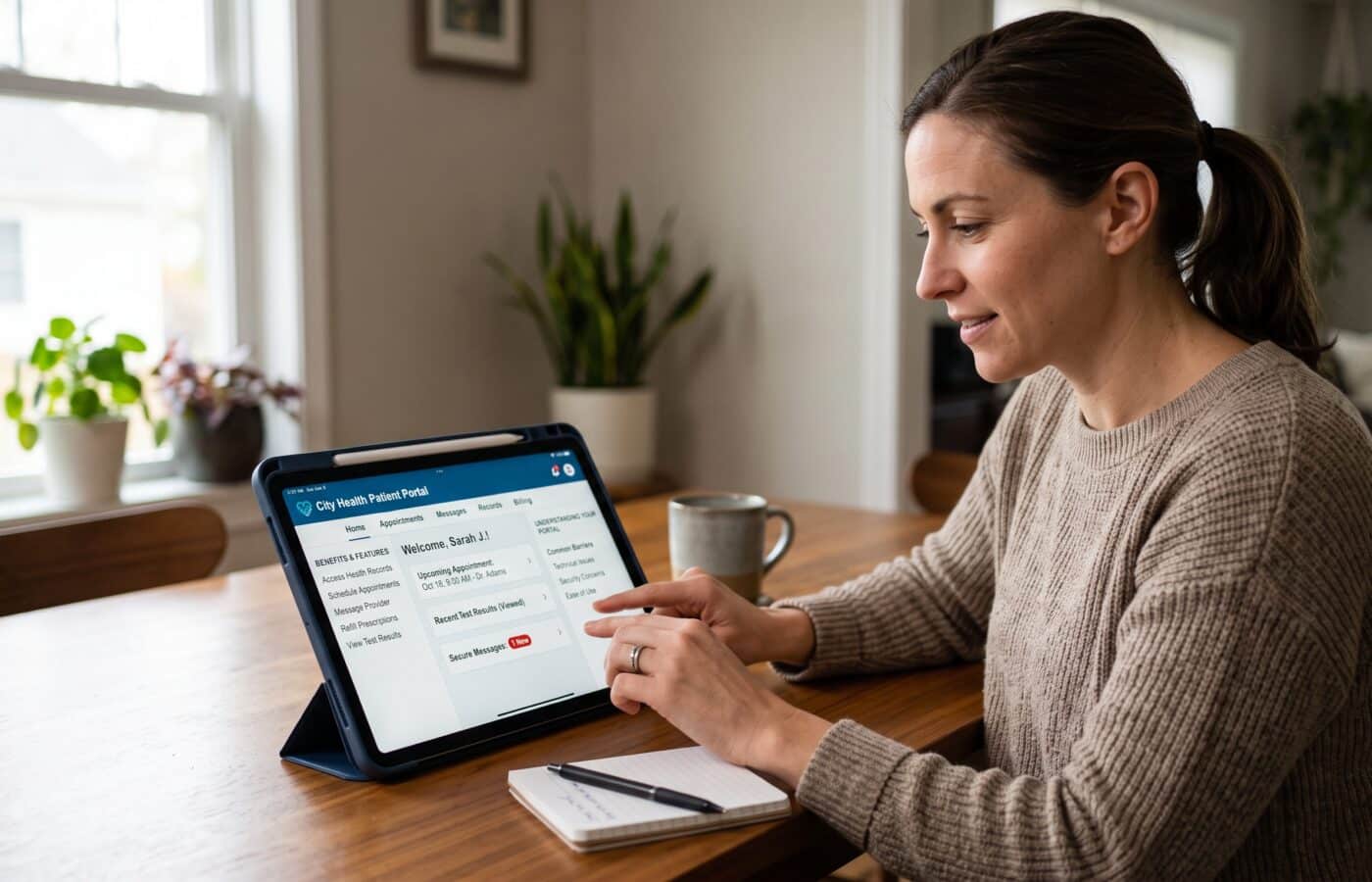
It’s a secure website or app, run by your clinic, hospital, or health system, that lets you see parts of your own medical record and handle some of your care without picking up the phone. The federal definition is just as plain: a secure site where patients can view their medical history and other health details held in the electronic health record.
The part people miss is the connection to the record. Mayo Clinic draws a useful line here, noting that when a personal health record is linked to an EHR, it’s called a patient portal. A personal health record is something you keep yourself. A portal is a window into the record your care team keeps. You can look through the window, and sometimes you can pass a note through it, but you don’t own the house.
Why does that distinction matter so much to you?
Because it sets expectations. I’ve had patients call, upset, convinced the portal “lost” a flu shot they got at a pharmacy. It didn’t lose anything. The pharmacy never sent it to that system. Mayo makes the same point: even with a portal, you still have to review what gets added to it. I say this in every patient education session I run. The portal shows what your clinicians documented, and documentation can be incomplete or simply wrong. Reading it is how you catch that.
How did portals become so common so quickly?
Two waves. The first was financial. Federal incentive programs pushed practices onto electronic records, and offering patients online access was part of qualifying. A lot of portals from that era were built to check a box, and honestly, you could tell.
The second wave was the 21st Century Cures Act. Its information blocking rules, which took effect in April 2021, required that almost all electronic health information, test results included, be made available to patients as soon as it was ready. That changed the portal from a place where you might eventually see a visit summary into a place where you see your actual results and your doctor’s notes, sometimes within minutes.
What Features Should a Good Patient Portal Have?
Walk me through the core features.
When I evaluate a build, I group features like this:
- Your record: lab and imaging results, visit notes, medications, allergies, immunizations, problem list, discharge summaries
- Secure messaging with your care team
- Appointments: requesting, scheduling, cancelling, and completing intake forms before you arrive
- Prescription refill requests
- Billing and online payments
- Records requests and downloads
- Proxy access for parents and caregivers
- Telehealth visit links
- Questionnaires and patient reported data, such as home blood pressure readings
Not every portal has every item on that list, and that’s fine. The heart of it is the record view and messaging. Everything else is useful, but if those two are weak, nothing else rescues it.
Which features do patients actually use?
Results. Overwhelmingly results. Federal data from 2024 showed the top uses were checking lab results and reading clinical notes, at 90% and 80% of portal use. When I share that with scheduling teams, they’re sometimes a little deflated. They spent months on the self scheduling workflow. But for me as a builder, the lesson is clear. If the results display is confusing, the whole patient portal feels confusing, no matter how polished the bill pay screen is.
Why does proxy access matter so much?
It’s the feature I push hardest. Proxy or caregiver access more than doubled, going from 24% in 2020 to 51% in 2024. Half. Think about who actually manages care in a lot of families. An adult daughter juggling her father’s cardiology appointments. A parent managing a child’s asthma plan. A spouse tracking chemotherapy labs.
When proxy access is missing or hard to set up, people share passwords. That’s worse for everyone. The audit trail says the patient read the note when the patient didn’t. If something goes wrong, nobody can reconstruct who saw what and when. Good proxy setup is a safety feature, not a convenience feature.
What about the app versus the website?
The app is winning. ONC researchers found that people who reached their records through an app logged in more often than those who didn’t. I tell design teams to assume the first time a patient reads a pathology report, it will be on a phone, in a parking lot, alone. Design for that moment.
The Benefits: What Does a Patient Portal Actually Do for People?
What’s the single biggest benefit for patients?
Seeing your own information without asking anyone’s permission. That sounds small until you’ve spent forty minutes on hold trying to find out whether your potassium came back normal.
But the benefit I value most is quieter. People forget a surprising amount of what they hear in an exam room, especially when the news is hard. The visit note is there the next morning when you’re calm enough to read it. You can reread the plan, check the dose, and notice that your doctor wrote “left knee” when it was your right. I’ve seen real chart corrections start exactly that way.
What other benefits come beyond reading the record?
The everyday logistics. Refill requests that go straight to the right queue instead of a voicemail box. Intake forms finished at home instead of on a clipboard in the waiting room. Appointment reminders. Paying a bill at eleven at night. None of it is glamorous, but it removes friction from care, and friction is what makes people drop out of care.
Do patients with chronic conditions get more out of it?
They tend to use it more, which tells you something. Recent research on patients with chronic illness found that people with diabetes, cancer, hypertension, and ischemic heart disease were more likely to use the portal. That makes sense to me. If you’re tracking an A1c every three months, being able to see the trend line yourself is genuinely motivating.
Do patients really want results before their doctor has seen them?
It does worry clinicians, and I understand why. But patients have been pretty clear. One large survey covered over 8,000 patients across four medical centers who got results through portals between April 2021 and April 2022, and more than 95% of those with abnormal results still wanted to keep receiving them online, even before their clinician had looked. People would rather know. Our job is to make knowing less frightening, which we’ll get to.
What does a health system get out of a patient portal?
Fewer phone calls, cleaner refill workflows, forms done before arrival, fewer missed appointments thanks to reminders. The federal patient engagement guidance encourages practices to present the portal as the best way to reach clinicians and view important medical information, and to treat it as a patient engagement tool rather than just an IT system. I agree with that framing completely. The portal is part of the overall patient experience, not separate from it. The organizations that treat the portal as an IT project get IT project results. Low use, lots of password resets, and a dashboard nobody looks at.
But I want to be honest. The portal doesn’t eliminate work. It moves work. A phone call becomes a message, and that message lands in a clinician’s inbox. Which brings us to barriers.
The Common Barriers Nobody Puts in the Brochure
Where do people get stuck?
I sort barriers into five buckets: getting in, understanding what you see, juggling too many portals, trust, and the load on the care team.
Getting In: Isn’t Signing Up the Easy Part?
It should be. It’s where portals quietly fail. Activation codes expire. The email on file is from 2014. Identity verification asks for information the patient doesn’t have handy. The federal playbook’s ideal is that patients enter only a handful of details while the portal verifies identity behind the scenes, and the best builds I’ve seen come close to that. Many don’t.
Who Gets Offered Access in the First Place?
Nationally, 77% of people were offered online access to their health information in 2024, compared with 73% in 2022. That’s progress, but flip it around. Close to a quarter of people weren’t offered it. And being offered access isn’t the same as being able to use it. A patient with a limited data plan, an old phone, or a device shared with three family members is in a very different position than I am.
Do Those Gaps Fall Evenly?
No, and this is the part I care about most. A 2026 analysis found that portal engagement was notably lower among patients 65 and older, Black patients, and patients who spoke Somali, Spanish, or Hmong, compared with younger, White, English speaking patients. The same researchers noticed that patients who didn’t speak English and those with less formal education spent less time in each portal session, which points to obstacles in staying engaged.
When I see a gap like that, I don’t assume people aren’t interested. I assume we built something that doesn’t fit them. An English only interface, results comments written at a graduate reading level (a classic health literacy failure), a help line that closes at four. Those are design choices, and design choices can be changed.
What About Older Adults Specifically?
There’s a qualitative study from 2025 that stuck with me. Researchers interviewed adults 65 and older, and one theme they named was “Not for Us, But for Them,” meaning participants saw portals as serving providers’ efficiency more than their own needs. They also valued human connection in their care and wanted portals tailored to their needs and readiness.
That landed hard for me, because I’ve sat in the meetings where the portal is pitched as a way to cut phone volume. Patients aren’t wrong to notice that. If the portal feels like a wall between you and your care team instead of a door, you won’t use it. Hands-on setup help, larger text, and the right assistive technology for seniors can make that door easier to open.
Understanding What You See: What Happens With Immediate Results?
A result posts. The patient’s phone buzzes. They open it and see a red flag next to a number with no context, or a radiology impression full of words like “indeterminate” and “clinical correlation recommended.” Their doctor hasn’t seen it yet.
Oncology shows the hardest version of this. One researcher described how, with immediate release, patients frequently find out about new or advancing cancer through the portal on their phones, at any hour, with no interpretation from their care team. That is a genuinely difficult problem, and some states have responded. Kentucky and California, for example, have passed laws permitting a pause before certain highly sensitive results are released electronically.
How Do You Handle Immediate Results in Practice?
The best fix I’ve seen is boring and effective. At the time a test is ordered, the clinician tells the patient: your result will probably show up in the portal before I’ve reviewed it. Here’s when I expect to contact you. If something looks alarming, here’s what to do. Patients handle hard information far better when they know it’s coming. Plain language result explanations and sensible notification settings help too. Surprise is what does the damage.
Too Many Portals: Is It Common to Have More Than One?
Very. In 2024, 59% of people had multiple online medical records or patient portals, yet just 7% used an app to pull that information together. Your primary care doctor uses one system, the hospital across town uses another, the lab has its own, and your insurer has a fourth. Four logins, four password rules, four partial pictures of your health. Nobody, including your doctors, sees the whole thing unless someone actively stitches it together.
Trust and Privacy: How Much Do Concerns Keep People Away?
More than surveys sometimes capture. People worry about breaches, but in my experience the more common worries are closer to home. A shared family tablet that stays logged in. A teenager whose parent has proxy access and who doesn’t want certain visits visible. A partner who knows the password.
Adolescent confidentiality rules vary by state, and getting the proxy settings right for teens is one of the fussiest configuration tasks in my job. When it’s done badly, the patient stops trusting the portal and sometimes stops being honest with the clinician. That’s a real clinical cost.
The Load on the Care Team: Do Clinicians Like the Patient Portal?
Many have mixed feelings, and I don’t blame them. Researchers studying immediate release noted that making all health information instantly available to patients, who may see it before clinicians do, has prompted concerns about effects on clinical workflow and patient wellbeing. In my world, that shows up as inbox volume. Messages come in at night, on weekends, about results the clinician hasn’t opened yet.
Is This Only a Big Hospital Problem?
Not at all. A 2025 study of a dental hospital’s portal rollout identified eighteen factors that shaped implementation, with seven helping, eight hindering, and three doing both. Even though staff saw the upside, they worried about the extra workload the portal would bring. That matches every rollout I’ve supported. If you don’t plan who answers the messages, the portal turns into a burnout engine.
How Organizations Can Lower the Barriers
If a clinic asked how to improve patient portal adoption, what would you tell them?
Seven things, in roughly this order:
- Enroll people in person. Activate the account at the front desk or the bedside, not with a code mailed home. The federal guidance recommends having at least one patient facing team member who knows the portal well, a super user. That person is worth more than any brochure.
- Have clinicians mention it. It works. In 2024, 89% of people who were offered access said their provider encouraged them to use the portal. A sentence from the doctor carries real weight.
- Offer the interface and the help line in the languages your patients speak, and make sure the portal works with screen readers and other accessibility needs.
- Build proxy access properly so families never feel they have to share passwords.
- Set expectations about results at the moment of ordering.
- Design a message triage model. Decide which messages a nurse, a medical assistant, or a pharmacist can handle, and publish realistic response times.
- Measure activation by population. If you only look at the overall rate, you will miss exactly the groups you’re failing.
Should the portal replace phone calls and front desk help?
No. Keep a human option. Always. A patient portal should add a door, not lock the old one. Keeping both paths open is also one of the easiest ways to protect patient satisfaction.
Advice for Patients Using a Patient Portal for the First Time
What should someone do the first time they log in?
Ask the front desk to help you activate it while you’re there. Turn on two step verification if it’s offered. Then, before anything else, read your medication list and your allergy list. Those two lists are where errors cause the most harm, and you’re the person most likely to spot one.
Any tips for caregivers and worrying results?
If you help care for someone, ask for proxy access in your own name rather than borrowing their password. If a result looks scary, take a breath. A flag means the number is outside a reference range, not that something is necessarily wrong. Message your team, and give them a reasonable window to reply.
Is there anything the portal should never be used for?
Emergencies. Messages are not monitored like a phone line. Chest pain, trouble breathing, thoughts of harming yourself: call emergency services or go to the nearest emergency department.
Where Patient Portals Are Heading
What changes do you expect over the next few years?
Three things. First, more of your record will flow into apps you choose, because federal rules now require standardized ways for patients to pull their data out. Second, health systems are experimenting with tools that draft replies to patient messages for clinicians to review and edit, which could ease the inbox load if it’s done carefully and transparently. Third, I hope, better consolidation, so the person with four portals can see one picture instead of four fragments.
What’s the one thing you wish everyone understood about patient portals?
That the patient portal is not the technology. The technology is the easy part. The portal is really a promise from your care team that your information belongs to you too. Whether that promise feels real depends on enrollment, language, design, and whether someone answers your message. Get those right, and people use it. Get them wrong, and you’ve built a very expensive login page.
Frequently Asked Questions
Is a patient portal the same thing as an electronic health record?
No. The EHR is the full record your care team uses. A patient portal is a secure view into part of that record. Mayo Clinic explains the difference in Personal health records and patient portals.
Why can I see my test results before my doctor calls me?
Federal information blocking rules require most results to be released without delay. Read more in The Conversation’s coverage of the Cures Act and immediate results.
Can I access a parent’s or child’s patient portal?
Usually, through proxy or caregiver access, which you request from the provider. National usage trends are in the ASTP/ONC 2024 data brief.
Can I request a full copy of my records through the portal?
Often, yes. HealthIT.gov walks through the options on its Get It page.
Why do I have so many different portals?
Each organization usually runs its own system. The ONC blog on patient access covers how access has grown and where it’s still fragmented.
How can clinics get more patients to use their portal?
In person enrollment, clinician encouragement, and enabling features patients need. See the HealthIT.gov Patient Engagement Playbook.
Should I use the portal for urgent symptoms?
No. Portal messages aren’t monitored in real time. Call emergency services or go to an emergency department for anything urgent.
References
- HealthIT.gov. Patient Engagement Playbook. https://www.healthit.gov/playbook/pe/
- ASTP/ONC. Individuals’ Access and Use of Patient Portals and Smartphone Health Apps, 2024. https://healthit.gov/data/data-briefs/individuals-access-and-use-patient-portals-and-smartphone-health-apps-2024/
- ONC Blog. How Digitization of Patient Access Empowered Patients. https://healthit.gov/blog/health-data/how-digitization-of-patient-access-empowered-patients/
- HIT Consultant. Patient Access to Online Health Records Soars in 2024. https://hitconsultant.net/2025/07/03/patient-access-to-online-health-records-soars-in-2024/
- Healthcare IT News. Patient Preferences for Accessing Medical Data Are Shifting, Says ONC. https://www.healthcareitnews.com/news/patient-preferences-accessing-medical-data-are-shifting-says-onc
- Mayo Clinic. Personal Health Records and Patient Portals. https://www.mayoclinic.org/healthy-lifestyle/consumer-health/in-depth/personal-health-record/art-20047273
- HealthIT.gov. Get It: Accessing Your Health Records. https://www.healthit.gov/how-to-get-your-health-record/get-it/
- The Conversation. The 21st Century Cures Act Requires That Patients Receive Medical Results Immediately. https://theconversation.com/the-21st-century-cures-act-requires-that-patients-receive-medical-results-immediately-and-new-research-shows-patients-prefer-it-that-way-207397
- Healio. Cancer Test Results Shared to Portals Often Viewed by Patients Before Ordering Clinicians. https://www.healio.com/news/hematology-oncology/20240201/cancer-test-results-shared-to-portals-often-viewed-by-patients-before-ordering-clinicians
- JAMA Network Open (via PMC). Association of Immediate Release of Test Results to Patients With Implications for Clinical Workflow. https://www.ncbi.nlm.nih.gov/pmc/articles/PMC8524306/
- AJMC. Insights Into Patient Portal Engagement Leveraging Observational Electronic Health Data. https://www.ajmc.com/view/insights-into-patient-portal-engagement-leveraging-observational-electronic-health-data
- Innovation in Aging (via PMC). A Helpful Tool or Another Barrier? Exploring Older Adults’ Perspectives on Patient Portals. https://pmc.ncbi.nlm.nih.gov/articles/PMC12763363/
- Journal of Medical Internet Research. Facilitators and Barriers to Implementing a Patient Portal at a Dental Hospital From the Implementers’ Perspectives. https://www.jmir.org/2025/1/e78979