
Assistive Technology for Seniors: An OT’s Guide to Safer Independent Living

As an occupational therapist and RESNA certified Assistive Technology Professional, I get asked about assistive technology for seniors almost every week, usually at a kitchen table during a home visit. Families want to know what actually supports independent living, what ends up forgotten in a hall closet, and how to choose the right tools without wasting money or patience. So I’ve gathered the questions I hear most often and answered them here, the same way I would if you and I were sitting down together.
What Assistive Technology for Seniors Really Means
When people say assistive technology for seniors, don’t they mean robots and expensive gadgets?
Honestly, almost never. In fact, the device that made the biggest difference for one of my clients last month cost less than forty dollars. It was a properly anchored grab bar next to her toilet. Before that, she had been using the towel bar to pull herself up for two years, and that towel bar was about one bad morning away from coming out of the wall.
That’s the thing people miss. Assistive technology covers any item used to maintain or improve the independence of older adults and people with disabilities. So a reacher counts. Likewise, a shower chair counts, and so does a pill organizer. Even a smart speaker that turns on the hallway light at 2 a.m. falls into this category. In other words, the category is huge, and the low tech end of it actually does most of the heavy lifting in real homes.
Thinking of It as a Spectrum
For that reason, I tell families to think of assistive technology for seniors as a spectrum. On one end, you have simple, cheap tools that need no batteries and no WiFi. On the other end, you have connected devices, sensors, and apps. Of course, both have a place. However, the mistake is starting at the expensive end just because it looks impressive in a store.
Why Independent Living Support Matters Now
Why does everyone seem to be talking about this now?
Mainly because of two things: falls, and the fact that almost everyone wants to stay home.
The Reality of Falls
First, let me start with falls, because that’s what keeps me up at night. According to the CDC, more than one in four adults aged 65 and older falls each year, yet fewer than half mention it to their doctor. Moreover, a single fall doubles the chance of another one. In 2024, falls killed more than 43,000 adults in that age group, which makes them the leading cause of injury death for older Americans.
Still, those numbers are not abstract to me. After all, I see the second fall. For example, I see the person who fell once, got scared, and stopped walking to the mailbox. As a result, they lost strength, and then they fell again inside the house.
What Older Adults Actually Want
Second, there’s what my clients actually want. In a 2025 U.S. News survey, 94% of older adults said growing old in a familiar, comfortable home was an important goal for them. Indeed, nobody I work with tells me they’d love to move out of the house where they raised their kids. Instead, they want to stay. Therefore, assistive technology for seniors is one of the most practical ways to make that wish safe.
Furthermore, the need is only growing. The World Health Organization estimates that 2.5 billion people need at least one assistive product today. Additionally, that figure is expected to pass 3.5 billion by 2050, with many older people needing two or more products as they age.
How I Choose Assistive Technology for Seniors
When you come to the house, do you bring a catalog?
No catalog. Instead, I bring a notepad and ask them to walk me through yesterday.
Specifically, I want to know when they woke up, how they got out of bed, and whether they showered or skipped it. Then I ask how breakfast happened and whether they went outside. In OT language, we’re looking at activities of daily living, such as bathing, dressing, toileting, and eating. We also look at the instrumental ones, like cooking, managing medications, using the phone, and getting to appointments.
Listening for the Real Problem
However, people rarely tell you the real problem directly. For instance, a woman I saw a while back told me she was doing fine. Yet when we talked through her day, it came out that she had stopped showering because getting over the tub wall scared her. So she was washing at the sink instead. In short, she wasn’t fine; she had just quietly reorganized her life around a fear. That’s exactly the kind of thing you only find by asking about the day, not the diagnosis.
Watching Before Recommending
Next, I watch. I ask them to show me how they get on and off the toilet, how they reach the cereal, and how they climb the two steps at the back door. After all, what people say they do and what they actually do are often very different, and the difference is where the risk lives.
Only after that do I start thinking about tools. Above all, assistive technology for seniors has to answer a specific problem in a specific room for a specific person. Similarly, a synthesis of occupational therapy research on aging in place pointed to client centered care, autonomy, individualized home modifications, community mobility, social participation, and caregiving as the main themes. Notably, buying the newest gadget isn’t on that list.
The Bathroom Comes First
If we can only fix one room, which one should it be?
The bathroom, without hesitation. That’s because it’s small, it’s hard, it’s wet, and people are often rushing or a little lightheaded in there at night.
My Usual Bathroom Short List
Here’s what I typically recommend:
- Grab bars, installed into studs or with proper anchors. Not suction cup bars, and certainly never a towel bar pressed into service. In addition, placement matters, so I usually want one near the toilet and one at the tub or shower entry, positioned for how that person actually moves.
- A tub transfer bench instead of a basic shower chair when someone has trouble stepping over the tub wall. Because the bench straddles the edge, they sit down outside the tub and then slide across. As a result, that one change has gotten a lot of people showering again.
- A handheld shower head on a slide bar, so they can wash while seated.
- A raised toilet seat or a toilet safety frame, which turns the hardest transfer of the day into a much easier one.
- Motion activated night lights along the path from the bed to the bathroom.
- Non slip mats or treads, and also getting rid of loose bath rugs.
Small Changes, Big Results
Admittedly, none of this is glamorous, and that’s sort of the point. In fact, there’s good evidence that modest assistive technology for seniors goes a long way. In a pilot of the CAPABLE program, which pairs occupational therapy and nursing with low cost home modifications, the average modification spend was $943 per participant. Moreover, the most common changes were grab bars (33%), railings (16%), and lighting (15%). So for under a thousand dollars, those three items did most of the work.
Mobility Aids That Actually Fit
Can’t we just buy a walker or cane online?
You can, and a lot of families do; however, that’s where I see trouble. For example, a cane that’s too tall pushes the shoulder up and doesn’t give real support. Likewise, a walker that’s too short makes the person hunch forward, which pulls their center of gravity right where you don’t want it. As a general guide, the handle should line up with the crease of the wrist when the arm hangs relaxed. Even so, every person is a little different, so it’s worth having it checked.
Choosing the Right Type
Another issue is choosing the wrong type. After all, a standard walker, a two wheeled walker, and a four wheeled rollator are very different tools. For instance, a rollator with a seat is wonderful for someone who tires quickly and needs to rest in the grocery aisle. On the other hand, it can be a real hazard for someone who leans heavily, because those wheels will roll away from them if they forget the brakes.
When to Get a Professional Evaluation
Then you get into wheelchairs, power chairs, and scooters, and that’s where I strongly urge families to get a professional evaluation. That’s because seating and positioning affect skin integrity, breathing, posture, and how long someone can tolerate sitting. This is also where my ATP certification comes into play. Notably, RESNA’s ATP credential is the only assistive technology certification accredited by the National Commission for Certifying Agencies. In addition, it’s recognized by CMS, Medicare, Medicaid, and many private insurers.
Stairs and Getting Up From Furniture
What about stairs and getting up from the couch?
Stairs are a big one. Sometimes the answer is a stairlift. More often, though, it’s simply adding a second handrail so both hands have something solid. As a result, people are amazed by how much steadier they feel with that one change.
For getting up, meanwhile, I look at chair height first. Simply put, a low, soft couch is a trap. Instead, furniture risers, a firm chair with armrests, or a lift recliner for someone with weak legs can make a real difference. Similarly, in the bedroom, a bed assist handle that slides under the mattress gives people something to push against when they sit up and stand.
The Small Tools Nobody Talks About
What simple tools do you wish more people knew about?
Oh, I love this question. Here are the pieces of assistive technology for seniors I recommend constantly:
- A reacher for anything on a low shelf or on the floor. After all, bending to pick up a dropped pill bottle is a classic setup for a fall.
- A sock aid and a long handled shoe horn for anyone with hip precautions, back pain, or stiffness.
- Elastic shoelaces, so shoes slip on without tying.
- A long handled sponge for washing feet and back.
- Built up utensils or a rocker knife for people with arthritis or a weak grip after a stroke.
- Lever door handles and lever faucets instead of round knobs, since round knobs are surprisingly hard on arthritic hands.
- Electric kettles with automatic shutoff, and for some clients, a stove shutoff device that cuts power if the burner is left on.
Interestingly, a study looking at older adults living at home described exactly this kind of everyday equipment. Specifically, it listed grab bars, shower chairs, magnifying glasses, dressing sticks, lever handles on doors and faucets, walking sticks, and pill organizers among common assistive devices. In short, these are the unsung heroes of independent living.
Hearing, Vision, and Staying Connected
My dad’s hearing and eyesight are slipping. What helps?
Hearing loss in particular is underrated as a safety issue. For example, if you can’t hear the smoke alarm, the doorbell, or the phone, you’re less safe and more isolated at the same time. Fortunately, useful options include hearing aids and amplifiers, amplified telephones, and captioned phones that show real time text of a call. There are also doorbells and smoke alarms that flash as well as sound, plus vibrating alarm clocks or watches. Those same needs follow him to the doctor’s office, where accessibility barriers are still common.
Lighting Before Gadgets
For vision, I always start with lighting before I suggest any gadget. Indeed, brighter, even light in hallways and stairwells, task lighting over the kitchen counter, and high contrast tape on the edge of each step solve more problems than you’d guess. After that, I look at magnifiers, large print calendars, and big button phones.
Making the Most of Smartphones
Similarly, smartphones and tablets are a bigger help than people expect, as long as someone sets them up properly. UCLA Health points out that built in features like dictation, text to speech, and visual support can help with hearing and vision issues. Besides that, devices can deliver reminders for medications, appointments, and drinking enough water, and they make telehealth visits possible from the living room. In fact, I spend a fair amount of time just turning on accessibility settings that were already sitting there unused, like larger text, the magnifier, and voice commands, and helping set up the patient portal app so test results and messages are easy to find.
Memory, Medication, and Routine
What if my mom is starting to forget things?
This is where timing is everything. Ideally, the best moment to introduce assistive technology for seniors with memory changes is while the person can still learn and build a habit around it. Otherwise, if you wait until memory loss is advanced, even a simple device can become confusing or upsetting.
A Ladder for Medication Support
For medications, I move along a ladder. First, start with a basic weekly pill organizer. Then, if doses are getting missed, try an organizer with an alarm. Finally, if that isn’t enough, move to an automated dispenser that locks and only releases the right dose at the right time. Importantly, medication help is recognized globally as a core need. The WHO Priority Assistive Products List, for example, includes pill organizers and memory aids alongside hearing aids, wheelchairs, and spectacles.
Other Helpful Memory Tools
In addition, I like day and date clocks that spell out the day and time of day, like Tuesday Morning, in large letters. Likewise, simplified phones with photo buttons for calling family work well, as do item locator tags for keys and glasses. Voice assistants that announce reminders are also helpful.
Smart Homes, Sensors, and Medical Alerts
Are medical alert systems and smart home devices worth it?
They’re increasingly common, and they can be genuinely useful. For instance, in a 2023 U.S. News survey, 53% of adults 55 and older said they used assistive technology. Among the most popular were health related mobile apps (25%) and wearable medical alert systems (17%).
Medical Alerts and Their Limits
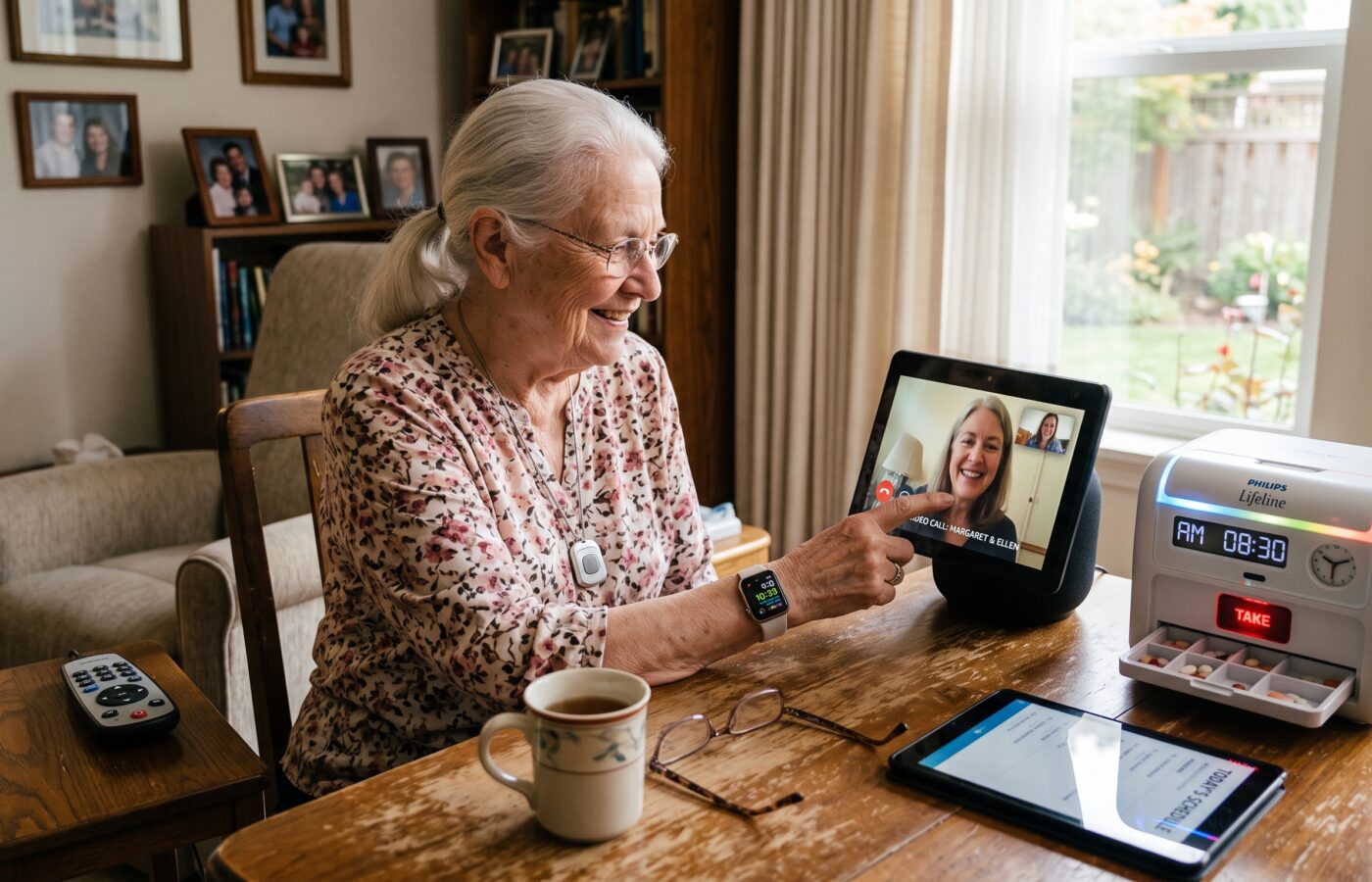
Clearly, a medical alert pendant or watch with fall detection can shorten the time someone spends on the floor after a fall, and that matters a lot. Even so, I’m honest with families about the limits. Fall detection isn’t perfect, and besides, the device only works if it’s worn. Unfortunately, the shower is one of the riskiest places in the house, and it’s exactly where people take the pendant off. That’s why I look for waterproof models and talk through the routine directly.
Sensors and Smart Home Devices
Ambient sensors are another option. For example, motion sensors can let a daughter across the country know her father got up and moved around this morning, without a camera in his bedroom. Similarly, smart plugs, voice controlled lights, and video doorbells all reduce the number of times someone has to get up, hurry, or reach. For people managing chronic conditions, remote patient monitoring devices can also send readings like blood pressure or weight straight to the care team.
Privacy and Consent
Is there a downside to all this monitoring?
Privacy and consent, without question. For that reason, I always have this conversation with the older adult in the room, not around them. While some people find a sensor reassuring, others feel watched, and if they feel watched, they’ll simply unplug it. Researchers have noticed this too. In fact, one scoping review protocol set out specifically to study how trust shapes whether older adults adopt and keep using intelligent assistive technology to age in place. In my experience, then, trust in assistive technology for seniors comes from involving the person in the decision from the very start.
Why Good Equipment Gets Abandoned
Why does so much equipment end up sitting in the closet?
We call it device abandonment, and it’s one of the biggest frustrations in my field. Generally, the reasons are pretty predictable. For example, someone else picked it, or it doesn’t fit. Alternatively, nobody showed them how to use it, or it’s too complicated. Sometimes, too, it makes them feel old, and they’d rather take the risk than look disabled when the neighbors come over.
Ease of Use Is the Deal Breaker
Above all, ease of use decides whether a device stays in use. Among older adults who use technology to help them age in place, 75% named ease of use as most important, followed by ease of setup at 50%. Likewise, a scoping study on aging in place found that adoption depends on perceived ease of use and usability, along with family and caregiver involvement. It also pointed to self selection, involvement in development, supportive policies, and environmental factors.
Training Is Part of the Prescription
Consequently, my personal rule is this: if I can’t teach it in a couple of visits, it’s probably the wrong device. In other words, training isn’t an extra; it’s part of the prescription. Instructions should be written in plain language too, because health literacy affects how well anyone can use a new tool. That idea is actually built into what my ATP credential stands for. Specifically, RESNA describes the certification as recognizing competence in analyzing the needs of consumers, helping select appropriate assistive technology, and providing training in its use. So selection without training is only half a job.
Paying for Assistive Technology for Seniors
How are we supposed to pay for all of this?
Admittedly, it’s a patchwork, and I won’t pretend otherwise. Also, I’m not a financial advisor, but here’s how the landscape generally looks.
Insurance and Public Programs
Medicare Part B may help with some durable medical equipment, like walkers and wheelchairs, when a physician documents medical need. However, bathroom modifications such as grab bars usually aren’t covered. Even so, some Medicare Advantage plans offer supplemental benefits, so it’s worth calling. In addition, Medicaid waiver programs, the VA for veterans, and your local Area Agency on Aging can all be good sources of help.
State Assistive Technology Programs
Meanwhile, the resource I wish more families knew about is their state assistive technology program. Every state and territory has one under the federal Assistive Technology Act. For example, these programs offer device demonstrations and short term loans so you can try equipment before buying it. They also run reuse programs that provide gently used devices at real savings, as well as financing options such as cash loan programs. As a result, borrowing a device for a few weeks before buying it has saved my clients a lot of money and frustration.
Similarly, paying for an OT home evaluation tends to pay for itself, since you avoid buying the wrong equipment. AOTA has made this point for years. According to the association, home repairs and modifications for aging in place work best when occupational therapy practitioners play a central role on the home modification team.
Who to Call and What to Ask
We feel overwhelmed. Where do we even begin?
First, start with the primary care doctor and ask for an occupational therapy referral, ideally a home health or outpatient OT who does home safety evaluations. Then, for complex needs like power mobility, seating, or communication devices, look for an ATP. Conveniently, RESNA keeps a searchable directory of certified professionals.
Bringing in the Right Contractor
For bigger renovations, like a curbless shower or a ramp, look for a contractor with aging in place training. For example, AOTA points to the Certified Aging in Place Specialist (CAPS) designation from the National Association of Home Builders as one recognized path. Ultimately, the best results come when the OT and the contractor talk to each other, because the therapist knows the person and the contractor knows the house.
Questions Worth Asking
When you meet a professional, ask a few simple questions. Will you watch my parent do the task, or just ask about it? Can we try the device before buying it? Finally, who will train us, and will you follow up? Good providers welcome these questions. They’re part of a strong patient experience, and practices that take them seriously tend to earn higher patient satisfaction.
Start Before the Crisis
If you could give us just one piece of advice, what would it be?
Start before the crisis. In fact, the best time to install grab bars is when your mother says she doesn’t need them yet. Likewise, the best time to set up a medication system is before the missed doses start. After a hospital stay, by contrast, everyone is stressed and rushed, and decisions get made in a hurry.
Also, revisit things regularly. After all, the setup that works at 72 might not work at 80. That’s why I encourage families to do a quick review every year, and always after a fall, a hospitalization, or a new diagnosis.
In the end, when it’s chosen with the person and fitted to their actual day, assistive technology for seniors isn’t about giving up independence. On the contrary, it’s about protecting it, one practical change at a time.
Frequently Asked Questions
What is assistive technology for seniors?
It’s any device, equipment, or system that helps an older adult perform daily tasks more safely or independently, from grab bars and reachers to medical alert devices and smart home sensors. For an overview, visit ACL Assistive Technology.
Does Medicare pay for assistive devices?
Medicare Part B may cover certain durable medical equipment, such as walkers and wheelchairs, when medically necessary and prescribed. However, most home modifications are not covered. Check coverage details at Medicare.gov DME Coverage.
Can seniors try assistive devices before buying them?
Yes. Every state has an Assistive Technology Act program that offers demonstrations and short term device loans. To find yours, use the AT3 Center State Program Directory.
Who can evaluate a home for safety and recommend devices?
An occupational therapist is trained to assess both the person and the home. Additionally, for complex equipment, look for a RESNA certified ATP. Search the RESNA Certified Professional Directory.
What are the most important devices for preventing falls at home?
Grab bars, handrails on both sides of stairs, good lighting, raised toilet seats, tub transfer benches, and properly fitted mobility aids are among the most effective. For more, see CDC Older Adult Fall Prevention.
Is smart home technology safe for older adults to use?
It can be, as long as the older adult consents, the device is easy to use, and someone provides setup and training. Learn more at UCLA Health: Aging in Place Technology.
References
- Centers for Disease Control and Prevention. Facts About Older Adult Falls. https://www.cdc.gov/falls/data-research/facts-stats/index.html
- Centers for Disease Control and Prevention. About Older Adult Fall Prevention. https://www.cdc.gov/falls/about/index.html
- World Health Organization. Assistive Product List and Promoting Access. https://www.who.int/teams/health-product-policy-and-standards/assistive-and-medical-technology/assistive-technology/promoting-access
- U.S. News & World Report. Aging in Place With Assistive Tech Survey. https://www.usnews.com/360-reviews/services/senior-tech-aging-in-place-survey
- Association of Health Care Journalists. Poll Shows Most Older Adults Use Assistive Tech to Age in Place. https://healthjournalism.org/blog/2023/06/poll-shows-most-older-adults-use-assistive-tech-to-age-in-place/
- Mois, G., & Beer, J. Leveraging Assistive Technology Resources to Support Aging in Place: A Scoping Study. Innovation in Aging (PMC). https://www.ncbi.nlm.nih.gov/pmc/articles/PMC7741040/
- The Importance of Trust in the Adoption and Use of Intelligent Assistive Technology by Older Adults to Support Aging in Place: Scoping Review Protocol. JMIR Research Protocols (PMC). https://www.ncbi.nlm.nih.gov/pmc/articles/PMC5691240/
- Toto, P., et al. Becoming More CAPABLE: Preliminary Results of Implementing a Person Centered Intervention for Aging in Place. Innovation in Aging (PMC). https://www.ncbi.nlm.nih.gov/pmc/articles/PMC12759973/
- Difficulties Experienced by Older Adults When Not Using Assistive Devices. Discover Social Science and Health (Springer). https://link.springer.com/article/10.1007/s44155-023-00037-1
- Caring.com. Best Assistive Technology for Seniors Aging in Place. https://www.caring.com/resources/assisted-devices-for-seniors
- UCLA Health. Aging in Place Technology: Making It Easier to Stay at Home. https://www.uclahealth.org/news/article/aging-place-technology-making-it-easier-stay-home
- American Occupational Therapy Association. Home Modifications and Key Community Partnerships. https://www.aota.org/practice/practice-settings/home-modifications-key-community-partnerships
- American Journal of Occupational Therapy. Exploring the Implications for OT Practice to Facilitate Aging in Place. https://research.aota.org/ajot/article/73/4_Supplement_1/7311515350p1/9292/Exploring-the-Implications-for-OT-Practice-To
- RESNA. Assistive Technology Professional (ATP) Certification. https://www.resna.org/Certification/Assistive-Technology-Professional-ATP
- VGM & Associates. Announcing a New Pathway to ATP Certification. https://www.vgm.com/communities/us-rehab/announcing-a-new-pathway-to-atp-certification/
- Administration for Community Living. Assistive Technology: Tools to Improve the Everyday. https://acl.gov/AT