


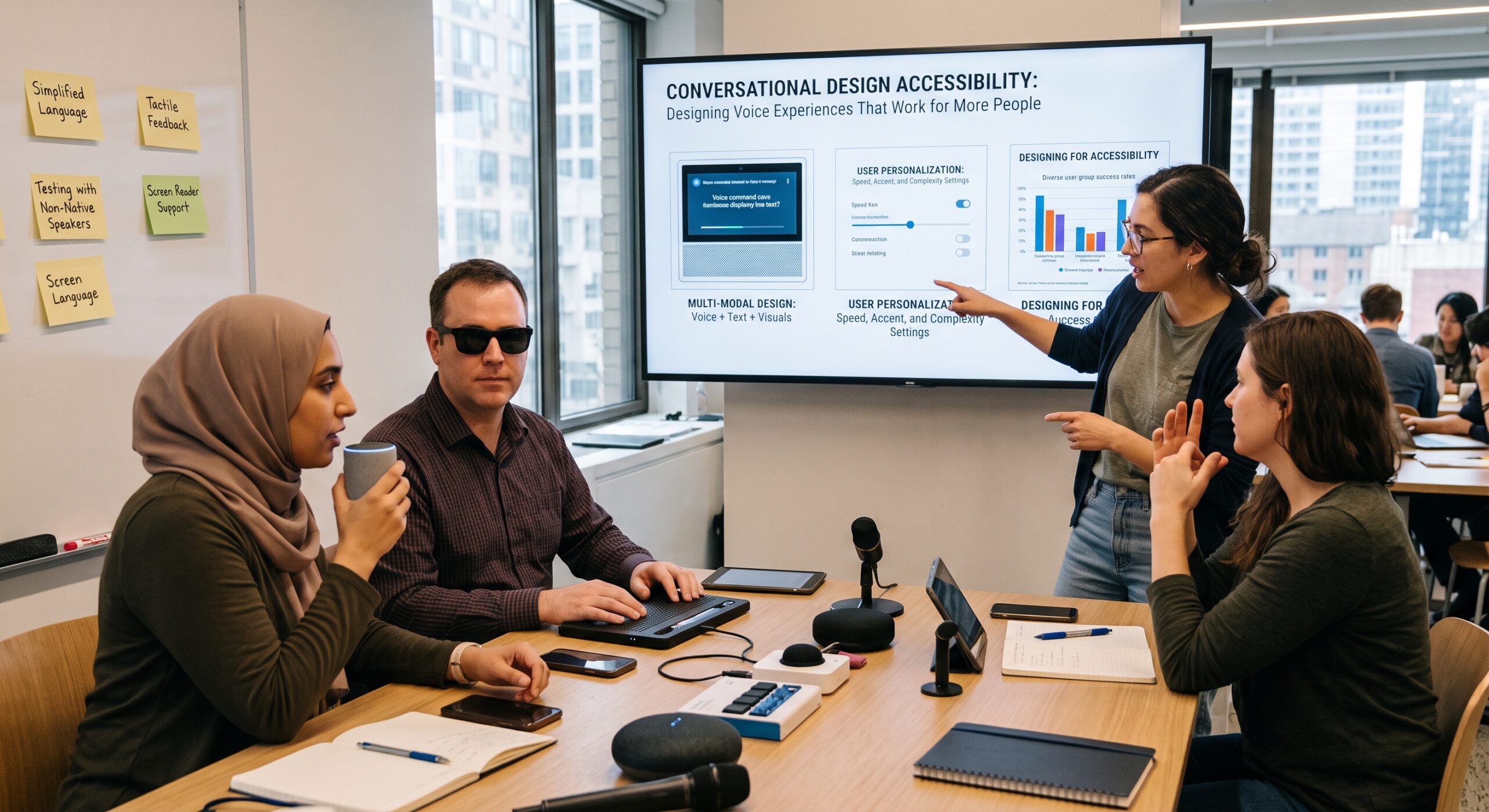
Mastering conversational design accessibility means recognizing that accessibility is not something we should simply add after a voice experience has already been built. Instead, it needs to influence the conversation from the very first question, the first prompt, the first confirmation, and even the first mistake.
This matters because voice experiences are fundamentally different from traditional visual interfaces. For instance, a screen gives people something they can easily scan, compare, reread, point at, or ignore. In contrast, a voice interface usually presents information in a strict sequence. Consequently, if the system speaks too quickly, gives too much information, misunderstands the user, or forces someone through a rigid interaction, the person may have very little opportunity to recover.
Therefore, this is where designing accessible conversations becomes much more than a usability consideration. Ultimately, it becomes a critical way of creating experiences that respect different abilities, communication styles, attention levels, languages, environments, and ways of interacting with technology.
Indeed, the World Wide Web Consortium (W3C) has specifically identified key accessibility concerns around voice systems and natural-language interfaces. These concerns include memory limitations, processing speed, attention spans, language barriers, speech production difficulties, and the ability to change interaction methods.
From a Voice UX perspective, however, that insight changes the fundamental question we ask.
Instead of asking, “Can the assistant understand what the user says?” I prefer asking, “What happens when the user does not say exactly what we expected?”
Indeed, that small change in thinking can completely alter the entire user experience.
What Conversational Design Accessibility Really Means
Conversational design accessibility means designing spoken and text-based interactions so that people with different abilities can understand the system, communicate with it easily, recover from mistakes, control the overall pace, and complete meaningful tasks without facing unnecessary barriers.
Furthermore, it applies across a wide spectrum of technology. This includes voice assistants, conversational search platforms, customer-service systems, voice-enabled applications, chatbots, smart devices, and multimodal experiences where voice works alongside a screen, keyboard, touch interaction, or other inputs.
The most important part, however, is that accessibility is not limited to whether speech recognition technically works. In fact, a system may recognize someone’s words perfectly and still provide a deeply inaccessible experience.
To illustrate, imagine a user asks:
“Can you tell me when my appointment is?”
The assistant then responds with a long explanation containing the appointment date, time, location, provider, preparation instructions, cancellation policy, and several additional options.
Technically, the answer may be accurate. From a conversation design perspective, however, it is thoroughly exhausting. The user might only have wanted the time. Thus, good accessible conversation design continually asks what information is necessary right now, what details can wait, and how much control the person has over the overall interaction.
1. Give People More Than One Way to Interact
One of the biggest mistakes in voice design is treating voice as the only acceptable input.
To be sure, voice can be extremely useful for people who cannot comfortably use a keyboard, mouse, or touchscreen. At the same time, however, voice is not equally usable for everyone.
For example, someone may have difficulty producing speech, while someone else may have difficulty hearing generated speech. Similarly, another person may be in a noisy environment, or they may simply prefer typing. Accordingly, the World Wide Web Consortium’s natural-language interface guidance recommends allowing users to switch input methods during an interaction rather than trapping them inside one mode.
That principle is especially important in modern multimodal products. Specifically, a person should be able to:
- Speak directly to the system.
- Type a written response.
- Select a visual option on screen.
- Read the assistant’s response at their own pace.
- Ask the system to repeat itself.
- Change how quickly information is spoken.
- Move seamlessly from voice to another interaction method when necessary.
Ultimately, this is one of the core foundations of conversational design accessibility. Voice should open a door, not close every other door.
2. Design for People Who Do Not Speak in the “Expected” Way
Conversation designers sometimes create a beautiful dialogue flow that works perfectly during an internal workshop. However, problems arise as soon as real people use it.
In real life, people behave unpredictably:
- They pause to think.
- They change their minds mid-sentence.
- They use unexpected words or regional slang.
- They give incomplete answers.
- They speak with diverse accents.
- They restart sentences halfway through.
- They provide too much information—or almost none at all.
Therefore, a good conversational system needs to accommodate this reality smoothly. For instance, instead of designing a rigid prompt such as:
“Please state your preferred delivery date in the format month, day, year.”
We can make the interaction far more natural:
“When would you like it delivered?”
Consequently, if the person replies with, “Sometime next Friday,” the system should have a reasonable, automated way to continue. The goal is not to force humans to communicate like computers. Rather, the goal is to make the system significantly better at communicating with humans. In short, that is a fundamental principle of conversational design accessibility.
3. Keep Prompts Short Enough to Remember
Memory is easy to overlook in voice interaction because designers often focus on what the system needs to say rather than what the user needs to remember.
Consider this example:
“You can say check my balance, review recent transactions, transfer money, update my contact information, request a replacement card, report a problem, or speak with an advisor.”
While that might look helpful on paper, it becomes an overwhelming wall of information when spoken aloud. By contrast, a much better experience would be:
“I can help with your account. What would you like to do?”
As a result, the user can answer naturally. Then, if they require further guidance, the assistant can provide a few focused choices. Furthermore, this reduces memory demands and gives the person direct control over the conversation.
Indeed, current W3C research on cognitive accessibility specifically highlights memory, processing speed, attention, and the explicit need to simplify prompts while eliminating unnecessary words in voice interactions. For me, this provides one of the clearest lessons in conversational design accessibility: never force the user to memorize the interface.
4. Let Users Control the Pace
Voice interfaces have a hidden drawback that visual interfaces do not share: once information has been spoken, it disappears into thin air.
For context, a paragraph on a webpage remains on screen as long as needed. Spoken information, however, is temporary. Therefore, accessible voice experiences must explicitly support intuitive playback commands such as:
- “Repeat that.”
- “Say that again slowly.”
- “Go back.”
- “What were my options?”
- “Skip that.”
- “Tell me more.”
- “Stop.”
Although these are simple interaction patterns, they provide something remarkably important: complete user control. In addition, W3C natural-language guidance identifies the ability to adjust generated speech—including speed, volume, and pitch—as a vital accessibility requirement. Thus, pacing is not merely a background settings feature; it is an active part of the conversation itself.
5. Do Not Treat Silence as Failure
Automated systems frequently interpret silence as an error or a lost connection. In reality, however, silence can mean many different things.
For instance, the person could be quietly thinking, reading something on a nearby screen, or taking time to recall a detail. Alternatively, they could have forgotten the initial question, become briefly distracted, or felt uncertain about what the system expects next.
Consequently, a poorly designed system reacts harshly:
“I didn’t hear a response. Goodbye.”
Conversely, an accessible system gives the user another opportunity:
“Take your time. You can tell me what you’d like to do, or say ‘help’ if you’d like some options.”
That small adjustment creates a far more forgiving experience. As a result, conversation design should proactively account for natural pauses instead of treating every moment of silence as a system breakdown.
6. Make Error Recovery Part of the Main Experience
Error handling should not be relegated to the forgotten corners of conversation design. In truth, error handling is conversation design.
Every voice experience will eventually misunderstand someone at some point. Therefore, the critical question is what happens next.
A weak response merely states:
“Sorry, I didn’t understand.”
In contrast, a stronger response clearly explains what went wrong and immediately offers a constructive path forward:
“I didn’t catch the destination. Did you mean Manila or Malolos?”
The second response reduces cognitive effort because it narrows down the problem. Consequently, the user does not have to start over from scratch.
Additionally, W3C guidance recommends confirming or requesting repetition when recognition confidence is low, while also cautioning that recognition performance must be evaluated across diverse user groups. Ultimately, we should never blame the user for an interaction failure. If the system misunderstands, the conversation itself should actively help repair the breakdown.
7. Avoid Making Accessibility Sound Like a Robot
There is often a temptation to make accessible language overly formal. However, doing so can make the experience harder to navigate rather than easier.
Accessible conversation does not require speaking like a legal document. For comparison, consider these two options:
- Option A: “Your requested transaction cannot currently be completed due to an issue with the selected payment method.”
- Option B: “That payment method didn’t work. Would you like to try another one?”
Clearly, Option B is shorter, clearer, and far easier to process when spoken aloud. Similarly, Microsoft’s current guidelines for accessible agent experiences recommend clear prompts, avoiding unnecessary jargon, reducing cognitive overload, and supporting multiple input and output formats. In short, good conversational writing should sound like a helpful person, not a technical manual.
8. Be Careful With Personality
Personality can make voice experiences enjoyable and engaging. Nevertheless, personality should never interfere with basic comprehension.
For example, a playful assistant might feel appropriate when helping someone discover new music. However, that same personality will feel completely inappropriate when someone is trying to report a stolen credit card or navigate a critical health notification.
Therefore, tone must strictly follow context. As a conversation designer, I view personality as a mechanism that supports the user’s goal rather than competing with it. Furthermore, accessibility benefits immensely from predictable, direct language—especially when users are already handling a difficult or stressful task. Ultimately, a joke should never make an important instruction harder to understand.
9. Make Important Information Available Visually
Modern voice experiences increasingly operate across multiple integrated channels. Consequently, a person might ask a question using their voice and receive an answer through a combination of spoken audio and an on-screen display.
This represents a major design opportunity. For instance, if an assistant reads a long, complex confirmation number aloud, the user may struggle to remember every digit. Instead, the system could say:
“I’ve displayed the confirmation number on your screen. I can also read it aloud if you’d like.”
That is multimodal design functioning as it should. Indeed, the W3C highlights that natural-language interfaces work best when combined with visual or physical interaction methods. Thus, the best multimodal experiences do not merely duplicate the exact same information everywhere; rather, they leverage each channel for what it does best:
- Voice provides quick guidance and hands-free input.
- Screens preserve persistent, detailed information.
- Touch enables precise selection and navigation.
- Text supports careful reading and searching.
10. Design for Hearing Differences
Voice-first design often focuses heavily on accommodating people with visual impairments. While that is undeniably important, accessibility must go further.
Specifically, someone who cannot hear generated speech should not lose access to essential information. Therefore, important spoken content should always have an equivalent visual or text representation whenever a screen is present. Likewise, auditory notifications should not rely exclusively on sound, and spoken instructions should never vanish permanently after being uttered.
In fact, the broader accessibility principle dictates that information must never depend on a single sensory channel. Accordingly, W3C accessibility frameworks emphasize providing information and interactions through flexible, alternative modalities.
11. Think About Cognitive Load, Not Just Physical Access
Accessibility discussions often center on physical or sensory barriers. However, conversation design introduces another crucial factor: cognitive effort.
To illustrate, imagine a voice assistant that constantly requires users to remember previous details, select from long menus, correct complex errors, and respond within strict time limits. Even if that interface is technically functional, it remains mentally exhausting.
Consequently, effective conversational design accessibility actively works to reduce unnecessary mental effort. Specifically, this means you should:
- Ask only one clear question at a time.
- Keep choices short and manageable.
- Repeat key information whenever necessary.
- Eliminate technical jargon completely.
- Make error recovery effortless.
- Give people ample time to respond.
- Keep interaction flows predictable.
- Allow users to easily change direction mid-task.
Indeed, ongoing W3C research into voice systems highlights cognitive accessibility as one of the most critical areas for modern UX improvement.
12. Test With Real People
This is perhaps the single most vital recommendation of all.
Do not declare a voice experience accessible simply because the design team feels it sounds accessible. Instead, you must test it thoroughly in real-world scenarios.
Furthermore, you must test beyond users who already communicate effortlessly with technology. Specifically, your testing groups should include people with varied communication styles, hearing abilities, visual impairments, cognitive needs, regional accents, speech patterns, ages, and levels of technical confidence.
Pay close attention to where users hesitate, where they request repetition, or where they abandon the interaction entirely. Ultimately, those moments will reveal far more actionable insights than any internal design review ever could.
13. Measure Conversation Quality Differently
Traditional digital metrics rarely capture the full truth of a voice experience. Therefore, conversation designers must look far beyond simple task-completion rates.
For example, you should systematically track key questions such as:
- How often do people ask the system to repeat itself?
- How often do users drop out after encountering an error?
- How many total conversational turns are required to complete a routine task?
- How frequently does the assistant misunderstand the same individual user?
- Can users seamlessly switch from voice to another input method mid-session?
- Do users clearly understand what options are available next?
As a result, monitoring these details helps identify subtle accessibility barriers that high-level metrics hide. For instance, a 90% overall task completion rate might look fantastic at first glance. However, if the remaining 10% disproportionately represents users with speech or cognitive disabilities, the metric is masking a serious failure.
14. Accessibility Should Shape the Conversation From Day One
If I could share only one overarching lesson with another Conversation Designer, it would be this: never design the conversation first and attempt to add accessibility later.
Instead, introduce accessibility considerations right from the discovery phase. Specifically, ask your team:
- Who might struggle with speaking commands aloud?
- Who might struggle to hear the audio playback?
- Who might require additional time to respond?
- Who might use non-standard phrasing or a different language?
- Who might forget what the assistant stated a few seconds ago?
- Who might need to view the information visually on a screen?
- Who might prefer typing over speaking?
- Who might need direct escalation to a human agent?
- Who might use this product in a loud, distracting environment?
Addressing these questions early will shape your foundational conversation architecture before costly design and engineering decisions are finalized. Indeed, modern guidance from major technology platforms consistently reinforces that accessibility must be baked into the core experience rather than treated as a secondary visual polish.
The Difference Between a Voice Interface and an Accessible Conversation
A basic voice interface merely gives someone a technical way to speak to technology. By contrast, an accessible conversation gives that person a genuine opportunity to be understood, informed, and kept in full control of the experience.
Clearly, those two things are not the same.
The true difference is always found in the subtle details. For example, it is reflected in:
- The simple option to say “go back.”
- The freedom to slow down the speech rate.
- The conscious choice to ask one targeted question instead of five.
- The option to display persistent information on screen.
- The flexibility to accept different phrasing for the exact same command.
- The graceful recovery process after a misunderstanding.
- The ability to exit voice mode and continue via text or touch.
Most importantly, however, it stems from recognizing that users should never have to force themselves to adapt to the limitations of a machine. Rather, the interface must adapt to the needs of the human.
Why Conversational Design Accessibility Matters More Now
Voice interfaces are no longer isolated, voice-only gadgets. Instead, they are rapidly becoming integral parts of broader AI ecosystems—spanning search engines, virtual assistants, customer support tools, smart home ecosystems, mobile apps, connected vehicles, and workplace software.
While this expansion makes accessibility more complex, it also creates unprecedented opportunities.
For instance, a voice assistant can read crucial updates aloud while a screen simultaneously preserves the text for later reference. Meanwhile, a keyboard provides an immediate alternative input method if speaking becomes inconvenient. Consequently, users can seamlessly blend these modes depending on their unique needs and immediate surroundings.
Ultimately, this flexibility makes a compelling case for treating conversational design accessibility as a core discipline rather than a superficial checklist. The future of conversational UX should not be framed as voice versus screens. Instead, it must be voice working alongside screens, text, touch, and whatever input method best serves the user at any given moment.
Frequently Asked Questions
What is conversational design accessibility?
Conversational design accessibility is the practice of designing voice and conversational interfaces so that people with diverse abilities can understand, control, and complete interactions successfully. Specifically, it addresses speech recognition, generated speech output, text alternatives, visual cues, error recovery, pacing, and cognitive load.
Why is conversational design accessibility important for voice UX?
Voice interfaces eliminate traditional visual elements, which can make simple tasks much faster. However, voice also introduces brand-new barriers related to hearing, speech production, memory retention, and environmental noise. Designing for accessibility ensures those unique barriers are addressed early on.
Is voice automatically accessible because it does not require a screen?
No, absolutely not. While voice removes physical barriers for some users, it creates new ones for others. For example, users may have trouble producing clear speech, hearing spoken audio, or remembering temporary options. Therefore, true accessibility requires flexible choices and thoughtful conversation design.
How can designers make voice interfaces easier to understand?
Use brief prompts, plain language, concise menu options, clear confirmations, and predictable paths. Additionally, always allow users to repeat information, slow down playback speed, or request additional help whenever needed.
Should voice interfaces always provide a visual alternative?
Whenever a device includes a display screen, important information should generally be made available in visual text format as well. This is especially true for complex details—such as confirmation codes, addresses, or dates—that users may need to reference later.
How should designers handle speech-recognition errors?
Never rely on generic responses like, “I didn’t understand.” Instead, explain specifically what failed and offer a clear path forward. For instance, narrow down choices or ask targeted confirmation questions so the user does not have to start the entire process over.
How does multimodal UX improve accessibility?
Multimodal UX allows users to freely combine voice, text, touch, and visual elements. Because each interaction mode offsets the weaknesses of the others, users gain far greater control over how they choose to interact.
Should accessible conversations avoid personality entirely?
Not necessarily. A distinct personality can make an interaction feel warm and engaging. However, personality elements must never obscure essential instructions or feel inappropriately lighthearted during serious or stressful tasks.
How should conversational designers test for accessibility?
Conduct real-world testing with individuals who have diverse communication preferences, accents, cognitive needs, visual impairments, and hearing abilities. Pay attention to moments of hesitation, repetition requests, and task abandonment—not just successful completions.
What is the single most important principle in conversational design accessibility?
Always give users control. Allow them to repeat content, adjust speed, switch input modes, fix errors easily, and pause or exit the conversation at any time without penalty.
Final Thoughts
At its core, good conversation design is not about making a machine sound hyper-human. Rather, it is about making an interaction feel completely understandable and manageable for the person using it.
That distinction is becoming increasingly critical as AI assistants grow more capable and voice capabilities embed deeply into complex products. As a result, Conversation Designers and Voice UX specialists have an extraordinary opportunity to lead the way.
Accessibility should directly inform:
- The words and phrasing we choose.
- The number of options we present at once.
- The speed at which our system speaks.
- The way our software responds to silence.
- The strategies we use to repair misunderstandings.
- The ease with which users can pivot to another interaction channel.
Ultimately, the strongest conversational experiences are not always the ones with the most advanced artificial intelligence. Instead, they are the ones that give people the space, flexibility, and respect to communicate in their own way.
References and Further Reading
- W3C — Cognitive Accessibility Research: Voice Systems and Conversational Interfaces: The foundational W3C draft module addressing cognitive accessibility barriers in voice systems, NLP, and interactive voice response (IVR). Highlights user needs around memory, attention, speech production, and processing speed.
- W3C — Natural Language Interface Accessibility User Requirements (NAUR): Official W3C technical recommendations outlining accessibility scenarios, error recovery protocols, user pacing, speech controls, and multimodal interaction standards for voice interfaces.
- W3C WAI — Accessibility Principles: Core Web Accessibility Initiative guidelines explaining how to provide flexible input modes, multimodal alternatives, clear feedback, and adaptable user controls.
- Microsoft — Inclusive Design Methodology & Agent Guidance: Microsoft’s framework for inclusive product and agent design. Focuses on designing for mismatched human abilities, reducing cognitive friction, and adapting interfaces to real-world contexts.
- Nielsen Norman Group — Voice Interaction UX: Principles & Usability Guidelines: Authoritative UX research on applying foundational usability heuristics to voice user interfaces, managing conversational flow, and reducing user friction.
- UX Collective — Tips for Designing Accessibility in Voice User Interfaces: A practical guide on normalizing spoken language, crafting concise prompts, managing ambiguity, and building accessible conversational flows on voice platforms.
- Smashing Magazine — Combining Graphical and Voice Interfaces for a Better UX: In-depth exploration of multimodal UX design, showing how audio, text, and visual displays work together to accommodate hearing, visual, and cognitive needs.