


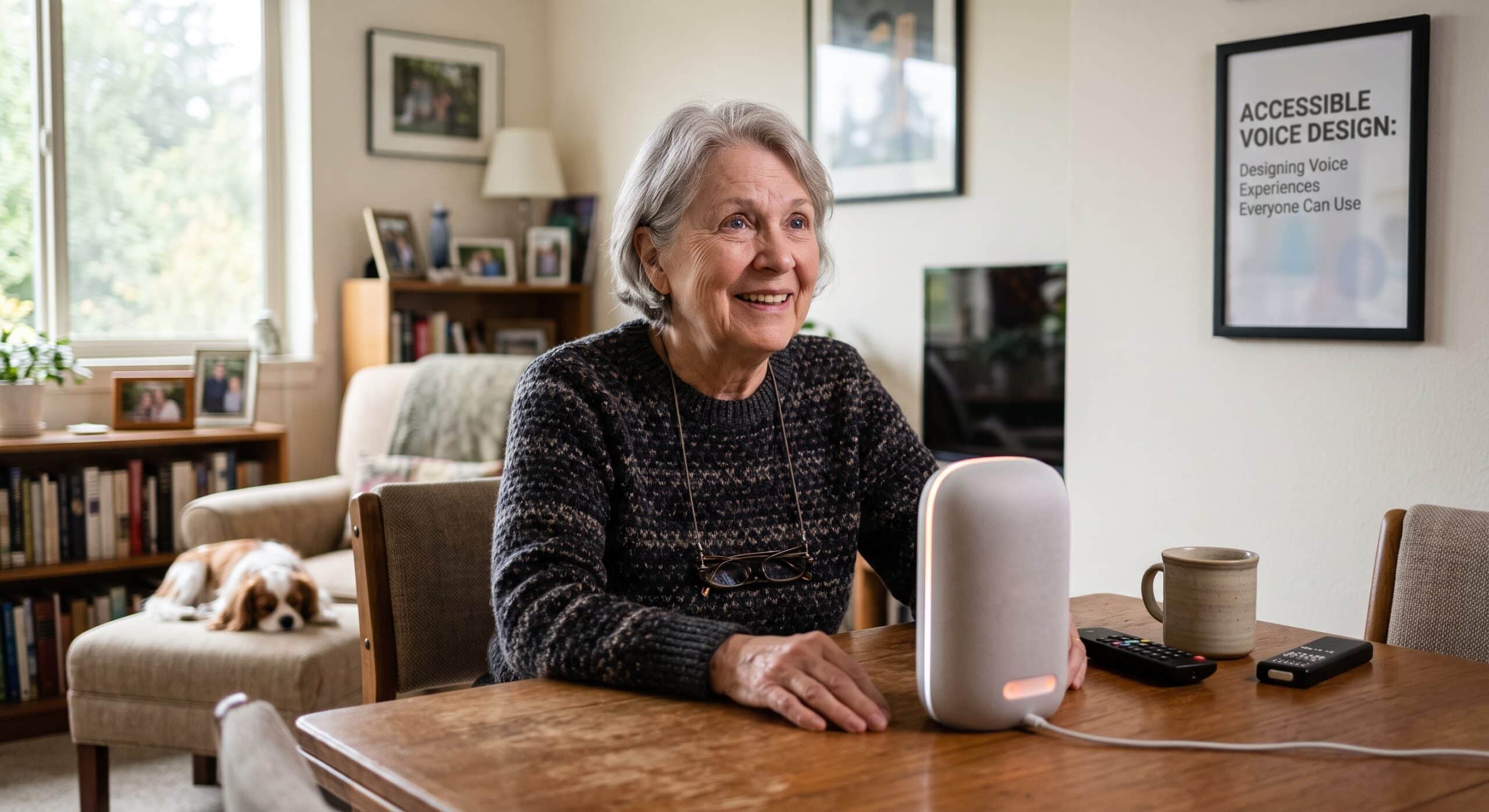
When designing for voice search accessibility, the goal is to make looking for information effortless for everyone. Instead of opening a browser, typing a few words, scanning a page, and refining the query, a person can simply ask a question. That sounds simple, but from a conversation design perspective, the simplicity on the user’s side hides a lot of design decisions behind the experience.
A voice search interaction has to understand what a person says, determine what they mean, respond in a way they can understand, and give them a useful path forward. If any part of that experience breaks down, the user is left wondering what went wrong.
That is why voice search accessibility should not be treated as a small feature added after a voice experience has already been designed. Instead, it should be considered from the very beginning.
The World Wide Web Consortium has specifically identified accessibility concerns around voice systems and conversational interfaces, including issues involving memory, attention, processing speed, language, auditory perception, and speech production. These concerns affect people with a wide range of disabilities, but they can also affect people dealing with temporary limitations, unfamiliar languages, noisy environments, or stressful situations.
As a Conversation Designer, I look at voice differently from a traditional search box. A search box gives people something visible to work with, whereas voice removes much of that visual support. Consequently, the user has to remember what they can ask, understand what the system says, and know what to do next.
This makes good conversation design essential.
Why Voice Search Accessibility Matters Now
Voice interfaces are no longer limited to smart speakers. They are appearing across smartphones, vehicles, websites, customer-service systems, wearable devices, home technology, and AI assistants. At the same time, many products are becoming multimodal, allowing users to move between speaking, typing, touching, reading, and listening.
This represents an important shift.
Accessibility is not about deciding that everyone should use voice; rather, it is about giving people another practical way to interact with technology.
People who cannot comfortably use a keyboard can rely on voice to reduce physical effort. Likewise, individuals with limited vision benefit from spoken search by reducing their dependence on visual navigation. Multitaskers find that voice brings information within quick reach, while those who struggle with reading often find hearing information far more digestible than processing a long block of text.
However, voice can also introduce barriers.
A person with a speech disability may have difficulty being understood by a speech recognition system. Someone with hearing loss may not receive enough information from spoken responses. A person with a cognitive disability may need more time to process a question, while someone who is unfamiliar with a particular language or accent may experience repeated recognition failures.
The W3C’s current research on voice systems makes this point particularly well: accessibility needs can differ significantly depending on how a person communicates, processes information, remembers instructions, or responds to spoken prompts.
Therefore, voice search accessibility is ultimately about flexibility. The system should adapt to people instead of forcing people to adapt to the system.
1. Do Not Assume Everyone Speaks the Same Way
One of the first mistakes I look for when reviewing a voice search experience is the assumption that everyone speaks in the same manner.
Real conversations are messy. People pause, change their minds, repeat themselves, use regional expressions, and mispronounce names. They might speak quickly when excited and slowly when uncertain. On top of that, some people have speech patterns that automated recognition systems do not handle particularly well.
A successful voice experience needs to expect this.
For example, imagine someone asking:
“Find me a pharmacy that’s open near me.”
A rigid system might expect a very specific phrase. Conversely, a better system understands the intention behind the request even if the user says:
“Where’s the nearest pharmacy that’s open?”
or:
“Can you find a pharmacy around here?”
While the wording changes, the underlying need remains the same. For voice search accessibility, this flexibility is fundamental. Users should not have to memorize the exact sentence that the system expects.
2. Give People More Than One Way to Interact
Voice should rarely become the only door into an experience.
Multimodal interaction is one of the strongest approaches to accessible voice design because it lets people move between different forms of communication. Accessibility.com similarly recommends considering multiple interaction methods because not every user can rely on speech.
Imagine a person searches by voice and receives a spoken answer. Simultaneously, the screen could display the result, show a transcript, provide controls, and offer an obvious way to continue.
This design creates real choice.
Depending on their needs, the user might listen to the answer, read it instead, type the next question, or tap a result. This flexibility is particularly important for people who cannot speak, cannot hear clearly, or simply prefer another interaction method.
Good voice search accessibility therefore does not mean replacing graphical interfaces with voice. It means allowing voice to work alongside them.
3. Keep Spoken Answers Short and Understandable
A screen can display ten search results without requiring the user to listen to every word, but voice does not have that luxury. When a voice assistant reads a long list aloud, users can quickly lose track of where they are.
This is where conversation design diverges from conventional interface design.
A useful voice response might say:
“I found three pharmacies nearby. The closest is two minutes away. Would you like its hours or directions?”
That response succeeds on multiple levels: it gives the user the most important information first, limits cognitive load, and provides a clear next step.
This approach directly supports cognitive accessibility. The W3C’s research identifies memory, processing speed, attention, and understanding spoken information as key considerations for voice interfaces.
For voice search accessibility, shorter does not automatically mean better. The real goal is to make information easy to understand, remember, and act upon.
4. Give Users Time
One of the most frustrating experiences in voice interaction is being rushed.
System flow often breaks when an assistant asks a question, waits briefly, decides the user has not responded, and abruptly moves on. For some users, that pace is merely annoying; for others, it can render the interaction completely unusable. People may need additional time to understand a prompt, formulate an answer, or physically prepare to speak.
A thoughtful conversation designer considers pauses as an essential part of the experience rather than treating silence as a failure.
Instead of immediately saying:
“I didn’t hear you.”
the system might say:
“Take your time. I’m listening.”
Even better, the interface can provide alternative visual or touch controls when appropriate. The goal is not to make every interaction slower, but to avoid assuming that everyone processes information at the exact same speed.
5. Make Errors Easy to Recover From
Voice recognition will inevitably get things wrong. The important question is not whether errors happen, but what happens afterward.
Poor error handling unfairly places blame on the user:
“Invalid request.”
By contrast, good error handling helps the user recover smoothly:
“I didn’t catch the destination. Did you mean Baguio City or Baguio Country Club?”
The second response actively reduces the user’s workload.
Furthermore, a strong voice experience avoids forcing someone to start over after a minor slip. If the user says the wrong date, the system should allow them to correct that specific detail without repeating the entire request. This principle is especially vital for voice search accessibility, as repeated failures can become exhausting for users who already face recognition barriers.
6. Avoid Making People Memorize Commands
Older voice interfaces often required users to learn specific syntax. That rigid approach may work for basic hardware control, but it quickly becomes restrictive as systems evolve to be more conversational.
People should be able to speak naturally. Instead of instructing users to:
“Say ‘search restaurants’ followed by your location.”
the experience ought to support intuitive phrasing like:
“Where can I get dinner nearby?”
It is the system’s job to interpret the request. Google’s conversation design guidance emphasizes that voice interfaces need to be designed around the natural structure of human dialogue rather than simply copying visual interface patterns.
That distinction is critical: a voice interface is not merely a screen with the buttons removed—it is an active conversation.
7. Design for Hearing Differences
Accessibility discussions around voice sometimes focus almost entirely on people with visual impairments. However, that perspective covers only half the picture.
A voice-first experience can create significant barriers for people who are deaf or hard of hearing, particularly when spoken output lacks a visual equivalent. A multimodal interface addresses this gap by providing transcripts, captions, visual status indicators, readable search results, and text-based controls.
This inclusive approach also improves usability in everyday situations. For instance, someone might be in a noisy train station, working in a quiet library where speaking aloud is inappropriate, or simply preferring to read.
The broader lesson is clear: accessible design consistently yields a better experience for everyone.
8. Think About the Environment
Voice search accessibility is not only about permanent disability—the surrounding environment matters just as much.
A person might be standing beside a busy road, sitting in a crowded café, riding in a car, walking through an airport, or using a phone late at night next to a sleeping family member. Environmental noise degrades speech recognition, lack of privacy alters how comfortably people speak, and poor connectivity creates latency.
A resilient voice experience must incorporate built-in alternatives:
- If speech recognition fails repeatedly, offer text input seamlessly.
- If spoken output is difficult to hear, display the response visually.
- If the user cannot speak privately, provide a tap-based interaction path.
These real-world challenges are precisely why multimodal experiences are becoming fundamental to modern voice technology.
9. Make Search Results Easy to Navigate
Search is far from finished when the system merely finds an answer, as users frequently need to evaluate and compare options.
Suppose a user asks:
“Find accessible hotels near the city center.”
If the system finds ten matching results, reading all ten aloud would be overwhelming. Instead, an effective assistant summarizes the strongest options and allows the user to explore them selectively:
“I found five hotels. The first two have accessible rooms and elevators. Would you like to hear about the closest one?”
This structure keeps control firmly with the user. It minimizes cognitive load, maintains conversational focus, and renders voice search practical for complex tasks rather than limiting it to simple trivia.
10. Confirm Important Actions
Voice interfaces introduce unique risks when an action carries significant consequences. While searching for a local park carries low risk, purchasing an item, deleting data, transferring funds, or submitting a form requires explicit boundaries.
For high-stakes actions, the system should always request confirmation:
“Your order is ready. The total is $42. Would you like me to place it?”
This brief pause gives the user an opportunity to catch a misunderstanding before it causes real trouble. Applying this principle prevents users from being penalized simply because speech recognition misheard a single word.
11. Design for Different Languages and Accents
Language diversity forms another cornerstone of voice search accessibility.
People rarely speak a language identically across different regions. They bring unique accents, dialects, local vocabulary, and mixed-language phrasing to their interactions. Because of this, conversation designers must test against realistic speech rather than relying solely on polished, scripted recordings.
Design teams need to account for regional idioms, localized place names, varied pronunciations, and casual speaking patterns. The W3C highlights internationalization and localization as critical areas needing continued focus in conversational accessibility research.
For global products, language support must extend beyond literal translation—the flow of the conversation itself may need to adapt.
12. Test With Real People
No accessibility checklist can ever replace testing with actual human beings.
This truth applies doubly to voice design. A system might perform flawlessly when evaluated by a designer reading clean sentences into a quiet microphone, but real users behave unpredictable ways. They hesitate, interrupt, revise their thoughts mid-sentence, use unexpected vocabulary, and speak with varied accents.
Testing protocols must include people with diverse communication needs and abilities, evaluating performance in noisy, real-world conditions rather than ideal laboratory settings.
For a Conversation Designer, user testing is where hidden flaws surface. You will learn far more watching one person struggle through a single broken interaction than reviewing dozens of successful automated runs.
13. Treat Accessibility as Part of Conversation Quality
The overarching principle is straightforward: accessibility must never be separated from overall conversation quality.
An accessible voice interface should naturally feel like a great conversation—clear without sounding condescending, helpful without being pushy, flexible without becoming confusing, and concise without omitting crucial context. Striking that balance constitutes the core work of conversation design.
The W3C’s broader accessibility framework emphasizes that digital experiences must cater to users with visual, hearing, motor, speech, cognitive, and learning differences. As voice assistants grow more capable, designers have an opportunity to abandon the outdated notion that accessibility is merely an add-on tacked on after launch.
Instead, inclusive principles can shape the core experience from day one.
The Future of Voice Search Accessibility Is Multimodal
The future of interface design is unlikely to be completely screenless. Rather, we are moving toward an ecosystem where voice, text, visuals, and touch work seamlessly together.
A user might initiate an interaction via voice:
“Find me a nearby coffee shop.”
They can then scan the resulting map on a screen, tap a specific location, and follow up verbally:
“Is it open now?”
The system might then answer aloud while displaying the business hours on screen.
This blended model offers maximum adaptability, allowing the user to select whichever interaction mode suits their immediate context. Consequently, voice search accessibility belongs at the heart of multimodal UX strategy—voice is not just a hidden search box, but a dynamic medium for human-computer communication.
And digital communication must work for everyone.
Final Thoughts
Designing voice search accessibility is ultimately about respecting how differently people communicate with technology. A successful voice experience should not demand perfect speech, hearing, memory, attention, or understanding.
Rather than expecting perfection, a strong system anticipates mistakes and allows people to recover gracefully. It needs to offer practical alternatives, give users adequate time, and communicate with clarity. Above all, it must put control firmly in the hands of the user.
As a Conversation Designer and Voice UX Designer, I would argue that the best accessible voice experiences are not the ones that constantly announce their accessibility—they are simply the ones that feel effortless to use.
When voice search works well, the technology gets out of the way. The user asks for something, the system understands as best as it reasonably can, and the conversation moves forward.
That is the standard worth aiming for. Accessibility should never be an afterthought in voice design—it must be part of the conversation from the very first question.
Frequently Asked Questions
What is voice search accessibility?
Voice search accessibility means designing voice-based search experiences so that people with different abilities, communication styles, and interaction preferences can successfully search for and understand information. It encompasses speech recognition, spoken responses, visual alternatives, error recovery, timing, language support, and multimodal interaction.
Why is voice search important for accessibility?
Voice search offers a vital alternative to typing, tapping, and visual navigation. It is particularly beneficial for individuals with visual or motor limitations, as well as those needing hands-free operation. However, voice should supplement rather than replace other input methods, as some users experience speech or hearing barriers.
Can voice search be inaccessible?
Yes. Voice search becomes inaccessible when systems demand rigid command syntax, fail to recognize diverse speech patterns, deliver excessively long audio responses, enforce strict time limits, or fail to offer fallback options when voice recognition drops.
How can designers improve voice search accessibility?
Designers can improve accessibility by supporting natural language, providing multimodal fallbacks, keeping spoken responses concise, enabling easy error correction, allowing ample response time, supporting diverse accents, and testing directly with users who have varied accessibility needs.
Should voice interfaces replace traditional search?
No. The most effective strategy provides flexible choices. Combining voice, text, touch, and visual outputs lets users select the interaction style that best fits their immediate needs and environment.
What role does a Conversation Designer play in accessibility?
A Conversation Designer shapes the mechanics of system communication, including prompt phrasing, confirmation steps, error handling, response pacing, and overall dialogue flow. Integrating accessibility into these choices from the outset ensures a more inclusive user experience.
What is the relationship between voice search and multimodal UX?
Multimodal UX seamlessly combines voice with visual and touch interactions. A user might initiate a query by voice, review visual options on screen, select an item by touch, and ask a follow-up question verbally. This flexibility makes digital products significantly more accessible.
References and Further Reading
- W3C — Cognitive Accessibility Research Modules: Voice Systems and Conversational Interfaces: An official W3C technical report exploring cognitive accessibility barriers in voice assistants, IVR systems, and conversational interfaces—covering memory, attention, processing speed, and speech production.
- W3C — Natural Language Interface Accessibility User Requirements (NAUR): Detailed user requirements and scenarios outlining how natural-language interfaces should handle input timing, error recovery, pronunciation, and multimodal interactions for users with disabilities.
- W3C — Accessibility Principles (WAI): Foundational guidelines from the Web Accessibility Initiative detailing how web applications, voice browsers, and user agents can deliver perceivable, operable, and understandable digital experiences.
- Google Assistant Developers — Conversation Design: What is Conversation Design?: Google’s official conversation design framework, explaining how to build voice experiences rooted in natural human dialogue rather than merely retrofitting graphical user interfaces.
- Design Shack — Voice UI & Accessibility: Designing for a Screenless World: A practical guide for UX/UI designers on managing cognitive load, supporting multimodal interactions, and establishing graceful error recovery in screenless voice environments.
- Accesstive — Voice Assistants & Accessibility: Optimize for Spoken Commands: A comprehensive exploration of accessible voice design principles, including context-aware prompting, multimodal feedback mechanisms, and testing strategies for diverse speech patterns.