


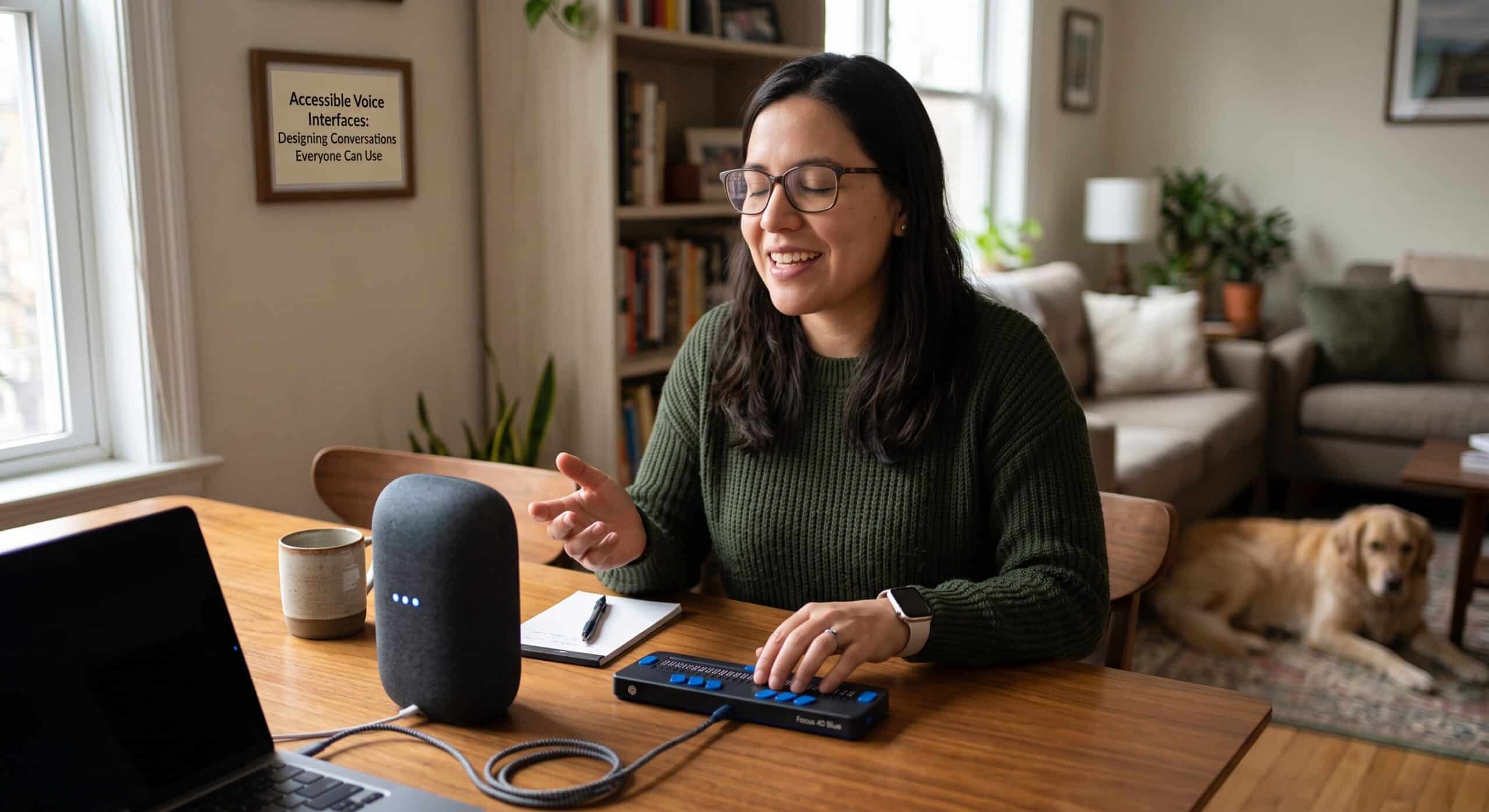
Accessible Voice Interfaces: Designing Conversations Everyone Can Use
When designing accessible voice interfaces, the conversation often starts with convenience. We ask for the weather while cooking, set reminders hands-free, or control smart devices across the room. But while these conveniences are helpful, true accessibility in voice design goes much deeper—it ensures that technology can adapt to every user’s unique speech, hearing, vision, and cognitive needs.
From a conversation design perspective, the critical question is this: Who can actually use the experience successfully?
That question changes how we approach voice interaction.
Voice can remove traditional barriers for someone who finds touchscreens or mice difficult to use. Spoken feedback benefits individuals with visual impairments or reading difficulties. At the same time, pure voice interfaces can introduce new obstacles for users who are deaf, hard of hearing, speak with non-standard speech patterns, or process information differently.
That is why accessibility cannot be treated as a final testing step. It needs to influence the conversation from the very first design decision.
The World Wide Web Consortium’s accessibility guidance recognizes a broad range of needs involving vision, hearing, movement, speech, cognition, and learning. Its current work also includes research specifically examining cognitive accessibility issues in voice systems and conversational interfaces.
For a conversation designer, this means designing for real people rather than designing for an imaginary “average” speaker.
Why Accessible Voice Interfaces Matter
Voice has a strange quality that screen interfaces do not. A screen gives users something they can look at, scan, compare, reread, and explore. Voice disappears as soon as it is spoken.
That changes the entire interaction.
If a screen displays 10 choices, a person can glance at them and decide. If a voice assistant reads 10 choices aloud in one long sentence, the experience can become exhausting. The user may forget the first options before reaching the last one.
This is one of the fundamental lessons behind accessible voice interfaces: spoken information has to be designed for listening, not reading.
A conversation designer needs to think about memory, attention, timing, pronunciation, interruptions, mistakes, silence, confirmation, and recovery. These are not minor details. They determine whether a person can successfully complete a task.
The goal is not to make every interaction slower or overly simplified. The goal is to make the interaction flexible enough that different people can use it comfortably.
Research and guidance from the W3C specifically identifies cognitive accessibility concerns in voice systems, including voice assistants, conversational systems, voice menus, and interactive voice response systems.
That makes accessibility a conversation-design problem as much as a technical one.
1. Give People More Than One Way to Interact
The biggest mistake I see in voice design is treating voice as the only possible path.
A voice interface can be excellent without being exclusive.
Suppose an application asks:
“Would you like to transfer $500 to John?”
A user might answer verbally. But a multimodal interface could also present the same decision visually, allowing the person to tap “Yes” or “No.”
This is especially important when the surrounding environment makes speaking difficult. Someone might be in a quiet library, a crowded train, a workplace, or a room where other people are sleeping.
Accessible voice interfaces should therefore work alongside other interaction methods whenever the product allows it.
Voice should be an option, not a trap.
The broader direction of accessibility is also moving toward flexible input and presentation methods. The W3C’s work on future accessibility guidance explicitly considers speech and voice input while also emphasizing that users should not be forced into a single method of interaction.
2. Keep Spoken Responses Short
One of the simplest accessibility improvements is also one of the easiest to overlook: say less.
Imagine asking an assistant:
“What’s the nearest pharmacy?”
A poor response might provide the pharmacy’s name, address, distance, opening hours, phone number, available services, customer rating, parking information, and several alternative locations in one uninterrupted response.
Technically, the assistant answered.
From a UX perspective, it may have failed.
A better response might be:
“The nearest pharmacy is Green Pharmacy, about five minutes away. Would you like directions?”
Now the user has a clear piece of information and a clear next step.
This approach reduces memory demands and makes the conversation easier to control.
For people with cognitive or learning disabilities, this can make a significant difference. It can also help people who are tired, distracted, unfamiliar with the product, or communicating in a second language.
Accessible voice interfaces should not attempt to prove how much information they know. Instead, they should deliver key information right at the moment the user needs it.
3. Make Every Question Easy to Answer
A question can be grammatically correct and still be difficult to answer.
Consider:
“Please specify the preferred delivery arrangement for your requested order.”
That sounds formal, but it creates unnecessary mental work.
A conversation designer might instead ask:
“Where should we deliver it?”
If there are only two choices, make them obvious:
“Should we deliver it to your home or office?”
Good conversation design reduces the amount of interpretation required from the user.
This becomes particularly important when designing accessible voice interfaces because people may have different speech patterns, different levels of language familiarity, or different cognitive processing needs.
Simple language does not mean childish language. It means removing unnecessary complexity.
4. Never Punish People for Not Understanding
A voice assistant will misunderstand people.
That is unavoidable.
The quality of a voice experience is therefore not determined only by how often it understands correctly. It is also determined by what happens when it gets something wrong.
A weak interaction looks like this:
Assistant: “Sorry, I didn’t understand.”
User: “Book a dentist appointment.”
Assistant: “Sorry, I didn’t understand.”
User: “Dentist.”
Assistant: “Sorry, I didn’t understand.”
At this point, the user is not being helped. They are being blamed for the system’s limitations.
A better interaction gives the person a path forward:
“I can help with that. Are you looking for a dentist appointment or a dental clinic?”
If the system still cannot understand:
“I didn’t catch that. You can say ‘dentist appointment’ or ‘dental clinic.'”
That small change matters.
Accessibility guidance emphasizes helping users identify and correct input errors rather than simply leaving them at a dead end.
In conversation design, recovery is part of the experience, not an exception to it.
5. Design for Different Speech Patterns
Voice systems are often tested with clear, standard speech. Real people do not all speak in the same way.
People may have accents, speech differences, slower speech, stutters, unusual pacing, or temporary changes caused by illness, fatigue, stress, or background noise.
A voice experience that works perfectly for one speaker may fail repeatedly for another.
This is why testing needs to include a wide range of voices.
The designer should ask:
- Can users speak naturally?
- Does the system understand different accents?
- Can users pause without losing their turn?
- What happens when someone repeats themselves?
- Can users correct a misunderstood word?
- Can users change their mind halfway through a request?
- Can someone interrupt the assistant?
- Is there another way to complete the task?
These questions are more useful than simply asking whether the assistant achieved a high recognition rate in a controlled demonstration.
Accessibility starts becoming real when testing reflects real people.
6. Give Users Control Over the Conversation
A good voice experience should never feel like an interrogation.
The assistant should let people interrupt, repeat, cancel, go back, ask for clarification, and change their minds.
For example:
“Your appointment is scheduled for Thursday at 2 PM.”
The user might say:
“Wait, make that Friday.”
The assistant should be able to recover naturally.
Similarly, users should be able to say:
- “Repeat that.”
- “Go back.”
- “Cancel.”
- “What were my other options?”
These commands provide control without requiring the user to remember complicated instructions.
Control is especially important in accessible voice interfaces because users may need more time to process information or may not be able to use the same interaction technique as another person.
7. Be Careful With Confirmation
Confirmation is important, but too much confirmation creates frustration.
If every tiny action requires:
“Are you sure?”
the conversation becomes tedious.
Conversely, if a high-impact action happens without confirmation, the consequences can be serious.
A better approach is to consider the cost of a mistake.
Changing a music track might not require confirmation. Deleting important information probably does. Sending money certainly deserves careful handling.
The conversation designer’s job is to find that balance.
A useful pattern is to summarize the important details before a consequential action:
“You’re sending $500 to Maria. Should I continue?”
The user can clearly hear what is about to happen before it happens.
8. Design for People Who Cannot Hear
It is easy to make a mistake here: assuming that because something is called a voice interface, everyone is expected to hear it.
That is not accessibility.
A multimodal experience can provide the same information visually through text, captions, notifications, or interface controls.
For example, if a voice assistant says:
“Your appointment is confirmed for Monday at 10 AM.”
the screen could simultaneously show:
Appointment confirmed
Monday, August 17 — 10:00 AM
This creates redundancy without creating unnecessary complexity.
The principle is simple: important information should not depend on a single sensory channel.
W3C accessibility guidance similarly emphasizes alternatives for information that might otherwise depend on a particular sensory presentation.
9. Think About Cognitive Load
Voice feels natural because conversation is something humans already understand.
However, natural conversation does not automatically produce an accessible interface.
A long voice menu can overwhelm someone. What’s more, a complicated sequence can be difficult to remember. A system that changes its wording every time can make users wonder whether they are still performing the same task.
Consistency matters.
If the assistant says “Cancel” in one part of the experience, it should not suddenly expect the user to say “Abort operation” somewhere else.
The same principle applies to instructions.
Instead of:
“Please indicate whether you would like to proceed with the aforementioned selection.”
say:
“Would you like to continue?”
The second version is easier to process, easier to remember, and easier to answer.
The W3C’s current research on cognitive accessibility specifically examines issues like memory, attention, understanding, and user needs within voice and conversational systems.
10. Treat Silence as Part of the Design
One of the most underestimated elements of voice UX is silence.
A person may pause because they are thinking. They could be deciding between two options or trying to recall a specific name. Sometimes, they simply need another moment.
If the system immediately says:
“I didn’t hear anything.”
the experience can feel impatient.
A better approach is to allow reasonable pauses and provide a gentle prompt when necessary:
“Take your time. I’m listening.”
This is particularly valuable for users who communicate more slowly.
Timing should be designed, tested, and adjusted rather than treated as a technical setting that developers decide at the end.
11. Use Multimodal Design Instead of Voice Alone
The future of voice is not necessarily a world without screens.
It is more likely to be a world where voice and visual interfaces work together.
Imagine ordering food through a conversational assistant. The assistant could ask what the user wants, while the screen displays restaurant choices. The user could then say, “Choose the second one,” or tap the item directly.
That combination gives users freedom.
Some information is easier to hear. Other details are easier to see. Certain tasks are faster through speech, while others are easier with touch.
Accessible voice interfaces should take advantage of those differences rather than pretending that one interaction method is always superior.
Recent accessibility discussions around voice and gesture interfaces increasingly place these technologies alongside established accessibility practices such as keyboard navigation, screen readers, and visual design requirements.
Here is the revised section with all repeated sentence starters varied:
12. Test the Conversation, Not Just the Technology
A voice interface can pass technical tests and still be frustrating.
As a conversation designer, I would want to observe what people actually do.
- Do they hesitate?
- Are they repeating themselves?
- Will they ask questions the system did not anticipate?
- Do they become quiet after an error?
- Might they use unexpected words?
- Do they abandon the task altogether?
Those behaviors reveal the real problems.
Testing should include people with different abilities and communication styles. It should also happen in realistic environments rather than only inside a quiet usability lab.
- Try the experience with background noise.
- Test it with a person who speaks slowly.
- Give it a shot with someone who has never used the product before.
- Run through the interaction without looking at the screen.
- Finally, try it while looking at the display.
Every variation reveals something different.
What Accessible Voice Interfaces Really Mean
Accessibility in voice is not about adding a few extra commands.
It is about designing a conversation that respects the user’s ability to understand, respond, recover, and choose.
The best accessible voice interfaces share several characteristics:
- They provide alternative ways to interact.
- They use clear and familiar language.
- They keep responses manageable.
- They allow users to interrupt.
- They provide useful recovery after mistakes.
- They support different communication styles.
- They do not depend entirely on hearing.
- They reduce unnecessary memory demands.
- They give users control over important actions.
- They are tested with real people and real situations.
None of these ideas require a futuristic concept.
They are practical conversation design decisions.
The Bigger Opportunity for Conversation Designers
Voice is sometimes described as a replacement for the graphical user interface. I do not think that is the most useful way to look at it.
Voice is another way of communicating with technology.
That distinction matters.
A good conversation designer is not simply writing clever responses for an assistant. They are designing a system of interaction where people can express intent, receive understandable information, recover from mistakes, and complete tasks with confidence.
Accessibility makes that responsibility clearer.
By designing for someone who speaks differently, we learn to build better recovery. By keeping someone in mind who needs more time, we learn to respect conversational pacing. Considering someone who cannot hear helps us discover the value of multimodal feedback. Similarly, when we design for someone who has difficulty remembering long instructions, we learn to make conversations simpler for everyone.
That is why accessibility should not be considered a niche requirement.
It often improves the core experience.
FAQ: Accessible Voice Interfaces
What are accessible voice interfaces?
Accessible voice interfaces are conversational systems designed so that people with different abilities and communication needs can interact with them successfully. They consider speech differences, hearing, vision, cognition, movement, language, timing, and alternative interaction methods.
Why are accessible voice interfaces important?
They can reduce barriers for people who find traditional screen or touch interfaces difficult to use. They also make voice experiences more resilient for everyday situations such as noisy environments, multitasking, temporary injuries, or limited attention.
How can voice interfaces help people with disabilities?
Voice can provide an alternative input method for people who have difficulty using keyboards, mice, or touchscreens. Spoken output can also help people who have difficulty reading visual content. However, voice should not be assumed to work for everyone, so alternative interaction methods remain important.
Can a voice interface be accessible to deaf or hard-of-hearing users?
Yes, particularly when voice interaction is combined with visual feedback. Important information can be displayed as text, captions, notifications, or visual confirmations rather than being delivered through audio alone.
What makes a voice assistant difficult to use?
Long responses, unclear questions, poor error recovery, rigid commands, inconsistent wording, short timeouts, and a lack of alternative interaction methods can all create problems.
How should designers handle voice recognition mistakes?
The system should explain what went wrong when possible, offer a useful next step, and allow the user to try again. Repeating “I didn’t understand” without helping the user change their approach creates frustration.
Should every voice action require confirmation?
No. Confirmation should depend on the consequences of an error. Low-risk actions can usually remain quick, while sensitive or irreversible actions should provide a clear opportunity to review and confirm.
What is multimodal voice design?
Multimodal voice design combines speech with other interaction methods, such as visual interfaces, touch, text, captions, or physical controls. It allows users to choose the method that works best for a particular task or situation.
How should designers test voice accessibility?
Test with people who have different abilities, speech patterns, accents, communication styles, and levels of familiarity with the product. Test both quiet and noisy environments and observe how users recover when the system misunderstands them.
What is the most important principle for accessible voice interfaces?
Give users control. Let them ask for repetition, interrupt, correct mistakes, change their minds, cancel actions, and use another interaction method when voice is not suitable.
Conclusion
The strongest voice experiences are not the ones that sound the most human. They are the ones that make people feel understood and in control.
That distinction is important as conversational AI becomes part of phones, cars, websites, household devices, customer service systems, and multimodal applications.
For conversation designers and Voice UX designers, accessibility needs to be part of the conversation from the beginning. It belongs in research, journey mapping, dialogue design, content decisions, prototyping, usability testing, and product strategy.
Accessible voice interfaces are ultimately about giving people more ways to participate.
And when we design conversations that accommodate different voices, different abilities, different environments, and different ways of thinking, we do more than improve accessibility. We create voice experiences that are clearer, calmer, more forgiving, and more useful for everyone.
References and Further Reading
- W3C — Web Content Accessibility Guidelines (WCAG) 2.2: The primary international web standard covering core accessibility principles: perceivable information, operable interfaces, understandable content, and robust implementation.
- W3C — Cognitive Accessibility Research: Voice Systems and Conversational Interfaces: Official W3C research module detailing user needs, cognitive load, memory limits, and design solutions for AI voice assistants, voice menus, and IVR systems.
- W3C — Web Content Accessibility Guidelines (WCAG) 3.0: Emerging W3C guidance exploring flexible accessibility across modern interaction channels, including speech input, gesture, and multimodal systems.
- W3C — Providing a Spoken Version of Text: Practical W3C techniques on offering spoken alternatives for text-based content to support users with reading or visual impairments.
- Voicebot.ai — Designing Voice User Interfaces & Inclusive UX: A leading industry portal featuring research, case studies, and expert interviews on conversational AI design and voice interaction standards.