

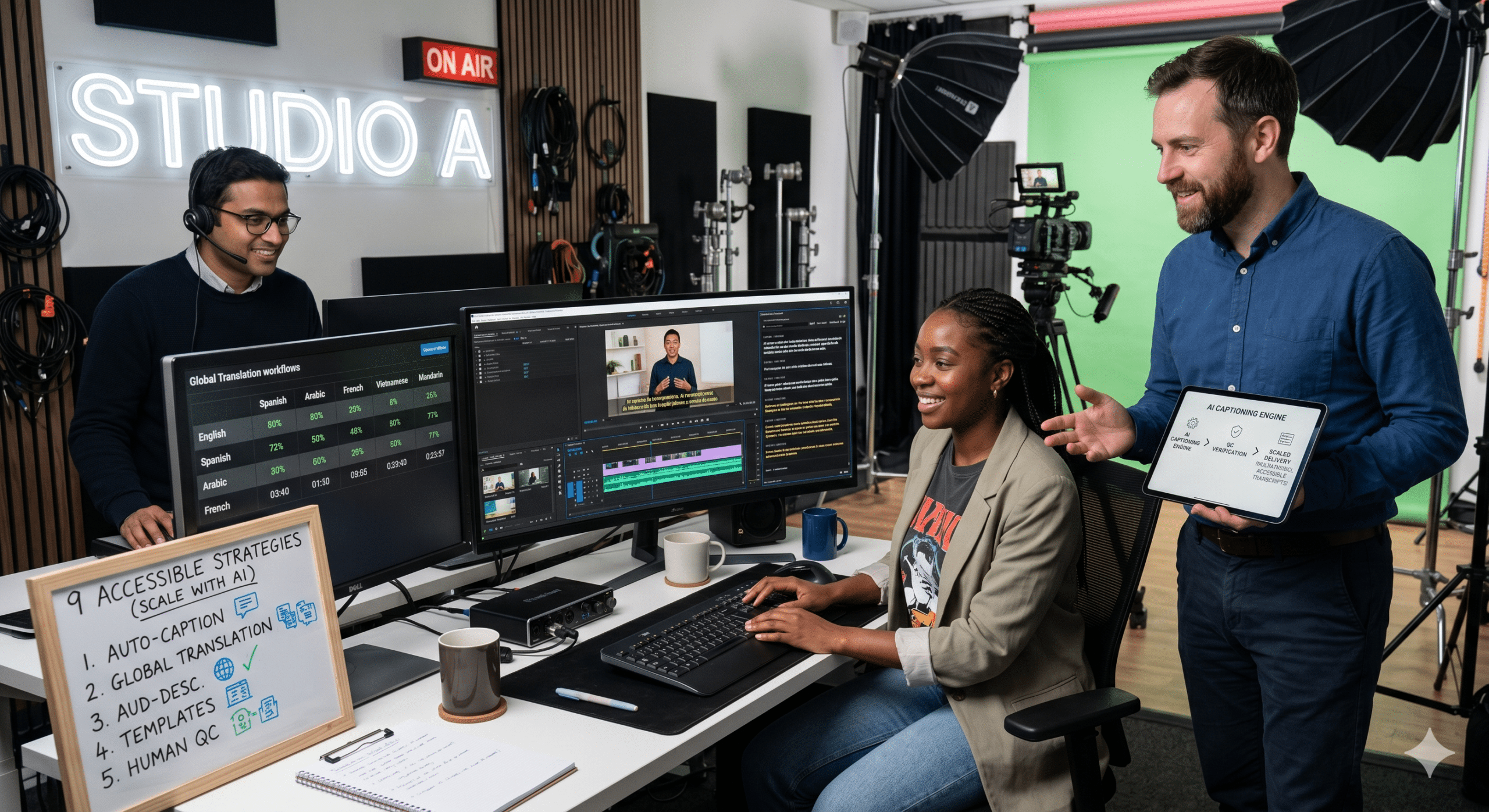
The demand for accessible video content is growing faster than many creators, educators, marketers, and businesses realize. A few years ago, captions and transcripts were often treated as optional add-ons. Today, they have become a core part of modern video production.
The reason is simple. Video consumption habits have changed dramatically. Podcasts are becoming video shows. YouTube automation channels publish content at scale. TikTok videos are frequently watched with the sound off. Online learning platforms serve global audiences. Meanwhile, businesses produce webinars, product demonstrations, onboarding videos, and training materials at an unprecedented pace.
As Video Editors, Post-Production Specialists, Instructional Designers, and EdTech professionals, we see the same challenge repeatedly. Teams want to create more content, publish faster, reach larger audiences, and reduce production costs. However, every additional editing task creates friction in the workflow.
This is where AI captions, transcription, and accessibility tools have transformed the industry.
When implemented correctly, accessibility is not merely about compliance. It becomes a powerful operational strategy that increases throughput, shortens production cycles, and reduces costly rework. Instead of treating accessibility as a final checkpoint, high-performing teams build it directly into the production process from the beginning.
The result is faster publishing, wider audience reach, stronger engagement, and significantly less wasted effort.
Why Accessible Video Content Is Becoming a Competitive Advantage
Many organizations still think accessibility serves only a small percentage of viewers. In reality, accessible content benefits nearly everyone.
A commuter watching a video on a noisy train relies on captions. A student reviewing a lecture may prefer transcripts for quick reference. A global audience member may understand written English more easily than spoken English. A professional may skim transcripts before deciding whether to watch an entire webinar.
Moreover, search engines cannot watch videos the way humans do. They depend heavily on text-based signals such as captions, transcripts, titles, descriptions, and metadata. Therefore, every transcript effectively creates searchable content that improves discoverability.
Organizations that ignore accessibility often create unnecessary production bottlenecks. Conversely, organizations that embrace accessibility build systems that allow content to move through production faster while reaching more viewers.
This is why the conversation around accessible video content has shifted from compliance to scalability.
Strategy 1: Generate Captions During Production, Not After Publishing
One of the largest sources of production waste occurs when teams add captions after videos are already finished.
The traditional workflow often looks like this:
Record video. Edit video. Export video. Publish video. Discover captions are missing. Reopen project. Create captions. Export again. Upload again.
Every additional step increases cycle time.
Instead, modern teams generate captions during the editing process. AI-powered captioning tools can create an initial transcript within minutes. Editors then review and correct errors before final export.
This approach dramatically reduces rework because accessibility becomes part of the primary workflow instead of a separate workflow.
Even organizations producing hundreds of videos per month can maintain quality while reducing turnaround times. Automatic captions provide an efficient starting point, although human review remains essential for accuracy. (Adobe Blog)
Strategy 2: Treat Transcripts as Production Assets
Many creators view transcripts as something they generate simply because accessibility standards require them.
That mindset leaves tremendous value on the table.
A transcript is actually a reusable content asset.
Once a transcript exists, it can become:
- Blog articles
- Show notes
- Knowledge base content
- Course materials
- FAQs
- Social media posts
- Email newsletters
For instructional designers, transcripts are especially valuable because learners often need reference materials after watching a lesson.
For businesses, transcripts reduce duplicate work. Instead of creating supporting content from scratch, teams can repurpose existing video content into multiple formats.
This dramatically improves throughput because one production effort generates several content outputs.
Furthermore, transcripts help make podcasts and audio content accessible and searchable. (Section508.gov)
Strategy 3: Build Accessibility Into the Script
One of the most effective ways to reduce production scrap is to solve accessibility challenges before recording begins.
Many accessibility problems originate during planning.
When scripts contain unclear references such as “look at this” or “see what happens here,” viewers relying on captions, transcripts, or audio descriptions may miss important context.
Instructional designers have long understood this principle. Clear scripts improve learning outcomes because they reduce cognitive load.
Similarly, accessible scripts improve video accessibility because they make information understandable regardless of how viewers consume content.
Planning accessibility during scripting significantly reduces editing complexity later in the workflow. (Maricopa Open Digital Press)
Strategy 4: Use AI for Speed but Humans for Accuracy
AI transcription tools have become remarkably fast.
A one-hour webinar that once required several hours of manual transcription can now be processed in minutes.
However, speed alone is not enough.
Automatic systems still struggle with:
- Technical terminology
- Industry jargon
- Multiple speakers
- Proper names
- Accents and dialects
- Background noise
Consequently, the highest-performing teams use AI to generate drafts and humans to refine them.
Think of AI as a throughput accelerator rather than a complete replacement for quality control.
This hybrid approach minimizes production time while maintaining accuracy standards. Automatic captions are valuable starting points, but review and correction remain essential. (Adobe Blog)
Strategy 5: Optimize Captions for Readability
Many creators assume caption accuracy is the only factor that matters.
In reality, readability is equally important.
Poorly formatted captions create friction for viewers. Even accurate captions can become difficult to follow if they appear too quickly, contain awkward line breaks, or overwhelm the screen.
Professional caption workflows prioritize:
- Logical sentence breaks
- Proper punctuation
- Appropriate reading speed
- Accurate synchronization
- Clean visual presentation
These small improvements increase comprehension while reducing viewer fatigue.
From a production perspective, better readability means fewer support requests, fewer misunderstandings, and stronger audience engagement.
Caption quality standards emphasize synchronization, readability, and clear formatting rather than simple word-for-word transcription. (Bird Eats Bug)
Strategy 6: Design for Sound-Off Viewing
TikTok fundamentally changed how many people consume video.
A substantial portion of mobile viewers now watch videos without audio.
This behavior extends beyond social media. Professionals browse content during work breaks. Commuters watch videos in public spaces. Students review lessons in libraries.
Consequently, creators who depend entirely on spoken narration lose a significant portion of their audience.
Accessible video content solves this challenge naturally.
When captions communicate the primary message effectively, viewers can understand the content regardless of whether audio is enabled.
This increases content consumption rates while reducing audience drop-off.
What began as an accessibility requirement has evolved into a mainstream engagement strategy. Research and industry guidance consistently show captions benefit far more users than only those with hearing impairments. (Subly)
Strategy 7: Create Multilingual Accessibility Workflows
Global audiences are expanding rapidly.
Educational institutions, SaaS companies, content creators, and online businesses increasingly serve viewers from multiple countries.
Traditional translation workflows often create bottlenecks because every language requires separate manual effort.
AI transcription and translation systems help streamline this process.
A typical workflow might involve:
Recording one source language, generating an accurate transcript, translating the transcript, reviewing translations, and publishing multilingual subtitles.
Because the transcript serves as the foundation, every additional language becomes easier to produce.
This reduces cycle time while expanding audience reach.
More importantly, it allows organizations to scale globally without multiplying production complexity.
Strategy 8: Standardize Accessibility Across Every Video
One of the biggest productivity killers is inconsistency.
When every project follows different accessibility rules, editors spend valuable time making decisions repeatedly.
High-output teams create accessibility standards.
These standards often include:
- Caption formatting rules
- Speaker identification conventions
- Transcript templates
- Quality review checklists
- Publishing requirements
Standardization reduces decision fatigue and accelerates production.
It also minimizes scrap because errors are caught earlier in the process.
The most efficient content operations are rarely the most creative workflows. Instead, they are the most repeatable workflows.
Consistency creates speed.
Strategy 9: Measure Accessibility Like a Performance Metric
Many teams measure views, watch time, and engagement.
Far fewer measure accessibility performance.
However, accessibility metrics reveal valuable operational insights.
For example, organizations can track:
- Percentage of videos with captions
- Percentage of videos with transcripts
- Caption accuracy rates
- Time required to publish accessible versions
- Accessibility-related support requests
When accessibility becomes measurable, it becomes manageable.
Teams can identify bottlenecks, optimize workflows, and continuously improve production efficiency.
Accessibility then evolves from a compliance task into an operational performance indicator.
How Accessible Video Content Reduces Scrap Rate
Manufacturing experts often define scrap as wasted materials, wasted effort, or defective output.
The same concept applies to video production.
Scrap appears when:
A video must be re-edited because captions were forgotten.
A webinar transcript must be recreated manually.
An online course requires expensive accessibility remediation.
A multilingual version requires rebuilding content from scratch.
A viewer abandons content because captions are unreadable.
Each scenario represents wasted effort.
Accessible video content reduces these losses because accessibility is incorporated into the workflow from the beginning rather than added later.
This proactive approach creates smoother production pipelines and higher-quality outputs.
The Future of AI Captions and Video Accessibility
The next generation of AI accessibility tools will likely move beyond basic transcription.
Future systems will improve speaker recognition, contextual understanding, multilingual translation, and automated quality control.
We are already seeing accessibility evolve from a compliance requirement into a strategic production advantage.
Organizations that embrace this shift will publish faster, scale more efficiently, and serve larger audiences.
Meanwhile, organizations that treat accessibility as an afterthought will continue to face avoidable delays and production inefficiencies.
The competitive gap will continue to widen.
Conclusion
The rapid growth of podcasts, YouTube automation, TikTok content, online learning, and global video distribution has fundamentally changed the role of accessibility.
Today, accessible video content is no longer a niche requirement. It is a critical component of modern content operations.
From a workflow perspective, accessibility improves throughput because content can be repurposed across multiple formats. It reduces cycle time because captions and transcripts are generated earlier in the production process. It lowers scrap rate because fewer videos require costly corrections after publication.
Most importantly, it helps organizations reach more people while creating a better viewing experience for everyone.
The teams that scale successfully in the coming years will not view accessibility as extra work.
They will view it as one of the smartest productivity investments they can make.
FAQ
What is accessible video content?
Accessible video content includes features such as captions, transcripts, audio descriptions, and accessible playback controls that help people with different abilities understand and engage with video material. (Section508.gov)
Why are captions important for video accessibility?
Captions provide a text version of spoken dialogue and important audio cues. They help viewers who are deaf or hard of hearing, as well as people watching videos without sound. (W3C)
Can AI-generated captions replace human editors?
Not completely. AI-generated captions significantly speed up production, but human review is still necessary to correct errors, verify terminology, and ensure accessibility quality standards are met. (Adobe Blog)
Do transcripts improve SEO?
Yes. Transcripts provide searchable text that helps search engines understand video content, which can improve discoverability and content indexing. (Trint)
How do captions help online learning?
Captions improve comprehension, support different learning styles, help non-native speakers, and provide learners with a way to review information more effectively. (Maricopa Open Digital Press)
Recommended References
- W3C Web Accessibility Initiative (WAI) – Making Audio and Video Media Accessible
This is arguably the gold-standard resource because it comes directly from the organization behind web accessibility standards and WCAG guidelines. It covers captions, transcripts, audio descriptions, and media accessibility requirements. - W3C Web Accessibility Initiative – Captions and Subtitles Guide
Excellent reference for explaining caption requirements, subtitle implementation, and accessibility best practices. - Siteimprove – Media Accessibility: Captions, Transcripts, and the Deaf Experience
One of the strongest recent industry articles on video accessibility, compliance, captions, transcripts, and accessibility strategy. Published in 2026 and highly relevant for business audiences. - Adobe Blog – Making Your Videos as Accessible as Possible
A practical guide for content creators, video editors, marketers, and educators. Discusses AI-generated captions, transcripts, and the importance of human review. - Section 508 – Captions and Transcripts
Government-backed accessibility guidance covering legal requirements, technical standards, and best practices for captions and transcripts. - Subly – The Essential Video Accessibility Guide
A modern accessibility-focused resource that covers captions, transcription, translation, audio descriptions, and AI-powered accessibility workflows. - Bird Eats Bug – 15 Video Captioning Best Practices to Improve Accessibility
Excellent practical article for video production teams looking to improve caption quality, readability, timing, and viewer experience.