

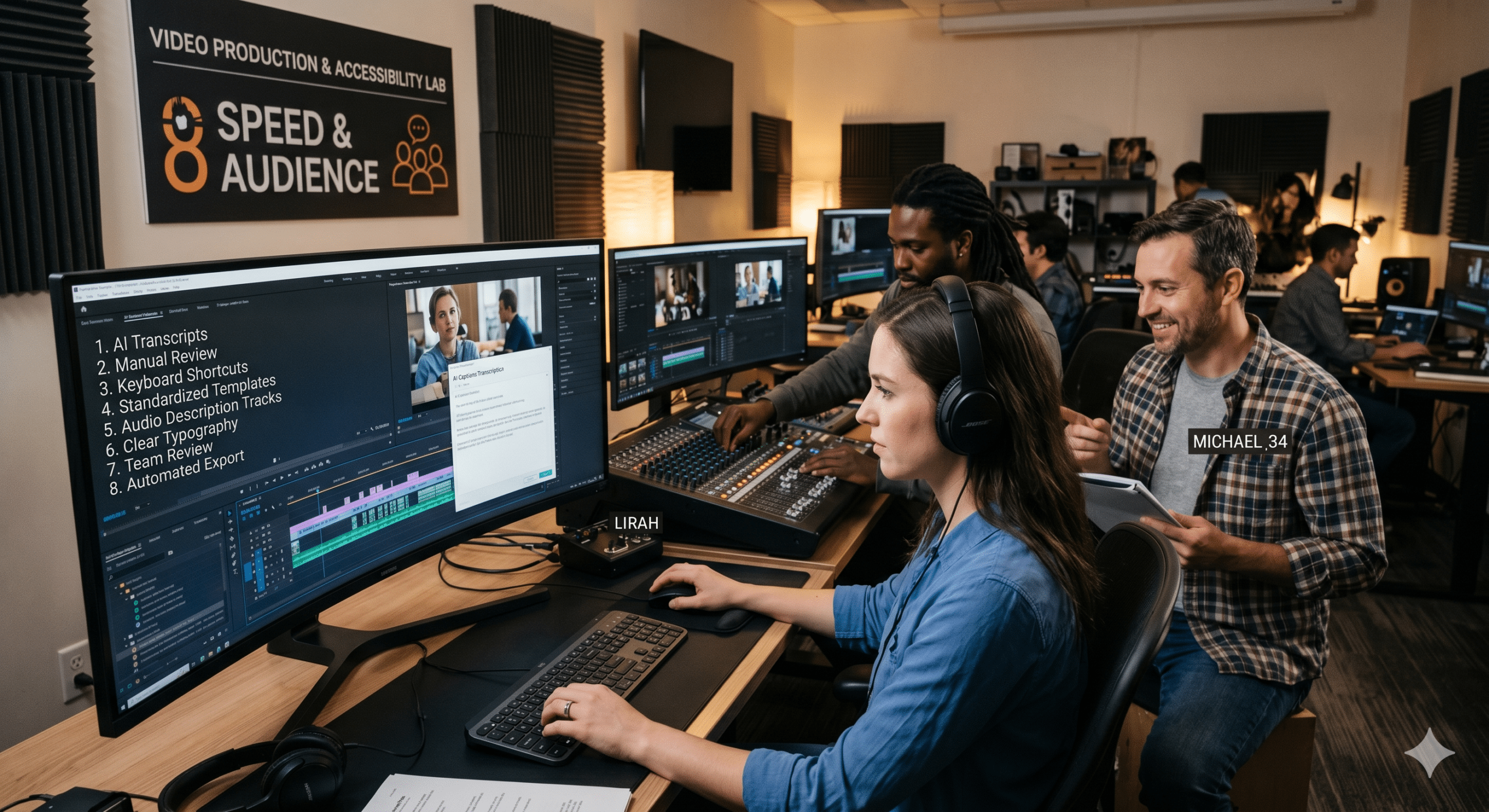
Video is becoming the preferred format for communication, education, and entertainment. Podcast creators are expanding into video, YouTube publishers are uploading more frequently, and TikTok audiences regularly engage with content in sound-off environments. Furthermore, the rapid growth of e-learning programs, virtual events, professional training courses, and multilingual media libraries is driving demand for video content that can be understood and enjoyed by everyone, regardless of how or where they watch.
As a result, accessibility is no longer a niche requirement. Instead, it has become a critical part of modern video production. More importantly, creators who prioritize accessibility for video creators are discovering something unexpected. Accessibility does not slow production down. In many cases, it actually makes content operations faster, more efficient, and easier to scale.
From our perspective as Video Editors, Post-Production Specialists, Instructional Designers, and EdTech Professionals, accessibility has evolved from a compliance task into a production optimization strategy. When implemented correctly, captions, transcripts, subtitles, and audio descriptions help teams reduce rework, shorten editing cycles, improve discoverability, and increase content reuse.
The creators who treat accessibility as part of their workflow are often able to publish more content with fewer bottlenecks. At the same time, they create better viewing experiences for a wider audience.
This article explores eight practical strategies that improve accessibility for video creators while maximizing throughput, reducing cycle time, and minimizing scrap rate throughout the production process.
Why Accessibility for Video Creators Matters More Than Ever
The demand for accessible video content continues to rise across nearly every platform. Viewers consume content in airports, coffee shops, classrooms, offices, and public transportation systems where audio is not always practical.
Additionally, many viewers rely on captions because English may not be their first language. Others use transcripts for note-taking, studying, or searching for specific information. Some viewers depend entirely on accessibility features because of hearing or visual impairments. Captions, transcripts, and audio descriptions help ensure content remains available to everyone. (Section508.gov)
For creators, however, accessibility delivers benefits beyond audience reach.
Every transcript becomes a reusable content asset. Every caption file becomes searchable metadata. Every accessible video becomes easier to repurpose into blogs, social media posts, newsletters, training documents, and multilingual content.
Consequently, accessibility improves operational efficiency while simultaneously improving user experience.
1. Create Captions During Production Instead of After Publishing
One of the most common mistakes creators make is treating captions as an afterthought.
Many production teams finish editing, export the final video, publish it, and only then begin working on captions. Unfortunately, this creates unnecessary delays and additional revision cycles.
A more efficient approach is integrating captions directly into the production workflow.
When caption generation starts immediately after rough-cut approval, editors can review dialogue accuracy while they are already working inside the timeline. This reduces context switching and prevents teams from revisiting completed projects later.
From a throughput perspective, simultaneous editing and caption review significantly reduces cycle time.
Additionally, early caption creation helps identify unclear audio, overlapping dialogue, pronunciation issues, and missing narration before final delivery. Instead of discovering these problems after publication, teams can fix them during editing.
As a result, fewer revisions are required, and scrap rates decrease substantially.
2. Use Transcripts as the Single Source of Truth
High-performing content teams rarely treat transcripts as simple accessibility documents.
Instead, they use transcripts as the foundation of their content ecosystem.
A clean transcript creates consistency across every distribution channel. Training materials, blog articles, podcast show notes, subtitles, social posts, and multilingual translations can all originate from the same source document. (transcriptioncity.co.uk)
This approach eliminates duplicated work.
For example, imagine recording a 45-minute educational webinar. Without a transcript-first workflow, separate team members may create captions, blog summaries, course notes, and marketing copy independently.
That process introduces inconsistency and consumes additional labor hours.
By contrast, a verified transcript allows every asset to be generated from the same content source.
The result is greater consistency, fewer errors, and dramatically improved production efficiency.
For organizations producing large volumes of content, this single strategy often saves hundreds of hours annually.
3. Treat Caption Accuracy as Quality Control
Many creators assume automatic captions are good enough.
While automated systems have improved considerably, raw AI-generated captions frequently contain errors involving names, technical terminology, industry jargon, accents, and multiple speakers. Adobe notes that automatic captions are useful starting points but often require human review and correction. (Adobe Blog)
From a production standpoint, inaccurate captions create scrap.
Every correction made after publication represents wasted effort.
Every viewer complaint creates additional support requirements.
Every misunderstanding reduces educational effectiveness.
Therefore, accessibility for video creators should include a structured quality-control process.
Professional editing teams typically verify speaker identification, punctuation, technical vocabulary, synchronization, and readability before final approval.
Although this step adds a small amount of effort upfront, it prevents much larger problems later.
In manufacturing terms, it is far less expensive to prevent defects than to repair them after delivery.
The same principle applies to video production.
4. Design Videos for Silent Viewing
The rise of mobile consumption has changed viewing behavior dramatically.
Many viewers watch videos while commuting, working, studying, or browsing social media feeds. As a result, silent viewing has become increasingly common.
This shift creates a major opportunity for creators focused on accessibility.
When videos are designed to communicate effectively without audio, engagement often improves across multiple audience segments.
Strong captions, clear visual storytelling, on-screen text reinforcement, and intentional graphic design help viewers understand content even when sound is unavailable.
This strategy benefits accessibility while also improving retention.
Furthermore, videos designed for silent viewing typically require fewer revisions because key messages remain understandable regardless of audio conditions.
From an instructional design perspective, this approach strengthens learning outcomes because information is delivered through multiple channels simultaneously.
Consequently, accessibility becomes both an educational and operational advantage.
5. Build Multilingual Accessibility Into the Workflow
Global audiences are growing rapidly.
A single YouTube channel may attract viewers from dozens of countries. Similarly, online courses frequently serve learners across multiple continents.
Many creators attempt translation only after their primary content has already been published.
Unfortunately, this creates additional production delays and higher costs.
A more efficient strategy is preparing for multilingual accessibility from the beginning.
When accurate transcripts exist, subtitle translation becomes significantly easier and faster.
Moreover, translated subtitles allow creators to enter new markets without producing entirely new videos.
This dramatically increases content output while reducing production costs.
From a throughput perspective, multilingual captions transform one video into multiple audience experiences.
Instead of creating five separate productions, creators can often distribute one accessible master asset across several language groups.
That is a substantial reduction in cycle time and production waste.
6. Combine Accessibility and Search Optimization
Many creators view SEO and accessibility as separate objectives.
In reality, they frequently support each other.
Search engines cannot watch videos the way humans do. However, they can analyze transcripts, captions, metadata, and supporting text.
Accurate transcripts provide additional searchable content that helps platforms understand video topics and relevance. Captioning and transcription can improve discoverability while supporting accessibility goals. (3Play Media)
For creators, this creates a powerful efficiency opportunity.
Instead of producing separate assets for SEO and accessibility, one transcript can support both objectives simultaneously.
This reduces duplication of effort and simplifies workflow management.
Additionally, searchable transcripts make internal content libraries easier to navigate.
Training teams, educators, and corporate learning departments can quickly locate specific information without reviewing entire videos manually.
That improvement alone can save significant operational time.
7. Use Accessibility Data to Improve Future Productions
One overlooked benefit of accessibility is the data it generates.
Captions, transcripts, and viewer engagement metrics reveal valuable information about audience behavior.
For example, transcript searches may reveal frequently referenced topics. Caption engagement can identify confusing sections. Viewer retention patterns can highlight where instructional clarity needs improvement.
Rather than treating accessibility as a one-time task, successful teams use it as a continuous improvement mechanism.
This mirrors quality management systems used in manufacturing and process engineering.
Each project generates insights that improve future workflows.
Over time, teams become faster, more accurate, and more consistent.
The result is lower scrap rates, reduced revision cycles, and higher overall production quality.
8. Create Accessibility Standards Before Scaling Content
Many creators experience rapid growth.
A podcast becomes a YouTube channel. A YouTube channel becomes an online course library. An online course evolves into a membership platform.
As content volume increases, inconsistency becomes a major challenge.
Different editors may use different caption styles. Various team members may follow different transcription standards. Some videos may include accessibility features while others do not.
These inconsistencies create production waste.
Therefore, accessibility standards should be documented before scaling operations.
Establishing guidelines for caption formatting, transcript quality, speaker identification, subtitle timing, and accessibility review procedures creates predictable workflows.
Consistency reduces decision fatigue.
Consistency reduces revision requests.
Consistency improves throughput.
Most importantly, consistency makes accessibility sustainable at scale.
Accessibility Is Becoming a Competitive Advantage
For years, accessibility was often viewed as a compliance requirement.
Today, it is increasingly becoming a competitive advantage.
Creators who invest in accessibility reach broader audiences, improve search visibility, strengthen learning outcomes, and create reusable content assets.
At the same time, accessibility reduces operational inefficiencies.
Captions improve comprehension.
Transcripts support repurposing.
Subtitles expand global reach.
Audio descriptions enhance inclusivity.
Together, these elements create a production environment that is faster, more scalable, and less wasteful.
The organizations that embrace accessibility early are positioning themselves for long-term growth in an increasingly competitive content landscape.
Conclusion
The future of video production is not simply about creating more content.
It is about creating content more efficiently.
The most successful creators are discovering that accessibility for video creators is one of the most effective ways to achieve that goal.
When captions, transcripts, subtitles, and accessibility standards become integrated into production workflows, teams can maximize throughput, reduce cycle time, and minimize scrap rate.
Moreover, they can reach larger audiences without increasing production complexity.
Whether you create podcasts, YouTube videos, TikTok content, online courses, webinars, or corporate training materials, accessibility should no longer be viewed as an optional add-on.
Instead, it should be viewed as a core production strategy that improves both audience experience and operational performance.
The creators who recognize this shift today will be far better positioned to thrive tomorrow.
Frequently Asked Questions
What does accessibility for video creators mean?
Accessibility for video creators refers to designing video content so it can be understood and used by the widest possible audience. This includes captions, transcripts, subtitles, audio descriptions, and other features that improve access for viewers with different needs and viewing environments.
Why are captions important for video accessibility?
Captions help viewers understand spoken content and important sounds. They support people who are deaf or hard of hearing while also helping viewers who watch videos without sound. (Section508.gov)
Are automatic captions accurate enough?
Automatic captions provide a useful starting point, but they often require editing and quality review to ensure accuracy, particularly for technical terms, multiple speakers, and specialized vocabulary. (Adobe Blog)
How do transcripts improve content production?
Transcripts create a reusable content asset that can be converted into blog posts, course materials, social media content, subtitles, and searchable knowledge bases. This reduces duplicated work and improves production efficiency. (transcriptioncity.co.uk)
Do captions help SEO?
Yes. Captions and transcripts provide text-based content that helps search engines understand video topics, which can improve discoverability and search visibility. (3Play Media)
Why should creators provide both captions and transcripts?
Captions and transcripts serve different purposes and support different audiences. Providing both creates a more complete accessibility experience and improves content usability. (boia.org)
Best References for Further Reading
1. W3C Web Accessibility Initiative: Captions and Subtitles
Why use it: The gold standard for accessibility guidance. Excellent for discussing captions, subtitles, and accessibility best practices.
2. Section 508: Captions and Transcripts Guide
Why use it: Government-backed accessibility resource covering transcripts, captions, and compliance requirements.
3. Adobe Video Accessibility Guide for Content Creators
Why use it: Practical guidance specifically aimed at video creators and editors. Discusses automatic captions, workflows, and accessibility implementation.
4. 3Play Media: 8 Benefits of Transcribing and Captioning Videos
Why use it: Highly respected accessibility and captioning company. Excellent resource for SEO, engagement, and accessibility benefits.
5. BOIA: Why Do I Need Both Transcripts and Captions for Accessibility?
Why use it: Strong explanation of why transcripts and captions serve different audiences and should both be included.
6. Harvard Digital Accessibility Services: Captions for Videos
Why use it: Educational institution resource with excellent accessibility standards and implementation guidance.
7. Government Digital Service UK: Video Transcripts Help Everyone
Why use it: Recent article explaining how transcripts improve accessibility and user experience beyond compliance.
8. Vimeo: Best AI Subtitle Generators and Captioning Tools
Why use it: Relevant for AI captions, subtitle generation, and creator workflows. Useful supporting resource for modern video production discussions.