
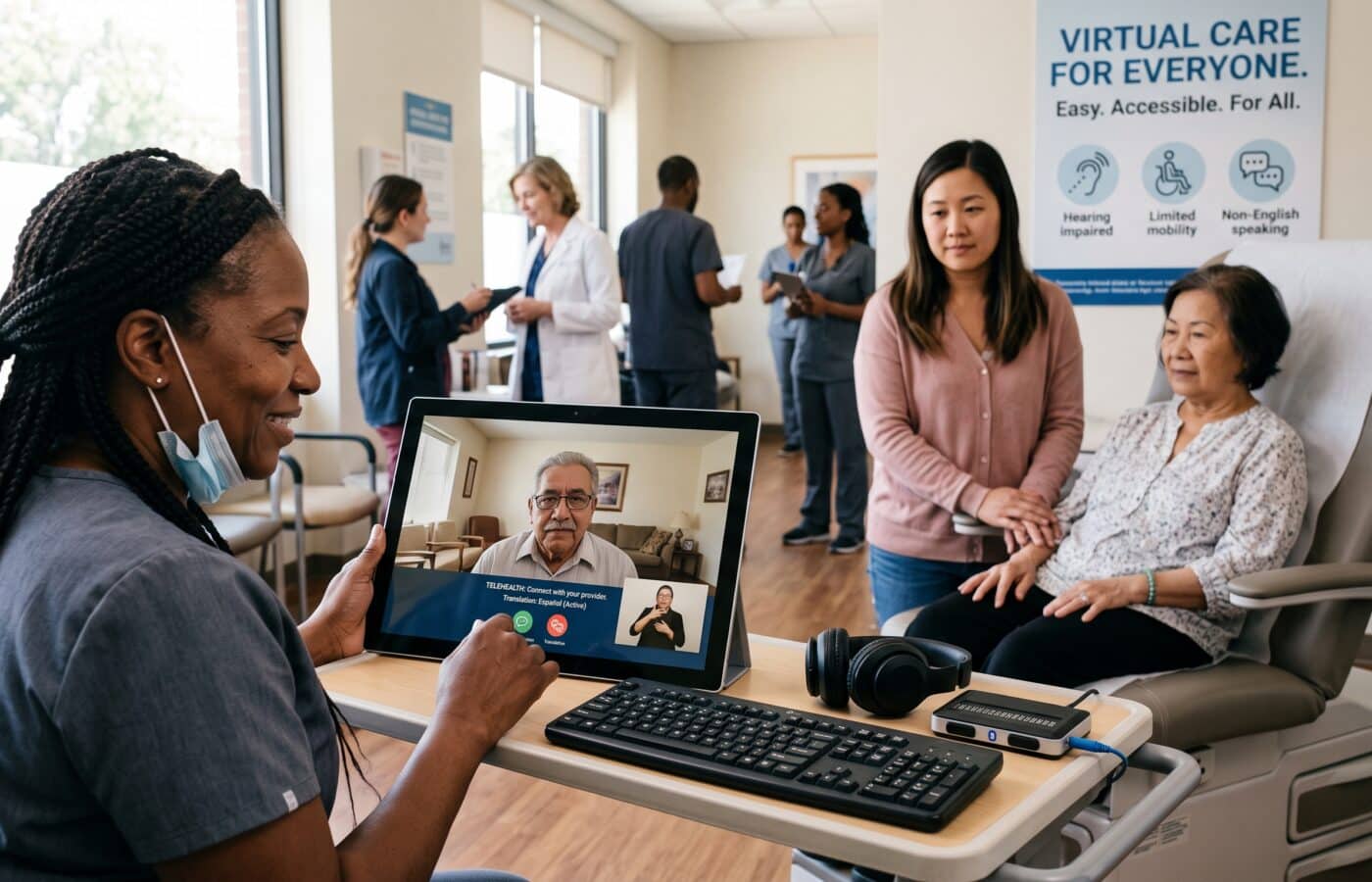
Telehealth Accessibility: How to Build Virtual Care Every Patient Can Actually Use

Telehealth accessibility is the topic I get asked about most, at nearly every conference, vendor meeting, and board presentation I sit in on. Someone leans forward and says, “Our telehealth numbers look great. So why do I keep hearing that patients can’t use it?”
My answer is usually the same. Your numbers look great because they only count the people who made it through the door. Nobody is counting the ones who gave up at the login screen.
I have spent most of my career building and fixing virtual care programs for health systems, community clinics, and specialty practices. What follows is a conversation I had recently with a healthcare writer who wanted to understand this subject from the inside, not from a brochure. I have cleaned it up a little, but the questions are hers and the answers are mine.
Let’s Start Simple. What Does Telehealth Accessibility Actually Mean to You?
It means a patient can get the care they need through a virtual channel without having to fight the technology to do it. That sounds obvious, but most organizations define it far too narrowly.
When I say telehealth accessibility, I am talking about at least five things at once. Can the patient physically and cognitively use the platform? Is their device and connection going to hold up for a 20 minute visit? Will the instructions make sense in their own language? Do they trust the system enough to show up? And is there a human being available when something breaks?
If any one of those fails, the visit fails. A beautifully designed app means nothing to a grandmother whose prepaid phone plan runs out of data halfway through the appointment. Even the fastest connection means nothing to a Deaf patient if there is no interpreter on screen.
The way I explain it to executives is this: accessibility is not a feature you switch on. It is the sum of every small decision you make about how a patient gets from “I need to see someone” to “I talked to my doctor and I know what to do next.”
Where Do Most Programs Get It Wrong?
They build for the patient they imagine, not the patient they actually have.
During 2020, almost everyone rushed to stand up video visits. That was the right call at the time. But a lot of those emergency setups never got revisited. The workflow that was supposed to be temporary became the permanent workflow, and it was designed around a younger, tech comfortable, English speaking patient with a laptop and good WiFi.
The second big mistake is treating the platform vendor’s accessibility claim as the final word. I have reviewed contracts where the vendor said their product was “fully accessible,” and then we sat down with a screen reader user and she could not get past the waiting room. There was an unlabeled button with no text alternative, and her screen reader simply announced “button.” That was it. She had no idea what it did.
And this is not a rare story. Research looking at Medicaid supported telehealth platforms found that only about 57% met the WCAG 2.1 accessibility guidelines. Think about that. Nearly half the tools serving one of the most vulnerable patient populations in the country had gaps that could lock people out.
The third mistake is assuming that low usage means low demand. When a clinic tells me older patients “don’t want telehealth,” I ask how many of them were offered a practice session before their first visit. Usually the answer is zero.
Who Tends to Get Left Out First?
There are four groups I watch closely in every program I work on.
Patients With Disabilities
This is the group most often overlooked in planning and most often harmed by careless design. People who are blind or have low vision need screen reader compatibility and high contrast options. Deaf and hard of hearing patients need captions and interpreter access built into the visit itself. Anyone with limited hand mobility struggles with tiny touch targets and timed screens. Those with cognitive disabilities need simple language and fewer steps.
The scale here is large. Authors of a JAMIA paper warned that if telehealth design and policy fail to explicitly account for disability, the more than 61 million Americans living with disabilities face further marginalization and worse health outcomes.
There is also a hardware gap. Data cited by the Southeast ADA Center shows that 81% of people without disabilities own a desktop or laptop, while only 62% of adults with disabilities have that kind of digital access. So before we even talk about software, a big share of these patients are starting with less. These gaps mirror the wider barriers to accessible healthcare that patients face in person.
Older Adults
Many older patients are perfectly capable with technology. The issue is usually unfamiliarity combined with anxiety about getting it wrong in front of their doctor. A small amount of preparation changes everything, along with the right assistive technology for seniors, such as a larger screen or a hearing amplifier.
Rural Patients
Connectivity is the obvious problem, but it is not the only one. Rural patients often share devices with family, have limited privacy at home, and may live in areas where even cellular coverage drops in and out.
Patients With Limited English Proficiency
If your scheduling texts, portal instructions, and reminder calls are all in English only, you have built a wall. One audit style study from 2023 found major disparities in telehealth access for patients with limited English proficiency.
What I try to remind teams is that these groups overlap. A rural, older, Spanish speaking patient with hearing loss is not an edge case. In some of the communities I have worked in, that describes a meaningful slice of the panel.
What Does the Law Actually Expect From Providers Right Now?
I am not an attorney, so I always tell organizations to run specifics past their counsel. But I can tell you how I frame it for leadership teams.
Disability Law Still Applies on a Screen
Telehealth is not exempt from disability law just because it happens on a screen. The Administration for Community Living notes that providers must make reasonable modifications to their policies and practices, which can include giving patients extra support before, during, and after a virtual visit, in order to avoid disability discrimination.
The ACL gives a pointed example that I share in almost every training. A provider that refuses across the board to schedule telehealth for patients with intellectual disabilities, based on an assumption that they cannot handle the platform, is likely breaking the law. I bring that up because I have seen versions of that assumption in real scheduling scripts. Nobody wrote it down as a policy. It just became habit.
On the technology side, Section 1557, Title II of the ADA, and Section 504 each carry accessibility requirements for information and communication technology, and federal agencies have published fact sheets explaining how those rules apply to websites, mobile apps, and kiosks. In practical terms, that means your patient portal, your scheduling flow, and your video platform all need to be part of your accessibility review.
Reimbursement Shapes What Gets Offered
After a lot of back and forth, the Consolidated Appropriations Act, 2026, signed on February 3, 2026, extended Medicare telehealth flexibilities through December 31, 2027. That extension keeps the waiver of geographic and originating site restrictions, the broader list of eligible practitioners, audio only coverage in defined situations, and the ability of FQHCs and RHCs to act as distant site providers for non behavioral care.
My honest view is that the stop and start nature of these extensions has hurt patients. Every time a deadline approaches, some organizations pull back on virtual offerings just in case. The people who lose the most from that hesitation are exactly the ones who depend on telehealth accessibility the most. So my advice is to plan for telehealth as a permanent part of care, and treat the reimbursement rules as something you adapt to, not something that decides whether your patients matter.
Walk Me Through How You Actually Audit a Telehealth Program.
I break it into three passes, and I insist on doing all three.
Pass One: The Technical Review
We test the full patient journey against WCAG 2.1 AA, not just the video window. That includes the appointment reminder, the link in the text message, the login or identity check, the intake forms, the waiting room, the visit itself, and the after visit summary. Testing covers keyboard only navigation, a screen reader on both iOS and Android, zoom set to 200%, and captions turned on.
I also look for things that automated scanners miss. Is there a timer on the waiting room that kicks people out? Does the platform require downloading an app when a browser link would work? What about an identity check that relies on a selfie, which someone with a tremor or low vision cannot easily take?
Pass Two: Real Patient Testing
This is where most of the truth comes out. We recruit a small group of patients, ideally including someone who uses a screen reader, someone who is Deaf or hard of hearing, an older adult who does not use technology much, and someone who prefers a language other than English. Each person is paid for their time. Then we watch them try to book and attend a mock visit, and we do not help unless they ask.
I will never forget a session where a gentleman in his seventies spent four minutes trying to find the “Join” button because it was a light gray color on a white background. The whole time, he kept apologizing because he thought he was doing something wrong. He wasn’t. We were.
Pass Three: The Workflow Review
Here I sit with front desk staff, nurses, schedulers, and providers. I ask questions like: How do you know a patient needs an interpreter before the visit starts? What happens when video fails? Who calls the patient back? Is the patient asked about accommodations at scheduling, or only when something goes wrong?
Very often the technology is fine and the workflow is the barrier. A program can have captions available and still fail if no one ever tells the patient how to turn them on.
Let’s Talk About the Patient Who Doesn’t Have Broadband. What Do You Do?
Treat Phone Visits as Real Care
Stop assuming video is the gold standard for every visit. For many follow up appointments, medication checks, and behavioral health sessions, a phone call works well and is far more reliable.
I push every organization to keep audio only visits as a real option, offered without shame. When patients feel like phone visits are a lesser version of care, they skip them. When the scheduler simply asks “Would you prefer video, phone, or coming in?”, people choose what works for their life, and attendance goes up. Guidance from Telehealth.org points out that patients with limited English proficiency or low digital literacy can benefit from being offered a choice among video, audio only, or in person visits. For patients with chronic conditions, remote patient monitoring can also reduce how many visits need a video connection at all.
Help With the Connection and the Device
HHS reminds providers that Lifeline is a federal program that helps eligible households pay for internet service and connected devices. I recommend that front desk teams keep a simple, printed sheet on low cost internet options in their area, in every major language the clinic serves.
Device lending is worth considering too. The Southeast ADA Center recommends that organizations provide or loan devices to patients so they can access telehealth services, along with training and support. I have helped set up tablet lending programs that cost far less than the no show rate they replaced.
Bring the Connection Closer to the Patient
Some of the most successful rural programs I have seen used libraries, community centers, or partner pharmacies as private telehealth spots. The patient gets a reliable connection and a quiet room, and the clinic gets a visit that actually happens.
Who Should Own Telehealth Accessibility Inside an Organization?
Someone specific. When accessibility belongs to everyone, it belongs to no one.
In the programs that work well, there is a named lead, often within the digital health or patient experience team, who has authority to hold vendors accountable and to change workflows. That person does not do everything alone, but they track it, report on it, and escalate when something slips.
I also strongly recommend creating a digital health navigator role. HHS describes digital health navigators as people who explain technology to patients and help them feel more comfortable with telehealth, and suggests designating a staff member for that role.
A good navigator calls the patient a day or two before their first virtual visit and does a quick test run. During that call, the navigator checks whether the camera and microphone work, whether captions or an interpreter are needed, and whether a family member or caregiver should join. That ten minute call prevents a surprising number of failed visits.
On the caregiver point, HHS notes that caregivers can improve telehealth accessibility for older patients. I always make sure the platform supports adding a third participant easily, with the patient’s consent, because for many families that is how care really happens.
What Does Good Training for Clinicians Look Like?
Short, practical, and repeated. Nobody retains a 90 minute slideshow on accessibility.
Small Habits for Providers
I usually build training around a handful of specific behaviors. Face the camera when speaking so lip readers can follow. Pause after asking a question, because captions and interpreters run slightly behind. Say what you are doing when you look away, like “I’m checking your chart now,” so a patient with low vision is not left wondering. Read key instructions aloud, not just in the chat box. Confirm understanding using teach back rather than asking “Does that make sense?” That last habit is a core health literacy practice.
For Deaf and hard of hearing patients, the platform matters a lot. Guidance from Arizona’s Medicaid program recommends choosing platforms that can show the interpreter on the same screen as the provider and patient, support real time captioning services (CART), offer a high contrast display, and provide automatic transcription. If your platform forces the interpreter into a separate call or a separate device, that is a real barrier, and it should come up at your next contract review.
One Question for the Front Desk
I also train front desk and scheduling staff, because they are the first point of contact. The single most effective change I have made in many programs is adding one line to the scheduling script: “Is there anything we can do to make your virtual visit easier for you, like captions, an interpreter, larger text, or help from a family member?” That one question surfaces needs that would otherwise only appear when a visit goes wrong.
How Do You Know If Your Telehealth Accessibility Work Is Actually Paying Off?
You measure the gaps, not just the totals.
Most dashboards I see report total virtual visits, average wait time, and patient satisfaction. Those are fine, but they hide the problem. I want to see completion rates, no show rates, and technical failure rates broken down by age group, preferred language, disability status where patients choose to share it, and ZIP code or rurality.
If your overall completion rate is 92% but it drops to 70% for patients over 75 or for Spanish speaking patients, you have found your work. When video visits keep converting to phone halfway through in one part of your service area, you have a connectivity problem to address.
I also track a few qualitative signals: the number of accommodation requests logged at scheduling, the complaints that mention the platform, and what navigators are hearing day to day. Navigators catch patterns long before the data does.
One more thing. Do not stop measuring after the first improvement. Platforms update constantly. A vendor release can break screen reader support overnight, and you will not know unless you are retesting regularly. I recommend a light accessibility check after every major platform update and a full audit at least once a year.
If a Clinic Wanted to Start Improving Tomorrow, What Would You Tell Them?
I would give them a short list and tell them to pick three.
- Ask about accommodations at scheduling, every time, for every patient.
- Offer video, phone, and in person as equal choices, not a hierarchy.
- Test your full patient journey with a screen reader and at 200% zoom.
- Make sure captions are available and that staff know how to turn them on.
- Confirm your platform can bring an interpreter into the same visit window.
- Send instructions in the patient’s preferred language, in plain words.
- Schedule a practice session before a patient’s first virtual visit.
- Keep a printed resource sheet on low cost internet and device help.
- Name one person responsible for telehealth accessibility and give them real authority.
- Break your telehealth data down by age, language, and location, and look for the gaps.
None of these require a new platform or a big budget. Most of them are about attention and habit.
Last Question. Why Does This Matter So Much to You Personally?
Because I have watched what happens when it works.
I think about a patient I met while we were piloting a navigator program at a community clinic. She was in her late sixties, legally blind, living alone, and had been missing her diabetes follow ups for almost a year because getting a ride to the clinic was so hard. Her first telehealth attempt had failed, and she assumed it just wasn’t for people like her.
Our navigator spent twenty minutes on the phone with her, helped her set up voice commands on her phone, and stayed on the line while she joined a test visit. Two weeks later she attended her real appointment without help. Her provider adjusted her medication. Three months later her numbers were the best they had been in years.
Nothing about that story required breakthrough technology. It required someone deciding that her access mattered enough to design for it.
That is really the whole point of telehealth accessibility. Virtual care was supposed to remove distance as a barrier to healthcare. If we are careless, it simply replaces distance with a new set of barriers, and the same patients end up on the wrong side of them. With care, it can be one of the most equalizing tools we have.
The difference is in the details. And the details are where people either get care or don’t.
Frequently Asked Questions
What is telehealth accessibility?
Telehealth accessibility means every patient, including people with disabilities, older adults, rural residents, and people with limited English proficiency, can find, join, and fully take part in a virtual visit. It covers the platform design, device and internet access, language support, and the human help available around the visit. See the ACL overview on telehealth and the ADA.
Are telehealth platforms required to meet accessibility standards?
Yes. Federal disability laws, including Section 1557, Section 504, and Title II of the ADA, include accessibility requirements for information and communication technology, which covers telehealth tools. Organizations should confirm details with legal counsel. Learn more from ACL.
Is audio only telehealth still covered by Medicare?
Medicare audio only coverage in defined circumstances was extended through December 31, 2027 under the Consolidated Appropriations Act, 2026. Read the KFF explainer on Medicare telehealth coverage and the Baker Donelson summary.
How can clinics support Deaf and hard of hearing patients in telehealth?
Choose platforms that place interpreters on the same screen, support real time captioning (CART), offer high contrast display, and provide transcription. The AHCCCS guidance for Deaf and hard of hearing patients covers this in detail.
What can be done for patients without reliable internet?
Offer phone visits as an equal option, share information on programs like Lifeline, consider device lending, and partner with community sites that offer private, connected spaces. See HHS guidance on rural internet access.
What is a digital health navigator?
A digital health navigator is a staff member who helps patients understand and use telehealth technology, often through a test run before the first visit. More details are in the HHS guidance for older adults.
References
- Administration for Community Living. Telehealth and the ADA. ACL.gov
- U.S. Department of Health and Human Services. Develop a Telehealth Strategy for Older Adults. Telehealth.HHS.gov
- U.S. Department of Health and Human Services. Access to Internet and Other Telehealth Resources for Rural Areas. Telehealth.HHS.gov
- KFF. What to Know About Medicare Coverage of Telehealth. KFF
- Baker Donelson. Medicare Telehealth Waivers Extended for Several More Years. Baker Donelson
- Healthcare IT News. Telehealth May Worsen Digital Divide for People with Disabilities. Healthcare IT News
- Southeast ADA Center. ADA and Telehealth: Challenges Faced by People with Disabilities. Southeast ADA Center
- Telehealth.org. Digital Equity in Telehealth: Ensuring Access for All Patients. Telehealth.org
- Arizona AHCCCS. Ensuring Accessible Telehealth for Deaf, Hard of Hearing, and DeafBlind Patients. AHCCCS PDF
- BMC Public Health. Disability Digital Divide: Survey of Accessibility of eHealth Services. PubMed Central
- arXiv. Bridging the Gap: Enhancing Digital Accessibility for Medicaid Populations in Telehealth Adoption. arXiv