


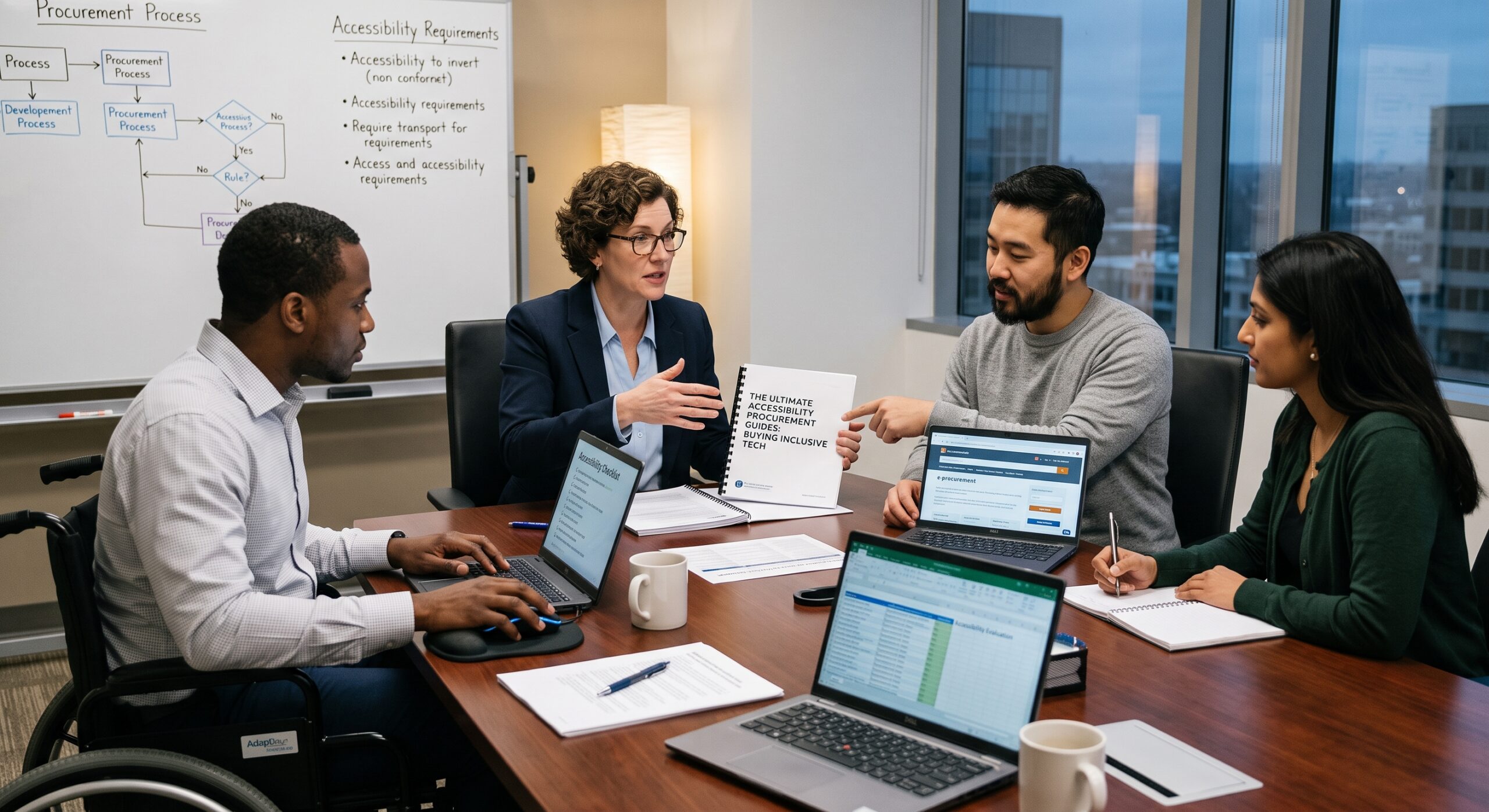
Accessibility procurement is the process of choosing digital products and services that people with disabilities can use effectively, independently, and with dignity. Furthermore, it is not simply a compliance exercise or a request for a vendor’s accessibility statement. Following structured Accessibility Procurement Guides allows your organization to reduce barriers, protect organizational investment, improve user experience, and make technology work for a wider range of people.
As an Accessibility Procurement Specialist or Manager, I treat accessibility as a core business and service requirement right from the beginning of a purchasing project. Consequently, it should influence the business case, market research, request for proposal (RFP), supplier evaluation, contract terms, testing, implementation, and ongoing vendor management.
These comprehensive Accessibility Procurement Guides explain how organizations can purchase inclusive technology while building accessibility into every stage of the procurement lifecycle.
Why Accessibility Procurement Matters
Digital products affect nearly every part of modern life. For instance, employees use collaboration platforms, customers complete online forms, students access learning systems, and members of the public obtain essential services through websites and mobile applications.
When these products are inaccessible, users encounter significant barriers:
- A website that cannot be operated with a keyboard.
- A video without captions or an accurate transcript.
- A mobile application that does not work with screen readers.
- A document containing poor color contrast or unstructured headings.
- A customer service system that relies only on visual or audio information.
- A software platform that times out before users can complete a task.
- A procurement portal that prevents people from navigating by voice control.
Ultimately, these barriers exclude employees, customers, applicants, students, and citizens. In addition, they create unexpected costs when an organization must later replace a product, commission expensive fixes, provide manual assistance, or respond to legal complaints.
Therefore, modern Accessibility Procurement Guides emphasize treating accessibility as an essential component of overall product quality. An accessible product is often easier to navigate, clearer, and more reliable for everyone. For example, captions help people in noisy environments, keyboard navigation aids power users, readable content benefits mobile users, and clear error messages help all customers complete tasks successfully.
In the United States, Section 508 requires federal agencies to ensure that covered electronic and information technology is accessible to employees and members of the public with disabilities, unless an applicable exception applies. Similarly, federal acquisition rules require accessibility to be incorporated directly into the acquisition lifecycle.
Meanwhile, private companies, educational institutions, healthcare providers, and public organizations may have additional legal, contractual, or ethical obligations. Because requirements differ by location and sector, procurement teams should consistently consult reliable Accessibility Procurement Guides and involve legal and accessibility specialists when a project carries significant risk.
Start With User Requirements
The strongest accessibility procurement projects begin with people rather than products. Therefore, before contacting suppliers, you must identify who will use the technology and what they need to accomplish. Although a product may advertise itself as accessible, it can still create serious barriers for a specific group of users. As a result, accessibility requirements must always be connected to real tasks.
Key User Groups to Consider
- People who are blind or have low vision.
- People who are deaf or hard of hearing.
- People with mobility or dexterity disabilities.
- People with speech disabilities.
- People with cognitive, learning, or neurological disabilities.
- People with temporary impairments, such as a broken arm.
- Older users who experience changes in vision, hearing, memory, or movement.
- People using assistive technology, alternative input devices, magnification, or voice control.
Next, create a short list of important user journeys. For example, if you are purchasing a human resources platform, the journeys might include searching for a job, completing an application, uploading a résumé, signing an employment contract, requesting workplace adjustments, and accessing payslips.
Evaluating User Journeys
- What must the user be able to do?
- Which accessibility barriers could prevent completion?
- Which assistive technologies might be used?
- What happens if the user cannot complete the task independently?
- Is an alternative process available, and is it genuinely equivalent?
A requirement such as “the product must be accessible” is far too vague to evaluate. Instead, top Accessibility Procurement Guides advise writing explicit requirements: stating that users must be able to complete defined tasks using keyboard navigation, screen readers, text enlargement, high-contrast settings, captions, and other relevant tools.
Define the Accessibility Standard
Procurement documents should explicitly identify the accessibility standard or standards that apply to the purchase.
For websites and applications, many organizations refer to the Web Content Accessibility Guidelines (WCAG). Specifically, WCAG provides testable success criteria covering areas such as text alternatives, keyboard access, captions, focus order, color contrast, predictable navigation, form labels, error identification, and compatibility with assistive technologies.
However, an organization should avoid naming a standard without explaining how it will be applied. Be sure to include:
- The required version of the standard.
- The required conformance level (e.g., Level AA).
- The product components covered.
- The applicable user journeys.
- The testing methods that will be accepted.
- The process for addressing exceptions or unresolved issues.
The correct standard may vary according to the technology involved. For instance, a website, mobile application, software-as-a-service (SaaS) platform, electronic document system, kiosk, video platform, and hardware device may each have different requirements.
For federal information and communication technology purchases, Section 508 standards are central to the acquisition process. Furthermore, the Access Board explains that covered federal technology must provide comparable access and use for employees with disabilities. However, do not assume that meeting one standard automatically proves a product is usable; standards are essential, but they do not replace direct testing with disabled users.
Conduct Meaningful Market Research
Market research helps a buyer understand what is available before writing restrictive or unrealistic requirements.
During this phase, procurement teams should:
- Review supplier accessibility information and product documentation.
- Search for current Accessibility Conformance Reports (ACRs).
- Ask vendors specifically which product versions and components were tested.
- Identify known limitations, workarounds, and product roadmaps.
- Speak with current customers regarding their accessibility experience.
- Invite disabled users or accessibility specialists to observe product demonstrations.
- Assess the supplier’s ability to provide accessible support and documentation.
Standard advice found across leading Accessibility Procurement Guides recommends using Accessibility Conformance Reports, which are often based on the Voluntary Product Accessibility Template (VPAT), to evaluate claims against applicable standards.
Although a VPAT or ACR provides useful evidence, it is not a certificate of accessibility. Rather, it is a document in which a supplier explains how a product conforms to specific criteria and where limitations exist. Because a report may be incomplete, outdated, or prepared without independent testing, you should ask for a report that explicitly details:
- The exact product name and version.
- The date of the assessment and the testing methods used.
- The standards evaluated and assistive technologies included in testing.
- Any partial support, non-support, or unknown areas.
- Known restrictions in integrations, plug-ins, mobile apps, or administrative tools.
- The name and qualifications of the assessor.
Consequently, a supplier that openly explains its limitations is often far more trustworthy than one that claims perfect compliance without evidence.
Write Strong Procurement Requirements
Accessibility language should appear throughout the entire procurement package, rather than in a single paragraph at the end. Thus, the request for proposal or purchasing document should include comprehensive requirements for the product, supplier, implementation, support, documentation, training, testing, and remediation.
Essential Requirements Checklist
- Supplier Disclosure: The supplier must identify the accessibility standard used, disclose known limitations, and provide a current, product-specific ACR.
- User Support: The supplier must explain how users with disabilities can report defects and must provide accessible training and support materials.
- Maintenance: The supplier must maintain accessibility during updates, notify the buyer about changes affecting access, and cooperate with buyer-led accessibility testing.
- Remediation: The supplier must provide a clear remediation plan for identified issues and support accessible data export and migration.
- Integrations: The supplier must ensure that subcontractors and integrated third-party services meet all stated requirements.
Requirements should also address content and configuration. For example, a platform may contain accessible features but become inaccessible when the buyer creates poorly structured documents, forms, or workflows.
Therefore, a purchasing contract should state that the supplier must provide accessible templates, administrator documentation, and guidance for creating accessible content. Avoid writing unrealistic clauses like “the supplier guarantees the product will never have a defect.” Instead, establish measurable obligations, testing rights, response times, remediation deadlines, and escalation procedures.
Evaluate Vendors, Not Just Products
Accessibility depends on the supplier’s organizational commitment as well as their technology.
During evaluation, consider whether the vendor has:
- An internal accessibility program and qualified staff.
- A structured process for conducting ongoing accessibility testing.
- Experience working directly with disabled customers.
- A public, accessible method for reporting issues and a history of prompt fixes.
- Accessible customer service channels and leadership accountability.
Additionally, ask suppliers to describe a recent accessibility issue and how they resolved it. This question often reveals more than a polished sales pitch. Look for a clear explanation of the problem, the users affected, the testing performed, the remediation delivered, and how the supplier prevented recurrence.
Furthermore, accessibility should carry meaningful weight in your evaluation model. If it is treated as a minor preference while price receives most of the available points, suppliers will reasonably conclude that accessibility is not a priority.
| Evaluation Category | Key Focus Areas |
| Functional & Technical | Core suitability, security, privacy, integration, scalability |
| Accessibility Conformance | ACR credibility, standards compliance, usability for disabled people |
| Supplier Capabilities | Support channels, defect remediation history, product roadmap |
| Financial & Risk | Total cost of ownership, implementation risk, contract remedies |
Ultimately, following practical Accessibility Procurement Guides helps teams understand that the lowest purchase price is not necessarily the lowest-cost option. An inaccessible product frequently creates hidden costs through custom development, manual workarounds, replacement systems, or legal remediation.
Test Before You Buy
Documentation review is important, but hands-on testing is essential.
Request a product demonstration that follows real user journeys instead of allowing the supplier to show a scripted presentation. Ask the evaluator to perform ordinary tasks, such as creating an account, searching, completing a form, correcting an error, saving work, exporting information, and contacting support.
Comprehensive Testing Matrix
- Input Methods: Test keyboard-only operation, voice control, and alternative input devices.
- Visual Adjustments: Test with text enlargement, browser zoom, high-contrast settings, and reduced motion settings.
- Screen Readers & Media: Test using popular screen readers alongside captions and transcripts for all video content.
- Environment & Devices: Test across different browsers, mobile accessibility features, and operating systems.
- User Involvement: Include direct testing by disabled users whenever possible.
Be sure to test the complete service rather than only the main interface. Otherwise, critical accessibility problems may go unnoticed in authentication, payment, help centers, email notifications, dashboards, downloadable documents, administrative controls, and third-party integrations.
A practical framework highlighted across Accessibility Procurement Guides is creating an accessibility test script containing the top 10 user tasks. Give the script to internal testers and disabled users to record whether each task can be completed, what barriers arise, whether a workaround exists, and how much assistance is required.
While automated scanning tools can identify code-level and structural issues, they cannot detect every accessibility problem. For instance, automated tools cannot determine whether instructions are understandable, whether focus moves logically, or whether captions are accurate.
Build Accessibility Into the Contract
Accessibility commitments must survive well beyond the initial buying decision.
Therefore, the contract should clearly specify:
- The applicable accessibility standard and scope.
- The accepted conformance evidence and testing rights of the buyer.
- Supplier reporting obligations and defect severity levels.
- Response and remediation timeframes for identified issues.
- Accessibility requirements for updates, new features, and third-party integrations.
- Support, training obligations, and remedies for material nonconformance.
For example, a contract might require a critical barrier to be acknowledged within two business days and corrected within 30 days. Meanwhile, it should require the supplier to provide an effective workaround while remediation is underway.
Furthermore, define what counts as a critical barrier. Examples include being unable to log in, submit a required form, access essential information, complete a payment, or use a core function without another person’s assistance.
If a requirement cannot be met, formally document the exception. Record the reason, affected users, identified risk, alternative access method, cost of remediation, and the decision-maker who approved the exception. Federal acquisition guidance emphasizes that validating compliance must continue even after the contract is awarded.
Manage Accessibility After Implementation
Procurement does not end when the contract is signed; therefore, you must assign ownership for monitoring accessibility throughout the product lifecycle. The assigned owner should track product updates, new features, configuration changes, reported defects, and updates to applicable standards.
Post-Award Accessibility Plan
- Establish a baseline accessibility assessment and set a schedule for follow-up testing.
- Implement a clear method for users to report barriers, alongside a process for prioritizing defects.
- Maintain a defined supplier escalation path for unresolved issues.
- Provide ongoing training for system administrators and content creators.
- Require accessible release notes and support materials with every update.
- Conduct an annual review of the vendor’s ACR and maintain a record of accepted risks.
Always invite employees and customers with disabilities to report problems without fear of being dismissed. A constructive feedback process asks what the person was trying to do, what happened, what technology they were using, and whether they were able to complete the task.
Finally, accessibility performance must be included in supplier reviews and renewal decisions. If a vendor meets expectations during procurement but repeatedly fails to address barriers afterward, they should not automatically receive a contract renewal.
Common Mistakes to Avoid
- Relying on generic accessibility statements: A general statement does not explain whether the specific product version or configuration being purchased is accessible.
- Treating the VPAT as a certification: An ACR describes self-reported claims, but it does not guarantee that every user can complete every task.
- Testing only after purchase: Late testing significantly reduces your negotiating power and leaves the organization dependent on costly workarounds.
- Focusing only on the public website: Internal platforms, documents, customer support tools, learning systems, and mobile applications can create equally severe barriers.
- Making accessibility a tie-breaker: If accessibility receives minimal evaluation weight, it will rarely influence the final purchasing decision.
- Ignoring supplier support: An accessible interface can still produce an inaccessible service if training, documentation, help desks, and communications are unusable.
- Using legal language without user testing: Compliance wording in a contract cannot reveal whether a disabled person can successfully complete a task.
- Failing to monitor updates: A product can easily become less accessible after a redesign, feature update, platform migration, or third-party integration.
Frequently Asked Questions
What is accessibility procurement?
Accessibility procurement is the practice of buying products and services that can be used by people with disabilities. Consequently, it involves defining requirements, researching suppliers, evaluating evidence, testing products, writing contract obligations, and monitoring performance after implementation.
Is accessibility procurement only for government agencies?
No. Although government agencies have specific statutory requirements, businesses, schools, charities, and healthcare organizations benefit as well. Ultimately, accessible procurement supports legal compliance, equal service delivery, employee inclusion, customer satisfaction, and lower long-term costs.
What is a VPAT?
A VPAT (Voluntary Product Accessibility Template) is a standardized format used by vendors to state how a product addresses accessibility criteria. A completed VPAT produces an Accessibility Conformance Report (ACR). However, buyers should review these reports critically rather than treating them as proof of compliance.
Should a buyer require WCAG Level AA?
WCAG Level AA is a standard target for many digital services. However, the exact requirement should reflect the specific product, jurisdiction, sector, and user needs. Procurement documents should clearly state the version, scope, relevant components, and testing expectations.
How many accessibility tests should procurement include?
While there is no single rule, a practical starting point detailed in Accessibility Procurement Guides is to identify 10 high-priority user tasks and test them thoroughly with assistive technologies. You should expand testing if the product is complex, high-risk, public-facing, or critical to employment or education.
Can automated testing prove that a product is accessible?
No. Automated tools can quickly catch structural errors, missing labels, and color contrast issues. However, they cannot evaluate usability, logical navigation, content clarity, or screen reader workflow success.
What if no product fully meets the requirements?
In that scenario, document the gaps and assess the risk. Compare alternatives, negotiate vendor remediation commitments, establish an accessible interim process, and obtain formal approval for any temporary exception. Never silently transfer the burden to disabled users.
Who should participate in the procurement process?
The team should ideally include representatives from procurement, IT, legal, accessibility specialists, business owners, support staff, and disabled users. As a result, accessibility becomes a shared organizational responsibility.
How can small organizations begin?
Start simple: use a basic accessibility checklist, identify critical user journeys, request a current ACR, perform hands-on testing before buying, and include clear accessibility obligations in your contract.
References & Deep-Dive Resources
For further insights, frameworks, and compliance standards on buying inclusive technology, consult these authoritative industry resources and high-authority digital Accessibility Procurement Guides:
- Section508.gov: Building Accessibility into Your Procurement Process: An official U.S. government resource outlining strategic guidance for acquisition officers, including tips on market research, requesting VPATs, and establishing universal design requirements early in the buying lifecycle.
- AbilityNet: 10 Tips for Accessible Procurement: A practical blog post by AbilityNet covering actionable steps to hold suppliers accountable, manage third-party software risks, and protect the employee experience.
- UK Government Accessibility Blog: Accessible Procurement & Leader’s Guide: A deep dive into building accessibility policy into leadership frameworks, setting clear vendor expectations, and avoiding common procurement pitfalls.
- W3C Web Accessibility Initiative (WAI): Planning & Managing Web Accessibility: International standards and comprehensive guidance from the W3C on integrating accessibility requirements directly into organizational workflows and procurement criteria.
- WebAIM (Web Accessibility in Mind): A leading non-profit authority providing technical guides, accessibility evaluation tools, and practical articles on WCAG compliance and assistive technology.
Implementing structured Accessibility Procurement Guides is most effective when planned before a supplier is selected and actively managed after the product goes live. Ultimately, the goal is not merely to purchase technology that claims to be accessible, but rather to deliver a service that real people with disabilities can use successfully every day.