


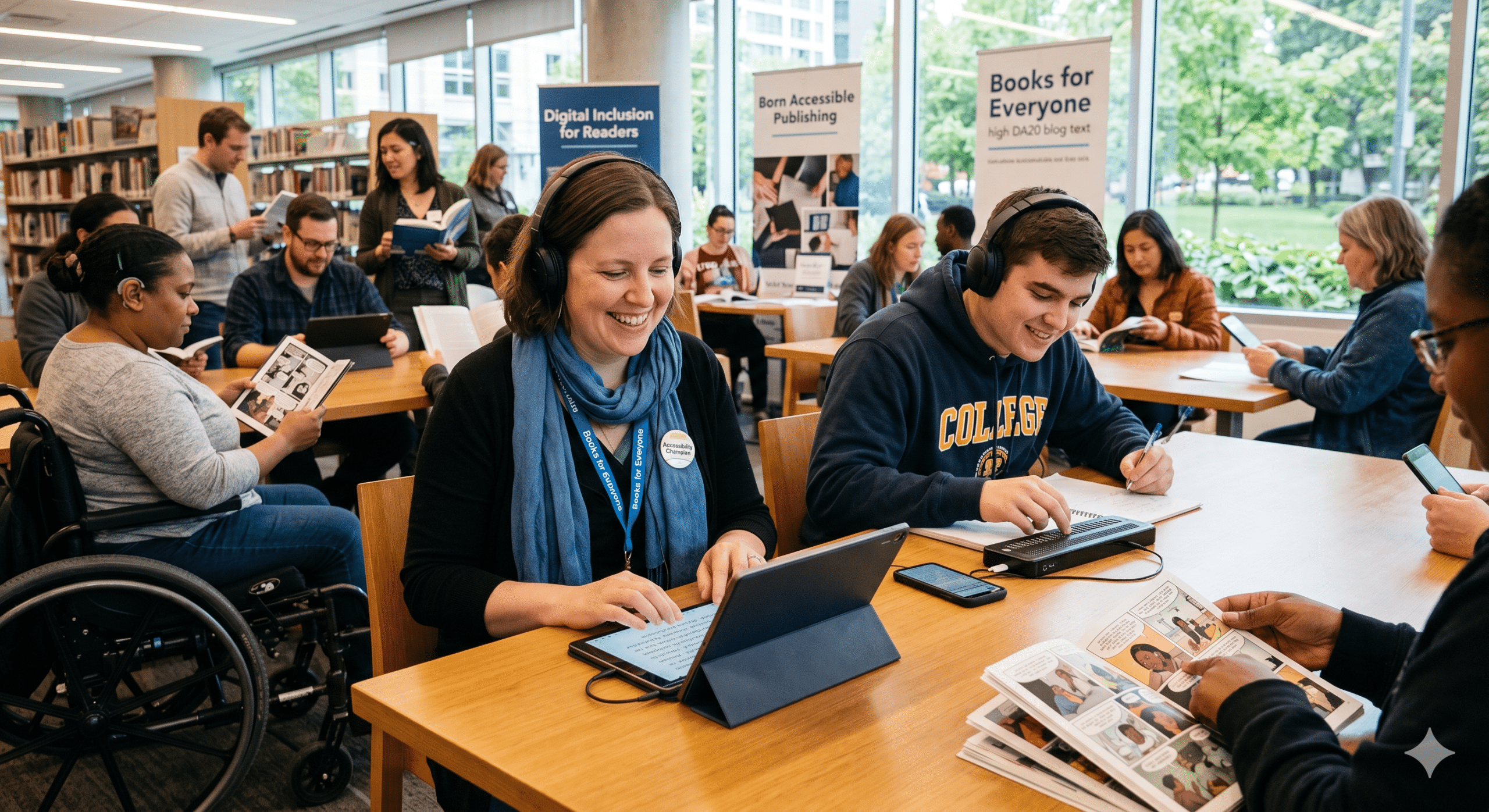
Leo sat at his desk, while the pale glow of his laptop screen illuminated a face tightened with frustration. It was his first semester of college. However, while his classmates breezed through the week’s assigned reading, Leo was completely stuck. This was because, as a student with severe visual impairment, he didn’t read with his eyes. Instead, he read with his ears by using a screen reader—special software that translates digital text into spoken words.
But tonight, the software failed him miserably. Unfortunately, the textbook his professor had assigned was a poorly formatted PDF. Consequently, when the screen reader tried to scan the page, it didn’t read the words in order. Instead, it stumbled over a messy jumble of text, skipped over crucial diagrams without explanation, and repeatedly announced, “Image, unlabelled. Image, unlabelled.” For Leo, this wasn’t just a technical glitch; rather, it was a closed door. Ultimately, it sent a message that said: This world of knowledge wasn’t built for you.
In reality, stories like Leo’s happen every single day across schools, universities, and casual reading apps worldwide. For decades, the publishing industry operated under a simple, physical assumption; namely, that a book is a static object made of paper and ink. As a result, when the world shifted to digital screens, tablets, and e-readers, the industry didn’t immediately change its mindset. Instead, publishers merely copied the physical page onto a digital screen. Consequently, they created rigid, inflexible files that locked out millions of eager minds.
Enter Sarah Jenkins.
As a veteran Digital Accessibility Strategist who has spent nearly two decades consulting for global publishing houses, Sarah views this status quo not just as a failure of design, but also as a massive missed opportunity.
“When people hear the phrase ‘accessibility for publishers,’ they often think it’s a niche, highly technical IT issue, or perhaps a burdensome legal box they have to check,” Sarah says. “But contrastingly, accessibility isn’t about restriction. On the contrary, it’s about liberation. Indeed, when you design a digital book so that anyone—regardless of how they see, hear, or process information—can read it, you aren’t just doing the right thing. Furthermore, you unlock a massive, fiercely loyal market that the industry has ignored for far too long.”
Fortunately, the tide is finally turning today. Indeed, a quiet revolution is sweeping through newsrooms, educational institutions, and fiction publishers alike. Driven by a mix of legal shifts, technological breakthroughs, and a growing cultural awareness, the publishing world is successfully learning how to build ramps into their digital landscapes.
The Hidden Scale of the Reading Barrier
To understand why accessibility for publishers has become one of the most critical conversations in modern media, we must first examine the sheer scale of the audience at stake.
According to global data, over one billion people worldwide live with some form of disability. Specifically, in the context of reading, this barrier impacts several distinct groups:
Visual Impairments: For example, individuals who are blind, have low vision, or experience color blindness.
Physical Disabilities: Such as people with motor challenges who cannot easily hold a physical book, flip pages, or handle a traditional e-reader device.
Neurodivergent Conditions: Specifically, individuals with dyslexia, dyscalculia, or ADHD who process text and visual information differently.
“Think about situational disabilities, too,” Sarah Jenkins points out. “For instance, have you ever tried to read an article on your phone while walking under the blinding midday sun? Similarly, have you ever listened to an audiobook because your hands were busy cooking dinner or driving? Ultimately, every single one of those experiences relies on accessibility frameworks. Therefore, when publishers design for disability, they end up creating a smoother, more elegant experience for everyone.“
In the past, the burden of making books accessible fell entirely on the consumer or underfunded advocacy groups. For example, if a blind person wanted to read a new bestseller, they had to wait months for a specialized organization to scan the book. Afterwards, the organization had to convert it into Braille or record an amateur audio version.
Naturally, the modern accessibility movement flips this dynamic entirely. The primary goal today is born-accessible publishing—meaning the practice of creating digital content from day one so that a disabled reader can enjoy it without any modifications.
Inside the Toolkit: How Accessible Books Actually Work
What does an accessible digital book actually look like under the hood? In short, it’s far more than just a standard ebook with a text-to-speech feature slapped on top. Instead, it requires a fundamental shift in how digital files are structured.
To clarify this process, Sarah breaks down the three core pillars that turn a standard digital document into an inclusive masterpiece:
1. The Magic of Fluid Text (Reflowable Layouts)
First and foremost, the traditional PDF is the ultimate enemy of accessibility. This is because it acts like a digital photograph of a printed page. Consequently, if you zoom in on a smartphone, the text spills off the sides of the screen. As a result, you must scroll endlessly left and right just to finish a single sentence.
To solve this, accessible publishing relies heavily on the EPUB 3 format, which utilizes reflowable text. In short, this means the words automatically adjust to fit any screen size, whether it’s a massive desktop monitor or a compact smartwatch. Moreover, it allows readers to fully customize their reading environment. For instance, they can change font styles to dyslexia-friendly typefaces or scale text sizes safely without breaking the page layout.
2. Semantic Architecture: The Skeleton of the Story
Secondly, when a sighted reader looks at a book, they can instantly identify a chapter title because the publisher printed it in a larger, bolder font. However, a screen reader cannot infer meaning from font size alone. Instead, it needs code to tell it what a piece of text actually is. Therefore, accessible publishers use semantic HTML tags to build a clear, hidden hierarchy.
For example, if code explicitly labels a line of text as a Heading 1, the screen reader immediately understands it is a major milestone. Consequently, this allows a blind user to bring up a digital table of contents and jump straight to a specific chapter, rather than listening to the machine read every single word from page one.
3. Alt-Text: Painting Pictures with Prose
Finally, a picture may be worth a thousand words, but to a blind reader, an unlabelled image is completely blank space. For this reason, accessible publishing mandates the inclusion of Alternative Text (Alt-Text)—which means short, vivid descriptions embedded in the code behind every image, chart, and infographic.
Importantly, writing great alt-text is an art form. For example, it’s not enough to simply write “chart.” Instead, a skilled publisher will write: “A bar chart showing a 15% increase in global literacy rates between 2010 and 2025.” As a result, the code conveys the core data and emotional impact of the image instantly to everyone.
Real-World Industry Use Cases
The theory behind digital inclusion is beautiful, but how does it translate into day-to-day business operations? Across the media landscape, different sectors are actively applying these principles to solve unique challenges.
Use Case 1: Higher Education Textbook Publishing
For decades, university accessibility offices lived in a permanent state of crisis. Specifically, every semester, staff scrambled to manually scan, digitize, and fix broken textbook files that traditional academic publishers provided.
Recognizing this systemic failure, major educational publishers underwent massive internal transformations. By retraining their editorial and production teams, they shifted entirely to a “born-accessible” workflow.
As a result, when a university professor adopts an accessible textbook today, a student like Leo can log into the student portal on day one. Consequently, he can open the book and immediately begin reading alongside everyone else. Meanwhile, the publisher saves thousands of dollars that they previously spent on fixing broken customer complaints, and the university successfully avoids expensive civil rights litigation.
Use Case 2: Children’s Literature and Multisensory Storytelling
On the other hand, children’s book publishers faced a different hurdle: namely, how do you make a book accessible when it relies almost entirely on vibrant, full-page illustrations?
To solve this, innovative children’s media houses began experimenting with Media Overlays. This technology perfectly synchronizes a professional audio narration track with the text on a digital screen. Therefore, as the narrator reads aloud, the software highlights the corresponding words in real-time.
Consequently, for children learning to read, kids with speech delays, or young readers with learning disabilities, this multisensory approach is revolutionary. Ultimately, it bridges the gap between sight and sound, turning reading from a stressful chore into an immersive, interactive experience.
Use Case 3: Global Newsrooms and Content Management
In the fast-paced world of digital journalism, speed is everything. For example, when a breaking news story hits, newsrooms rush articles online in seconds. Therefore, for news organizations, ensuring accessibility for publishers meant building automated checks directly into their Content Management Systems (CMS).
To achieve this, major global news outlets implemented internal software blockers. As a result, a journalist today cannot hit the “Publish” button unless they fill out the mandatory alt-text description box for their lead photograph.
Additionally, these newsrooms realized that clear, clean formatting vastly improved their mobile optimization. By stripping out cluttered, heavy code and prioritizing semantic layouts, they improved web page load times significantly on mobile devices, especially in areas with poor cellular service.
The Business Case: Why Inclusivity is Profitable
While the ethical argument for accessibility is undeniable, publishing is still a business. Therefore, executives must justify the time and resources they spend on training staff and updating legacy software.
Accordingly, Sarah Jenkins is always quick to pivot the conversation from moral obligation to financial strategy. “When I pitch accessibility to a C-suite executive, I don’t appeal to their pity,” she says frankly. “On the contrary, I appeal to their bottom line. In short, accessibility isn’t a cost center; rather, it’s a revenue driver.“
Specifically, the business case for investing in accessible infrastructure rests on three solid pillars:
| Strategic Pillar | Commercial Benefit | Bottom-Line Impact |
| Market Expansion | Accesses a massive, untapped audience of consumers with print disabilities. | Increased digital sales, subscription renewals, and brand loyalty. |
| SEO & Discoverability | Clean code, clear heading hierarchies, and alt-text are exactly what search engines look for. | Higher Google search rankings and increased organic web traffic. |
| Legal Compliance | Meets the strict requirements of international civil rights laws and civil acts. | Complete mitigation of expensive legal fees, compliance penalties, and lawsuits. |
In recent years, the European Accessibility Act (EAA) has been an especially powerful catalyst. This legislation sent a clear message to the global supply chain: namely, if you want to sell digital books, e-readers, or software in the European market, your products must meet strict accessibility standards. Because publishing is a global enterprise, companies worldwide chose to upgrade their entire catalogs rather than maintain separate, inferior versions for different regions.
Overcoming Internal Friction: The Creative Pipeline
Naturally, transitioning an established publishing house away from legacy habits is rarely a frictionless process. Instead, it requires dismantling old production workflows and breaking down silos between departments.
“The biggest mistake companies make is treating accessibility as a final coat of paint,” Sarah notes. “Specifically, they write the book, design the layout, export the file, and then hand it to a single tech-savvy employee and say, ‘Okay, now make it accessible.‘ Unfortunately, that approach is incredibly expensive and highly inefficient.“
In contrast, true success happens when team members integrate accessibility into the very first step of the creative pipeline:
Authoring and Editing Roles
The Authors: First, authors consider how readers might consume their content via audio, ensuring that references to images within the text make sense even if someone cannot see them.
The Editors: Next, copyeditors take responsibility for drafting clear, concise alt-text descriptions during the manuscript phase, treating them with the same editorial care as the main text.
Design and Development Roles
The Designers: Simultaneously, graphic designers choose color palettes with high visual contrast from the start, ensuring readers can easily see text against background elements.
The Developers: Finally, web and software engineers build clean, standards-compliant code that integrates perfectly with external assistive devices like refreshable Braille displays.
As a result, when team members distribute the workload across the entire ecosystem, it ceases to be an exhausting chore. Instead, it simply becomes the new standard of excellence—the way teams naturally do things.
What’s Next: What Reading Will Look Like Tomorrow
So, where is all this technology taking us? Ultimately, the future of reading looks incredibly exciting, and it is going to make books friendlier for absolutely everyone.
Right now, artificial intelligence (AI) is doing a lot of the heavy lifting behind the scenes. For example, think about all the older books out there—millions of titles printed years ago that don’t work well on modern screen readers. Fortunately, publishers are now using smart AI tools to quickly scan these older books, fix the messy code, and even write descriptions for the pictures. Afterwards, human editors double-check the work to make sure it’s perfect. As a result, history and classic literature won’t get left behind.
At the same time, the way we enjoy books is changing rapidly. Because of the rise of voice assistants like Alexa or Siri, alongside new virtual reality headsets, the line between reading a book, listening to it, or stepping inside it is completely disappearing. Therefore, by making sure they build books with clean, flexible tech right now, publishers guarantee that no matter how technology changes down the road, nobody will ever be locked out of a good story.
The Human Verdict
Back in his dorm room, Leo’s phone suddenly buzzed with an email notification from his university bookstore. Remarkably, a revised, fully accessible EPUB edition of his textbook had arrived in his account, thanks to a forward-thinking publisher that had modernized its digital workflow.
He opened the file immediately. Consequently, his screen reader sprang to life, its synthesized voice clear, rhythmic, and perfectly paced.
“Chapter 1: Foundations of Global Economics. Heading Level 1.”
Leo smiled, tapped a key to skip forward to the first section, and began to take notes. Truly, the digital barrier had vanished. The invisible ramp had done its job perfectly, and for the rest of the semester, Leo wasn’t a student struggling against a broken system. Instead, he was just a student reading a book.
“That is exactly what this entire movement is about,” Sarah Jenkins says quietly. “Ultimately, it’s about dignity. It’s about ensuring that the wealth of human knowledge and creativity belongs to every single human being. Therefore, when we make our words accessible, we aren’t just changing the way we make books; rather, we are changing lives.“
Further Reading
To learn more about how accessible formats reshape the classroom and how modern publishing workflows adapt to support disabled readers, explore the detailed toolkits and industry case studies on these leading channels:
Read the specialized guidelines and strategic frameworks detailing how educational content shifts from rigid print to reflowable files for higher-education learning at the National Center on Accessible Educational Materials (AEM Center).
Explore the active working group updates, real-world practitioner interviews, and strategic university bookstore integration projects directly over at the DAISY Consortium Higher Ed Project Hub.
Review the technical deep-dives on markup tags, alt-text generation interfaces, and built-in screen reader compliance testing workflows via the digital content strategy blog at PubCoder Publishing News.