


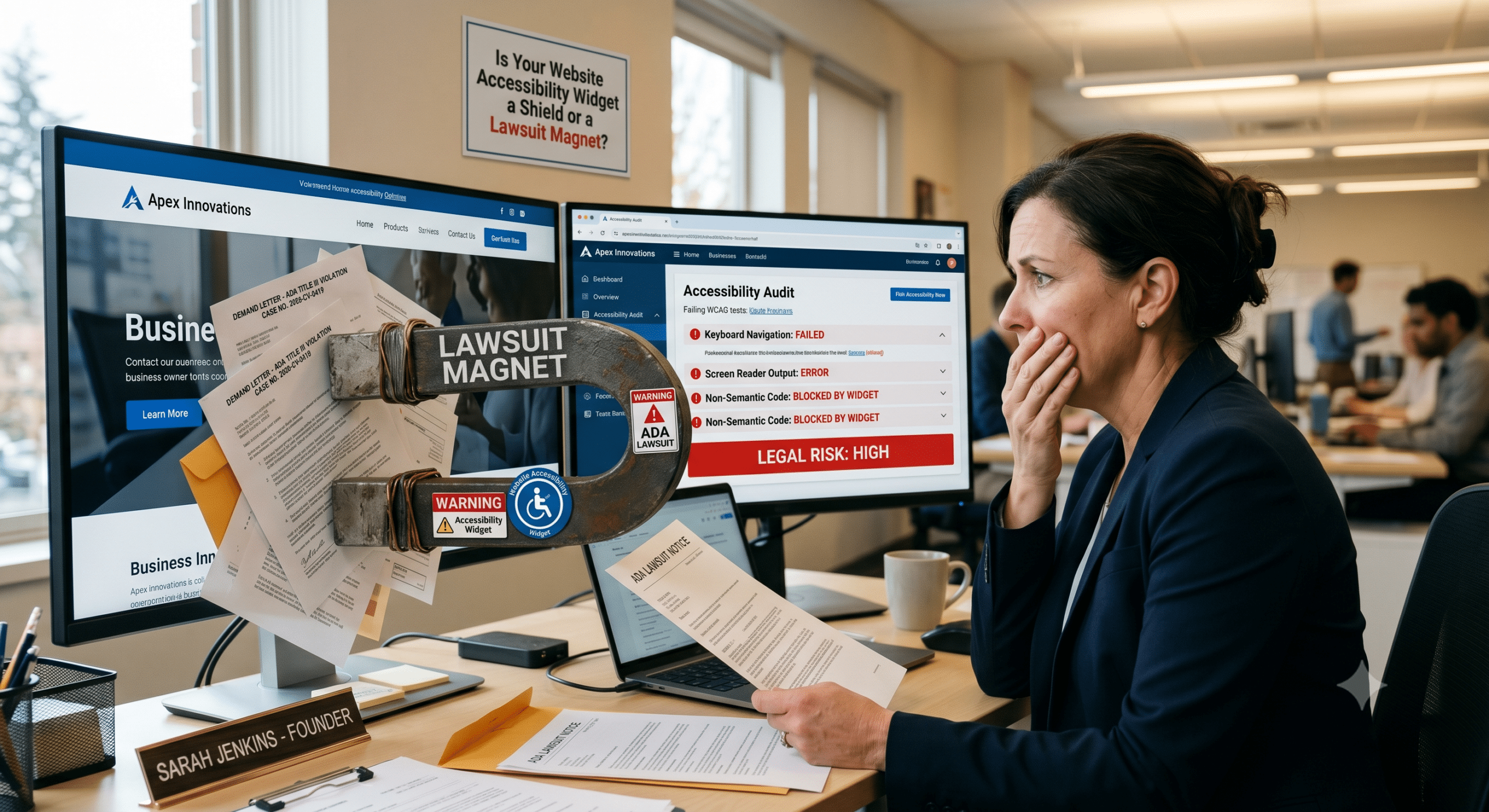
If you manage a business website, you have likely felt the growing pressure to make your digital presence compliant with the Americans with Disabilities Act. The fear of receiving a sudden, costly legal demand letter is a very real anxiety in the modern corporate world. In your search for a quick solution, you have almost certainly encountered an alluring promise made by various software companies. They pitch the installation of a single line of JavaScript to completely protect your brand.
These tools are widely known as a website accessibility widget or an overlay. They usually manifest as a small icon in the corner of a webpage. Clicking this icon invites users to view a menu of adjustable fonts, high-contrast color schemes, and automated screen-reading adjustments. To a busy business owner or an overloaded marketing director, this sounds like an absolute lifesaver. It is affordable, fast, and promises instant peace of mind.
The Special Consultant’s Perspective
As a digital accessibility compliance specialist, I have to give you a very blunt reality check. Your attorney would echo this exact sentiment. That little button is not a shield against litigation. In fact, it often functions as a massive neon sign that invites lawsuits.
Over the last few years, the legal landscape surrounding digital accessibility has shifted dramatically. Relying solely on an automated overlay has transformed from a questionable technical shortcut into a major legal liability. If you want to understand why these tools fail to protect your business, we need to look beneath the surface of the code. We must examine how the legal system actually treats automated accessibility solutions.
The Illusion of Automated Compliance
To understand why a website accessibility widget cannot truly protect your business, you must understand a fundamental difference. There is a massive gap between layering a temporary patch over a website and fixing the actual underlying source code. When an overlay is installed, it does not alter the core structure of your website. Instead, it attempts to modify the presentation of the page on the fly while a user is actively browsing.
Automated Code Scanning Limitations
The core issue here is that automated software can only detect a small fraction of actual web accessibility violations. Industry benchmarks consistently show that even the most advanced automated tools can catch somewhere between 30% and 40% of issues outlined in the Web Content Accessibility Guidelines. These guidelines are globally recognized as the gold standard for digital inclusion.
The remaining 60% or more of accessibility barriers require human context, manual testing, and nuanced understanding to identify and correct. For instance, an automated scanner might check to see if an image contains an alternative text tag. However, it cannot determine if that text accurately describes the image contextually. It cannot tell if the description reads as complete nonsense to a blind user.
Where Software Falls Short
Similarly, an automated widget cannot intuitively understand the logical tab order of a complex checkout form. It cannot ensure that dynamic pop-up windows are announced correctly to a screen reader. When you install a widget, you leave the vast majority of your underlying code completely exposed. Anyone utilizing specialized scanning software can easily find your non-compliant webpages.
+--------------------------------------------------------+
|               YOUR WEBSITE USER EXPERIENCE             |
|                                                        |
|   [ The Accessibility Widget / Surface Layer Patch ]   |
|     - Only catches 30% to 40% of WCAG compliance errors |
|     - Can conflict with native assistive software      |
|                                                        |
+--------------------------------------------------------+
                           ||
                           ||  Leaves Exposed
                           \/
+--------------------------------------------------------+
|              THE CORE SKELETON SOURCE CODE             |
|                                                        |
|   [ Unaddressed Structural Violations (60% to 70%) ]   |
|     - Broken keyboard navigation architecture          |
|     - Confusing form labels and missing aria tags      |
|     - Inaccessible PDFs and checkout flow traps        |
+--------------------------------------------------------+
Conflicts with Native Assistive Technology
Beyond the technical limitations of scanning, these widgets frequently introduce entirely new programmatic barriers. Many individuals with disabilities already utilize highly customized assistive technologies. These include proprietary screen readers, refreshable braille displays, or specialized voice control software. These personal tools are carefully configured to interact with standard, semantic web code.
When a website accessibility widget forces its own proprietary scripts into the mix, it often clashes directly with the user’s existing software. It overrides their preferred settings and renders the website completely unusable. This creates a deeply frustrating user experience. That outcome is the exact opposite of what an inclusive digital environment should achieve.
Why a Website Accessibility Widget Attracts Litigation
The legal data over the past several years paints an incredibly clear and alarming picture for businesses relying on automated patches. According to digital accessibility legal reports compiled throughout 2025 and into 2026, over 5,000 digital accessibility lawsuits were filed nationwide across federal and state courts. One of the most shocking metrics to emerge from this litigation data is that roughly 25% of all digital accessibility lawsuits specifically targeted websites that had already installed an accessibility widget or overlay.
2025 Digital Accessibility Lawsuit Statistics:
|--------------------------------------------|------------------------|
| Total Nationwide Digital Lawsuits Filed    | 5,114 Cases            |
| Percentage Targeting Websites with Widgets | Approximately 25%      |
| Top Target Industry for Digital Actions     | eCommerce (70%)        |
| Primary Jurisdictions for Active Filings   | NY, FL, CA, IL         |
|--------------------------------------------|------------------------|
This means that a quarter of the businesses sued were not ignoring accessibility altogether. Rather, they were actively paying for a vendor product that they believed would protect them.
How Plaintiffs Target Automated Sites
Plaintiff attorneys have become highly sophisticated in how they identify potential targets. In the early days of digital ADA litigation, lawyers had to manually search websites for obvious flaws. Today, high-volume plaintiff firms use automated scripts to hunt for websites containing the specific code signatures of popular overlay vendors.
To a legal predator, the presence of a website accessibility widget signals two very important things. First, it proves that the business owner is aware of their legal obligations under the ADA but has opted for a shortcut rather than addressing the root infrastructure. Second, it guarantees that a manual inspection of the site will almost certainly uncover dozens of core code violations that the widget failed to fix. Far from acting as a digital security guard, the widget effectively paints a target on the business.
Increased Regulatory Crackdowns
The legal vulnerability of these tools was further underscored by regulatory action from the Federal Trade Commission. The regulatory body stepped into the digital accessibility market to crack down on deceptive marketing practices. They penalized a major overlay provider with a one-million-dollar fine for false advertising and fraudulent customer reviews.
The regulatory message was unmistakable. Claiming that a single piece of software can instantly make any website fully compliant with the law is inherently misleading. When federal regulators publicly penalize the creators of these tools, it becomes impossible to argue in a court of law that relying on them constitutes a good-faith effort to achieve digital compliance.
The Evolving Courtroom Landscape
The judicial system has shown zero appetite for the defensive arguments put forward by businesses utilizing temporary web widgets. When a company is hit with an ADA Title III lawsuit, the defense counsel cannot simply point to an active widget subscription as a valid remedy. In landmark digital accessibility cases, judges have consistently ruled that the presence of an overlay does not constitute equal access if a disabled user still encounters functional barriers while trying to navigate the site.
Judicial Rulings on Surface Fixes
In prominent cases, plaintiffs successfully demonstrated that while the surface-level widget was active, core elements like promotional pop-ups, star-rating systems, and modal dialog boxes remained completely broken and inaccessible to screen readers. The courts ruled that sole reliance on an automated widget is legally insufficient. These rulings forced the defending brands to pay extensive legal fees and commit to deep, code-level remediation.
The Rise of State Court Actions
Furthermore, we are seeing a massive shift in where these lawsuits are being filed. While federal courts handled the majority of cases for years, an immense wave of litigation has moved into state courts, particularly in jurisdictions like New York, California, Florida, and Illinois. This matters immensely to business owners because certain state laws allow plaintiffs to sue for actual monetary damages. Conversely, federal ADA Title III claims generally restrict remedies to injunctive relief and the recovery of attorney fees.
In these state venues, the legal standards for proving an injury can be lower. Additionally, the definition of a website as a place of public accommodation is applied incredibly broadly. If your website sells goods or services to residents in these highly active states, an ineffective widget leaves your corporate balance sheet wide open to aggressive financial claims.
Achieving Genuine, Permanent Compliance
If shortcuts do not work, you might wonder what the actual path to safety looks like. True compliance is an ongoing operational commitment rather than a static product you can purchase off a shelf. The only definitive way to mitigate your legal risk and build an inclusive experience is to systematically fix your website’s source code so that it inherently aligns with WCAG success criteria.
The Hybrid Human Audit Process
This journey begins with a comprehensive, professional digital accessibility audit. This evaluation must combine automated scanning with deep manual testing conducted by experienced accessibility professionals. Ideally, this process should include native assistive technology users who can provide real-world feedback on how your site functions.
The Three Pillars of Sustainable Digital Compliance:
1. Native Audit       -> Comprehensive automated scans combined with manual testing by native assistive technology users.
2. Root Remediation   -> Direct adjustments to the underlying HTML, semantic layout, keyboard paths, and alt-text.
3. Culture & Flow     -> Continuous training for content creators, regular code monitoring, and accessible digital design.
Shifting to Root-Level Code Repair
Once an audit reveals your true baseline of compliance, your development team must focus entirely on root-level remediation. This involves updating your HTML tags, ensuring complete keyboard navigation paths, repairing broken color contrasts, and properly structuring your site’s interactive menus.
When your underlying architecture is natively accessible, you no longer have to worry about whether a third-party script is functioning or if an algorithm is properly interpreting your content. A cleanly coded website naturally complies with the law. It naturally welcomes all users, rendering the need for an external widget completely obsolete.
Long-Term Digital Maintenance
Finally, you must recognize that web compliance is not a one-time project. It is a continuous practice. Websites are living digital entities. Your marketing team adds new blog posts weekly. Your product managers upload fresh inventory regularly. Your design team updates promotional banners constantly. Without proper governance, new accessibility errors will inevitably creep back into your system.
By training your content creators on basic accessibility rules and implementing regular automated monitoring, you can easily maintain a clean compliance profile. This long-term commitment is exactly what judges and regulators look for when evaluating whether a company takes its legal and social responsibilities seriously.
Frequently Asked Questions
Can a website accessibility widget completely protect my business from an ADA lawsuit?
No, a widget cannot protect your business from litigation. Data shows that websites using widgets are frequently targeted by plaintiff attorneys. These tools leave the underlying source code exposed and can only detect a minor portion of total accessibility failures, meaning your business remains legally vulnerable.
What did the FTC’s fine against a major overlay provider signify for the industry?
The Federal Trade Commission’s million-dollar fine for false advertising sent a clear message. It proved that automated widgets cannot honestly promise instant compliance. It signaled to corporate leadership and the legal community that relying on an automated overlay is not considered a reliable or legally defensible method for meeting digital standards.
Why do digital accessibility widgets often make websites harder to use for individuals with disabilities?
Many assistive technology users have customized screen readers or navigation tools tailored to their specific needs. When an automated widget forces its own scripts onto a browser, it frequently overrides these native settings. It introduces confusing structural conflicts, making the website harder to navigate than it was before.
Is it better to choose an AI-powered widget over a traditional automated overlay?
Even advanced artificial intelligence tools cannot reliably interpret human context. They struggle with determining whether an image description makes sense or ensuring a complex multi-step checkout form feels intuitive. AI tools still operate on the surface layer of a site, leaving the core structural errors untouched and visible to legal scanners.
How do modern digital accessibility lawsuits in state courts differ from federal cases?
State court filings have surged because certain jurisdictions allow plaintiffs to pursue structural financial damages and fines alongside attorney fees. This makes state court litigation significantly more expensive for businesses than federal cases. Federal courts typically only demand that you fix the website and pay the plaintiff’s legal expenses.
References for Further Reading
-
Official 2025 Year-End Analysis Post:
ADA Web Lawsuit Trends: What 2025 Filings Reveal – This is the specific blog post written by their Chief Innovation Strategist covering the 5,000+ lawsuits from 2025, detailing why plaintiff firms are actively targeting sites with accessibility widgets.
-
User Experience Perspective Post:
Digital Accessibility: A Screen Reader User’s Honest Take – An insightful editorial piece on how digital accessibility has evolved, tracking user barriers alongside the 2025 data points.
-
The Complete Downloadable PDF Data Source:
UsableNet 2025 Year-End Digital Accessibility Lawsuit Report (PDF) – The raw data document detailing state-by-state breakdowns, industry risk tracking (like the 70% e-commerce metric), and widget litigation charts.