


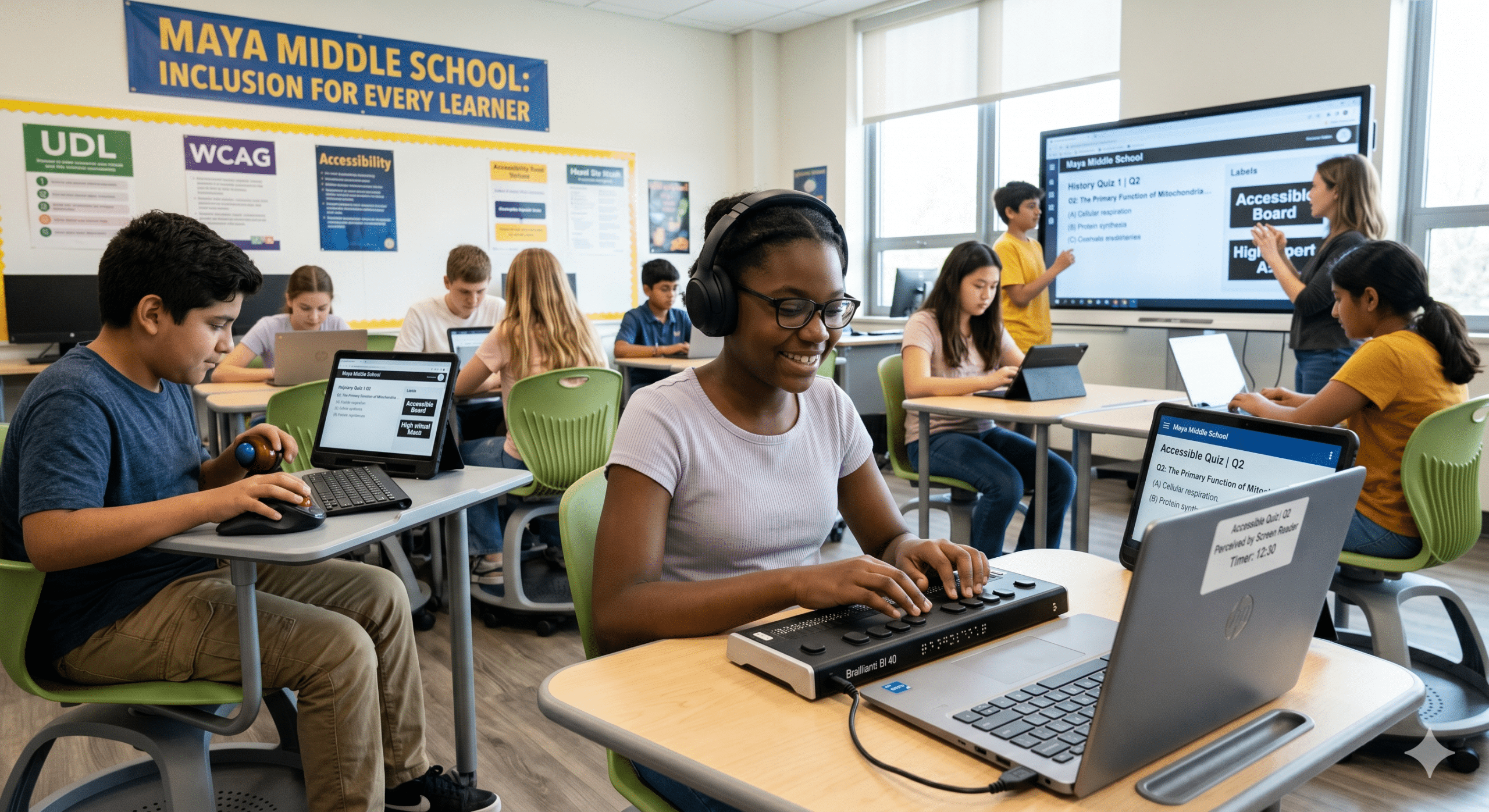
Imagine a bright, ambitious high school junior named Maya. Maya is completely blind. Specifically, she relies on a screen reader to navigate her digital world. Recently, her school district adopted a flashy new Learning Management System (LMS). They did this to streamline homework assignments and grading. Therefore, on Sunday evening, Maya logs in to complete a timed AP History quiz.
She navigates to the portal. Suddenly, her screen reader falls silent. Ultimately, the “Start Quiz” button is an unlabelled image asset. Furthermore, the timer begins counting down automatically. Unfortunately, her assistive technology cannot read the clock. As a result, when she tries to select an answer, the platform requires a precise mouse click. Consequently, it completely ignores her keyboard commands.
Indeed, Maya does not fail this quiz because she lacks historical knowledge. Instead, she fails because her school’s digital infrastructure locked her out completely.
As an EdTech consultant, K-12 UDL specialist, and former compliance officer, I see variations of Maya’s story daily. This happens across school districts and university campuses alike.
However, when we talk about implementing true accessibility for schools, we are not discussing a niche IT checklist. Similarly, we are not discussing a peripheral compliance burden. Rather, we are discussing the fundamental civil right to learn. Indeed, the classroom is now as much digital as it is physical. Thus, an inaccessible student portal, mobile app, or digital textbook means failing to provide adequate accessibility for schools. In short, it is the modern equivalent of a padlocked schoolhouse door.
Consequently, this comprehensive guide serves as an actionable blueprint. It helps superintendents, university CIOs, instructional designers, and EdTech product leaders build truly inclusive educational ecosystems.
1. Introduction to Accessibility for Schools
Digital accessibility for schools refers to the intentional design of electronic tools. It ensures websites, software, mobile apps, and digital content can be fully used by individuals with disabilities. Specifically, this encompasses students, educators, parents, and community members. For example, it includes people living with visual, auditory, motor, cognitive, or neurological differences.
Historically, physical accessibility meant building ramps, widening doorways, and installing elevators. However, the contemporary educational landscape has migrated online. For this reason, achieving meaningful accessibility for schools requires digital changes. For instance, we must ensure that a PDF syllabus can be read by a screen reader. In addition, lecture videos need synchronized captions. Finally, interactive math simulations must be fully operable via keyboard commands alone.
2. Why Digital Accessibility Matters in Modern Educational Ecosystems
The modern school environment is an interconnected web of digital touchpoints. For instance, a single student interacts with a Student Information System (SIS) to check grades. Next, they use an LMS to submit assignments. Then, they use third-party apps for synchronous video learning. Lastly, they open digital textbooks for reading.
Therefore, we must look at the entire digital chain when evaluating accessibility for schools. When any link in this chain breaks, learning grinds to a halt. As a consequence, the impact of ignoring accessibility for schools cascades far beyond the classroom:
For Students: Inaccessibility breeds isolation, academic underperformance, and cognitive fatigue. In addition, disabled students must expend double the mental energy simply trying to access materials. They must do this before they can even begin the process of learning them.
For Parents: Failing to maintain accessibility for schools alienates blind or neurodivergent caregivers. As a result, it cuts them off from tracking their child’s progress. Furthermore, they cannot communicate with teachers or pay school fees via parent portals.
For Educators: Teachers are forced to spend hours retrofitting inaccessible third-party materials. Consequently, this leads directly to burnout and fragmented lesson plans.
By contrast, building accessible learning platforms ensures that equity is baked into the foundation of your institution. Thus, it creates a seamless experience for every member of your community.
3. The Legal and Ethical Imperative
The ethical case for digital equity is completely clear. However, the legal landscape provides an even more compelling, non-negotiable mandate for compliance. In the United States, three primary federal frameworks enforce accessibility for schools.
Section 504 of the Rehabilitation Act of 1973
First, Section 504 prohibits discrimination on the basis of disability. This applies to any program receiving federal financial assistance. Therefore, the rule covers virtually all public K-12 school districts and higher education institutions. Under Section 504, standard accessibility for schools must be provided. This explicitly grants equal access to digital materials.
Section 508 of the Rehabilitation Act
Second, Section 508 requires federal agencies and funded institutions to use accessible technology. Specifically, they must procure, develop, maintain, and use electronic tools that work for people with disabilities. Thus, it serves as the baseline technical standard for Section 508 educational compliance.
The Americans with Disabilities Act (ADA) Title II
Third, Title II of the ADA applies to all state and local government entities. This explicitly includes public school districts and state universities.
Regulatory Update: The U.S. Department of Justice (DOJ) finalized a historic rule under ADA Title II. This rule establishes specific technical standards for web and mobile app accessibility. Therefore, public schools and universities must now ensure their web content strictly adheres to WCAG standards. They must do this within a strict compliance window. As a result, this removes any lingering ambiguity regarding mandatory accessibility for schools under federal civil rights laws.
Consequently, failing to meet these benchmarks exposes institutions to costly Office for Civil Rights (OCR) complaints. It also leads to federal lawsuits and devastating reputational damage.
4. WCAG Compliance and Educational Software/Websites
The global gold standard for digital accessibility is the Web Content Accessibility Guidelines (WCAG). These standards were developed by the World Wide Web Consortium (W3C). Specifically, WCAG is organized around four foundational principles known as POUR:
| Principle | Description | Educational Context Example |
| Perceivable | Information must be presented in ways users can perceive. | Providing text descriptions (alt text) for diagrams in a biology portal. |
| Operable | Interface components must be navigable and usable by all. | Ensuring a student can navigate an entire online exam without using a mouse. |
| Understandable | The text and operation of the interface must be clear. | Standardizing navigation menus across an LMS so students don’t get lost. |
| Robust | Content must be compatible with current and future assistive tech. | Designing a portal so it works flawlessly with popular screen readers like NVDA or JAWS. |
To achieve effective WCAG for schools implementation, institutions must target WCAG 2.2 Level AA compliance. This standard addresses critical modern challenges. For example, it ensures touch targets on mobile devices are large enough for users with motor tremors. Additionally, it prevents accidental activations of voice commands.
5. The Business and Societal Benefits of Accessible School Platforms
Investing in inclusive education software is highly beneficial. Moreover, building robust frameworks for accessibility for schools is not merely an exercise in risk mitigation. Rather, it delivers substantial institutional and societal returns.
Mitigation of Legal Costs: Proactive implementation of accessibility for schools is highly efficient. In fact, it costs a fraction of the legal fees, consultant rates, and remediation expenses associated with defending an OCR complaint.
Operational Efficiency: Accessible code is cleaner and lighter. Furthermore, it is better optimized for search engines. In other words, websites built with web accessibility in mind experience faster load times and lower maintenance costs.
Widening the Enrollment Funnel: Fully accessible school portals and enrollment flows remove friction for prospective learners. This includes disabled and adult students, directly boosting enrollment and retention metrics as a result.
A Culture of Belonging: When an institution prioritizes digital equity, it sends a powerful cultural signal. That is to say, it tells faculty, students, and staff that diversity is valued, not just accommodated.
6. Universal Design for Learning (UDL) vs. Digital Accessibility
Instructional designers and administrators often confuse Universal Design for Learning (UDL) and technical digital accessibility. Although deeply complementary, they are not identical components of accessibility for schools.
Digital Accessibility focuses on the technical removal of barriers within digital environments. Specifically, it ensures that an assistive device can interface with software. For example, it answers the question: Can a blind student’s screen reader parse this document?
Universal Design for Learning (UDL) is an educational framework. It guides the design of learning experiences to provide multiple means of Engagement, Representation, and Action/Expression. Hence, it answers the question: Does this lesson provide diverse ways for a student to learn and demonstrate mastery?
Think of it this way: Digital accessibility provides the functional highway. Meanwhile, UDL ensures the vehicles traveling down that highway are tailored to the learning styles of every passenger. Therefore, you cannot successfully execute UDL on a digital platform that lacks foundational accessibility for schools.
7. Accessibility Challenges in K-12 School District Websites
K-12 district websites serve as massive, decentralized communication hubs. However, they are frequently managed by non-technical staff. These users include principals, administrative assistants, and athletic coaches. Consequently, this leads to structural vulnerabilities that undermine effective accessibility for schools.
Problematic PDFs and Handouts
The most pervasive issue on K-12 sites is the reliance on scanned PDF documents. Examples include lunch menus, permission slips, and school board agendas. A scanned PDF is merely a flat image. Consequently, to a screen reader, it is completely blank. To ensure ADA compliance for school websites, districts must transition to native HTML web pages. Alternatively, they must ensure all uploaded PDFs are fully tagged and structured.
Missing Alt Text on Community Images
School sites are filled with photos of student achievements and community events. When these images lack alternative text, blind parents and community members miss out on the school’s narrative. As a result, this represents a failure in comprehensive accessibility for schools.
Poor Color Contrast on Portals
Furthermore, many districts feature brand colors that fail contrast checks. For instance, white text on a bright yellow background can be impossible to read. Obviously, this harms individuals with low vision or color blindness. Thus, text-to-background contrast ratios must hit at least 4.5:1 for standard text to remain compliant.
8. Accessibility for Higher Education Student Portals and Enrollment Flows
In higher education, the digital journey begins long before a student steps foot on campus. Unfortunately, the enrollment pipeline is frequently riddled with digital hurdles. Clearly, these barriers conflict directly with the principles of accessibility for schools.
High-Stakes Application Inaccessibility
Prospective students must be able to navigate your portals. If they cannot use a keyboard or screen reader on financial aid or housing forms, they will abandon the process entirely. Thus, this hidden attrition represents a direct hit to institutional enrollment goals. Furthermore, it highlights a lack of sustainable accessibility for schools.
Post-Login Complexity
Subsequently, once enrolled, students face highly complex dashboards. They must use these systems for class registration, student accounts, and degree audits. However, these portals often utilize third-party vendor scripts. These scripts frequently break focus-trapping rules or omit necessary ARIA labels. Consequently, disabled students are left unable to independently register for classes.
Therefore, universities must enforce strict EdTech accessibility compliance. This must occur across the entire lifecycle of the student portal. As a result, every identity validation step and document upload flow must be fully tested.
9. Keyboard Navigation and Screen Reader Compatibility in Digital Learning
To truly comprehend assistive technology, we must evaluate two core mechanisms. These systems drive digital accessibility for schools: keyboard operability and screen reader parsing.
The Power of the Tab Key
Many students with physical disabilities cannot use a traditional mouse or trackpad. Instead, they rely on alternative switches, mouth sticks, or standard keyboards to navigate. Therefore, to maintain accessibility for schools, software must be built correctly. Users must be able to use the Tab key to move systematically from one interactive element to the next. In addition, the system must maintain a highly visible focus indicator so they know exactly where they are on the page.
Logical DOM Order
Similarly, a screen reader reads a web page linearly. It follows the Document Model (DOM) structure of the code, not the visual layout on the screen. Suppose an EdTech application uses CSS absolute positioning to arrange items haphazardly. In that case, a screen reader may read the content completely out of order. Consequently, this renders a quiz or instructional passage nonsensical, destroying any semblance of accessibility for schools.
<fieldset>
  <legend>Question 1: What is the primary function of mitochondria?</legend>
  <input type="radio" id="q1a" name="mitochondria" value="a">
  <label for="q1a">Cellular respiration and energy production</label><br>
  <input type="radio" id="q1b" name="mitochondria" value="b">
  <label for="q1b">Protein synthesis within the ribosome</label>
</fieldset>
10. Accessibility in EdTech Mobile Applications
Learning has largely migrated to mobile devices. Students use mobile apps to read textbooks, complete language modules, and collaborate on group projects. However, mobile engineering introduces a unique layer of development challenges for accessibility for schools.
Dynamic Type Support: First, apps must respect the user’s OS-level system settings. For example, if a student with low vision scales up their text size to 200%, the app’s user interface must gracefully reflow. It cannot clip text or overlap buttons.
Touch Target Dimensions: Second, tiny buttons lead to immense frustration for students with motor challenges. Mobile touch targets must be at least 44×44 CSS pixels. They also require ample spacing between elements to safeguard accessibility for schools.
Screen Reader Integration: Finally, native mobile apps must use the underlying accessibility APIs. Tools like Apple’s VoiceOver and Android’s TalkBack pass correct names, roles, and values to the operating system.
11. The Role of AI and Automation in Scaling Educational Accessibility
Artificial Intelligence helps scale accessibility programs across massive educational systems. However, it must be deployed with clear strategic guardrails to protect true accessibility for schools.
The Good: Automation at Scale
AI is exceptionally skilled at handling heavy manual remediation workflows. For example, modern AI tools can instantly generate highly accurate draft audio descriptions for videos. They can transcribe multi-speaker classroom lectures in real time. In addition, they can auto-tag dense academic PDFs. Consequently, AI can analyze complex scientific diagrams to suggest comprehensive alt text. This accelerates the deployment of assistive technology in education.
The Dangerous: The Myth of the “Accessibility Overlay”
On the other hand, many school districts fall prey to automated widgets. Seeking a quick fix for ADA compliance for school websites, they buy third-party “accessibility overlays.” These tools add a snippet of JavaScript to a site, promising to instantly fix all violations using AI.
Expert Warning: Overlays do not fix underlying code issues. In practice, they often interfere with real assistive software. This makes the user experience significantly worse for screen reader users. Furthermore, federal courts and the OCR do not recognize overlays as a valid method of compliance. True accessibility for schools requires fixing the underlying source code, not applying a superficial digital band-aid.
🔗 Deep Dive Reading: For a comprehensive technical analysis of why these shortcuts fall short, review the Arizona State University (ASU) IT Accessibility Directive on Overlays. This resource outlines how on-the-fly JavaScript alterations fail to protect institutions from legal risk.
12. Digital Accessibility Testing Tools for Schools and Universities
Achieving true digital equity requires an ongoing, multi-layered testing regimen. We must combine automated, manual, and user-centered approaches to evaluate accessibility for schools.
Automated Auditing Scanning Engines
Tools like Deque’s Axe DevTools, WAVE, and enterprise platforms like Siteimprove or SortSite are excellent for sweeping large domains. They catch blatant errors like missing alt text, incorrect heading structures, and low color contrast. However, automation only catches roughly 30% to 40% of programmatic threats to accessibility for schools.
Manual Testing Methods
In contrast, manual testing is absolutely required to validate complex logic. For example, an internal auditor must navigate an LMS course using only a keyboard to check for “keyboard traps.” Next, they must manually fire up screen readers like NVDA or VoiceOver. This confirms that dynamic status changes are actively announced to blind users, verifying real-world accessibility for schools.
User Testing Involving Disabled Learners
Finally, the ultimate test of a platform’s usability is testing with real users. Putting software in front of the people who rely on these features daily is critical. Therefore, establishing user testing panels comprised of disabled students provides invaluable qualitative feedback. Automated scanners could never replicate these insights.
13. Procurement Guidelines: Vetting EdTech Vendors for VPAT/ACR Compliance
One of the single biggest mistakes school systems make is buying inaccessible software and attempting to fix it themselves. Therefore, digital accessibility for schools must be enforced at the point of purchase.
When evaluating an EdTech vendor, require a Voluntary Product Accessibility Template (VPAT). This generates an Accessibility Conformance Report (ACR). The ACR details exactly how the product aligns with WCAG and Section 508 standards.
How to Spot a “Fake” or Lazy VPAT
Do not simply accept an ACR at face value. Look closely at the contents:
Inspect the criteria. If every single item is marked as “Supports” without supporting explanations, treat it with extreme skepticism.
Look for specific details on how they tested. For example, they should state: “Tested using JAWS 2024 and Chrome on Windows 11.”
Ensure the ACR was updated within the last calendar year. It must reflect the current version of the software to ensure true accessibility for schools.
Contractual Protections
In addition, include explicit accessibility indemnification clauses in your vendor contracts. The language should mandate that the vendor is responsible for remediating any accessibility bugs discovered post-deployment. This must occur within a set timeframe at no additional charge to the school district or university.
14. Multi-Tenant and District-Wide Accessibility Management
Managing systemic accessibility for schools across an entire district or multi-campus university system requires a structured, centralized governance framework.
Establish a Digital Accessibility Policy: Publish a formal, board-approved digital accessibility policy. This clearly names WCAG 2.2 Level AA as the institutional standard for accessibility for schools.
Appoint a Distributed Network of Champions: A centralized Compliance Officer leads the strategy. However, individual departments should designate an “Accessibility Champion.” This person receives advanced training to act as a first line of defense.
Centralized Purchasing Registries: Implement software procurement control blocks. The IT division should not whitelist or integrate any new third-party LTI plugin into the core LMS until the compliance officer has reviewed and approved its ACR. Consequently, this maintains system-wide accessibility for schools.
15. Inclusive UX/UI Design for Neurodivergent and Disabled Students
Inclusive design is not limited to physical or sensory disabilities. Rather, it drastically optimizes the digital space for neurodivergent individuals. This includes students with ADHD, autism, dyslexia, and dyscalculia. These steps align with the broadest definitions of accessibility for schools.
Clean Visual Hierarchy and Layout Predictability
Cognitive overload is a major barrier to learning. For this reason, UI designers must avoid chaotic, overcrowded layouts. Navigation paradigms should remain identical across every page of an application. Buttons should look like buttons. Finally, icons should always feature descriptive text labels to support accessibility for schools.
Accommodating Dyslexia and Reading Differences
Avoid justified text alignment. This adjustment prevents irregular vertical “rivers” of white space that make tracking lines difficult for dyslexic readers. Stick to left-aligned text.
Ensure line spacing is set to at least 1.5 within paragraphs. Paragraph spacing must be at least 2 times the font size.
Never convey critical information through color alone. Instead, use explicit structural cues like icons or explicit text descriptors.
16. Accessibility and Its Impact on Student Retention and Engagement
When educational technology is friction-free, student engagement surges. Conversely, digital roadblocks caused by a lack of accessibility for schools cause immediate academic discouragement.
Consider a university freshman with a learning disability. Suppose they spend two hours trying to figure out how to upload an assignment to an inaccessible student portal. By the time they successfully submit the file, they are mentally exhausted and frustrated. As a result, they are stripped of confidence.
When institutions provide accessible learning platforms, they minimize this systemic friction. Captioned videos don’t just help deaf students. They also improve retention and comprehension for ESL/ELL learners, students studying in noisy environments, and individuals with auditory processing disorders. Ultimately, prioritizing accessibility for schools helps every single student find information faster. This drives up overall course completion rates and directly protects institutional retention metrics.
17. Accessibility Use Cases Across School Functions
To understand what comprehensive accessibility for schools looks like in action, let’s explore practical implementation scenarios across six core educational operations.
Classroom Learning Management Systems (LMS)
The Scenario: A professor creates a modular course within Canvas or Blackboard.
The Accessible Execution: Every image has contextually relevant alt text. Headings are structured sequentially ($H1 \rightarrow H2 \rightarrow H3$), rather than chosen arbitrarily based on font size. Table headers use explicit properties (
<th scope="col">) so screen readers can track data points accurately.
Parent-Teacher Communication Apps
The Scenario: A school district uses an app to send urgent push notifications about severe weather closures or academic warnings.
The Accessible Execution: The app natively integrates with the mobile operating system’s zoom and text-scaling settings. It supports screen-reading technology so blind guardians receive the alert simultaneously with sighted parents, demonstrating full-circle accessibility for schools.
Standardized Testing & Assessment Platforms
The Scenario: A state administers mandatory end-of-year digital reading assessments.
The Accessible Execution: The platform supports robust assistive technology in education, allowing students to change background themes for high contrast, use screen-magnification software without breaking layout grids, and adjust text-to-speech reading speeds during the assessment.
Virtual Classrooms & Video Conferencing Tools
The Scenario: A virtual academy conducts a live, synchronous remote lecture.
The Accessible Execution: The software provides accurate, automated, real-time closed captioning. It allows users to reposition and resize the sign-language interpreter’s video window, and features fully accessible keyboard shortcuts for muting and unmuting microphones.
School Library & Research Databases
The Scenario: A graduate student performs an extensive academic literature search.
The Accessible Execution: The search interface features explicit form labels for search bars and filtering elements. Academic journals are housed in native EPUB or structured HTML formats rather than flat, non-tagged PDF images, making research seamless and preserving accessibility for schools.
Admissions & Financial Aid Portals
The Scenario: A high school senior applies to a state university and requests financial assistance.
The Accessible Execution: Error messages on form fields are explicit and actionable. The form does not rely on visual timers that log users out without warning, giving disabled applicants the time they need to complete documentation safely under an umbrella of proactive accessibility for schools.
18. Common Accessibility Mistakes School Districts and Universities Make
Even well-meaning institutions stumble into common digital accessibility traps. Recognizing these patterns is the first step toward correcting errors in accessibility for schools.
Treating Accessibility as an Afterthought: Trying to “fix” accessibility right before a major site launch is incredibly expensive and structurally difficult. Accessibility must be embedded into the initial wireframing and design phases.
Relying Solely on Automatic Captions: While auto-captions on platforms like YouTube or Zoom have improved, they frequently scramble complex scientific jargon, names, and academic terms. Unedited auto-captions do not constitute true compliance or comprehensive accessibility for schools.
Failing to Train Content Creators: You can buy a perfectly compliant LMS, but if an instructional designer constantly uploads unlabelled images and unformatted documents, they will continually reintroduce accessibility defects into the ecosystem.
Neglecting the Needs of Instructors: Accessibility compliance isn’t just for students. Disabled professors, K-12 educators, and administrators require fully accessible internal software backends to build courses, input grades, and manage student data equitably.
19. How Educational Startups Can Build Accessibility into EdTech Products from Day One
If you are an EdTech startup founder or product manager, building native accessibility for schools into your product is your ultimate competitive advantage. While established legacy platforms are spending millions of dollars trying to refactor technical debt to comply with modern standards, you can build compliance into your platform’s foundation.
Adopt an Accessibility-First Design System: Build your UI components using accessible design systems. Ensure your buttons, menus, and form elements are natively keyboard-navigable and semantically correct right out of the box.
Shift-Left in the Lifecycle: Train your product designers to run color-contrast checks on Figma prototypes before a single line of frontend code is generated. Train developers to run basic automated linting tests during every single code commit to safeguard accessibility for schools.
Market Your Compliance Proactively: School districts and universities are actively terrified of OCR complaints. If you can approach an educational buyer with a pristine, verifiable, transparent ACR and prove your product natively supports accessibility for schools, you will immediately leapfrog legacy competitors during procurement cycles.
20. Future Trends in Accessibility for Schools
As we look toward the horizon of educational technology, several major shifts will redefine the digital accessibility for schools landscape:
Immersive Tech Accessibility (AR/VR/XR)
Extended Reality (XR) is taking hold in science labs and history classes. Ensuring an AR anatomy model can be navigated by a blind student through advanced haptic feedback and spatial audio descriptions will be the next major technical compliance frontier for accessibility for schools.
Advanced Voice Interfaces
Voice user interfaces will expand, allowing students with severe physical paralysis to command learning applications, dictate complex math equations, and navigate software entirely through spoken natural language.
Personalized Accessibility Profiles
Future LMS platforms will move away from one-size-fits-all layouts. Students will define a global cloud-based accessibility profile that automatically reconfigures every integrated piece of EdTech software to match their specific sensory, motor, and cognitive needs the moment they log in, setting a new benchmark for accessibility for schools.
21. Final Thoughts
Digital accessibility is not a restrictive technical box to check. At its core, it is an act of professional hospitality and a baseline civil right. Every line of clean, accessible code we write, every video we caption, and every vendor we strictly vet represents an intentional choice to include rather than exclude.
By embracing robust, systemic frameworks for accessibility for schools, educational leaders and EdTech innovators don’t just protect their organizations from legal liability—they build a world where students like Maya are never locked out of their own education. True digital transformation is impossible without inclusion. The time to build accessible pathways for every learner is now.
Frequently Asked Questions (FAQ)
What is the primary difference between Section 504 and Title II of the ADA for schools?
Section 504 specifically applies to any institution receiving federal financial assistance (which covers almost all public schools and universities). Title II of the ADA covers all state and local government entities regardless of whether they receive federal funds. In terms of digital learning, both laws require public educational institutions to provide equal digital access and uniform accessibility for schools to individuals with disabilities.
Can our school district use an accessibility overlay widget to achieve compliance?
No. Automated accessibility overlays or widgets do not achieve compliance under WCAG or federal law. They apply surface-level alterations that often break compatibility with actual screen readers and assistive devices. True digital accessibility requires remediating structural errors directly within the source code.
What version of WCAG should our educational institution aim for?
Institutions should aim for WCAG 2.2 Level AA compliance. This standard covers baseline web requirements while addressing modern mobile responsiveness, touch target requirements, and cognitive access barriers to guarantee scalable accessibility for schools.
How do we get our teachers and faculty to create accessible course content?
Achieving long-term content compliance requires systemic training and systemic tools. Provide short, role-specific professional development sessions focusing on high-impact habits (e.g., how to use semantic headings, how to write alt text, and how to use built-in LMS accessibility checkers). Additionally, integrate automated accessibility checkers within your LMS to give educators real-time feedback as they build modules.
Does a vendor’s VPAT guarantee that their product is fully accessible?
No. A VPAT is simply a self-reported disclosure document indicating a vendor’s stated level of compliance. It must be reviewed critically by an accessibility specialist or internal IT team, and the actual software should undergo independent keyboard and screen-reader verification before final procurement decisions are reached to protect structural accessibility for schools.
Recommended Authority Resources & Further Reading
W3C Web Accessibility Initiative (WAI) – The official governing body for global WCAG standards.
U.S. Department of Education Office for Civil Rights (OCR) – Official site for federal civil rights compliance, digital access regulations, and enforcement guidelines.
CAST (Center for Applied Special Technology) – The foundational research organization behind the Universal Design for Learning (UDL) framework.