


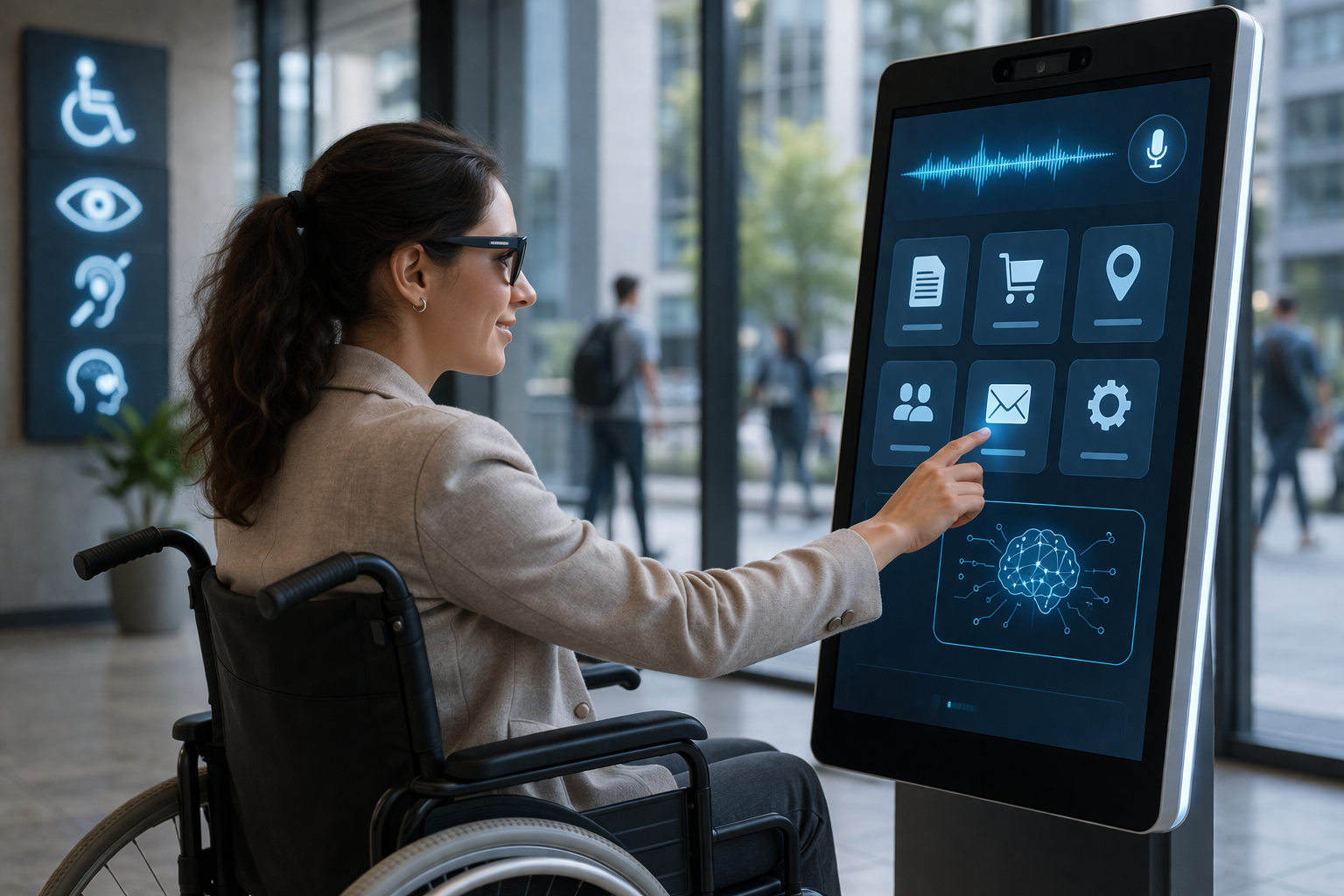
Artificial intelligence is transforming how people interact with technology, especially in the area of accessibility. As accessibility technology continues to evolve, AI is playing a critical role in automating audits and improving compliance. According to a recent analysis on generative AI and accessibility audits, modern systems can now predict issues and recommend fixes before they impact users.
AI accessibility software enables individuals with disabilities to navigate digital platforms with greater independence, efficiency, and confidence. By combining machine learning, speech recognition, and automation, these solutions reduce barriers and make digital environments more inclusive.
In this expert guide, we explore how AI-driven accessibility solutions work, their key features, real-world applications, and why they are essential for businesses and users in 2026.
What Is AI Accessibility Software?
AI accessibility software refers to intelligent systems designed to help users with disabilities access digital content, applications, and devices. These systems rely on advanced technologies such as:
- Machine learning (ML)
- Natural language processing (NLP)
- Computer vision
- Speech recognition
- Predictive analytics
The goal is to create seamless and inclusive experiences for users with visual, auditory, cognitive, or physical challenges.
Why AI Accessibility Software Matters
Accessibility is no longer just about compliance—it is a core part of modern digital strategy. Businesses that adopt AI accessibility software can improve user experience while reaching a broader audience.
Key Benefits
- Improved usability: Makes websites and apps easier to navigate
- Greater independence: Reduces reliance on external assistance
- Higher productivity: Automates tasks and interactions
- Compliance support: Aligns with WCAG and global standards
- Expanded reach: Engages diverse user groups
These benefits make accessibility a competitive advantage in today’s digital landscape.
Core Features of AI Accessibility Software
1. Intelligent Screen Readers
Modern screen readers use AI to provide context-aware audio output.
- Natural-sounding voices
- Dynamic content interpretation
- Improved navigation for complex interfaces
This enhances the experience for visually impaired users.
2. Speech Recognition and Voice Control
Voice-enabled systems allow hands-free interaction with devices.
- Voice typing and dictation
- Command-based navigation
- Real-time transcription
These capabilities support users with mobility limitations and improve multitasking efficiency.
3. Computer Vision and Image Recognition
Computer vision helps interpret visual content in meaningful ways.
- Automatic image descriptions
- Object and scene recognition
- Visual context analysis
This functionality enables users to better understand digital and physical environments.
4. Real-Time Captioning and Transcription
AI-powered captioning converts speech into text instantly.
- Supports deaf and hard-of-hearing users
- Enhances video accessibility
- Improves communication in meetings
It is now widely used in video conferencing and media platforms.
5. Predictive Text and Writing Assistance
Writing tools powered by AI help users communicate effectively.
- Grammar correction
- Sentence suggestions
- Context-aware recommendations
These features are especially helpful for users with dyslexia or cognitive challenges.
6. Adaptive Interfaces and Personalization
AI systems learn user behavior and adjust interfaces accordingly.
- Custom display settings
- Personalized navigation
- Adaptive layouts
This creates a more intuitive and user-friendly experience.
How AI Accessibility Software Works
At its core, AI accessibility software processes input data and converts it into accessible formats.
Process Overview
- Input Collection: Captures voice, text, or visual data
- AI Processing: Interprets the input using trained models
- Output Delivery: Converts information into audio, text, or visual cues
- Continuous Learning: Improves accuracy through user interaction
This cycle allows accessibility systems to become more intelligent over time.
Real-World Applications
Education
AI-powered accessibility solutions are transforming how students learn.
- Real-time lecture captions
- Voice-assisted learning tools
- Personalized content delivery
These tools ensure that education is accessible to all learners.
Workplace Productivity
Organizations use accessibility-focused software to build inclusive environments.
- Automated meeting transcription
- Voice-controlled workflows
- Accessible collaboration tools
This improves both efficiency and employee satisfaction.
Healthcare
Accessibility plays a critical role in healthcare services.
- Voice-enabled patient systems
- AI-assisted communication tools
- Accessible telehealth platforms
These innovations enhance patient care and communication.
E-Commerce and Digital Platforms
Online platforms benefit from inclusive technology.
- Voice navigation for shopping
- Automated image descriptions
- AI-enabled chat support
This leads to better engagement and higher conversion rates.
Key Considerations When Choosing Accessibility Software
Accuracy and Performance
Reliable AI models are essential for consistent results.
Integration
Choose solutions that work seamlessly with your existing systems.
Scalability
Ensure the software can grow with your business needs.
Security and Privacy
Protect user data with strong security measures.
Standards Compliance
Verify alignment with accessibility guidelines such as WCAG.
Challenges and Limitations
Despite its advantages, AI accessibility software faces several challenges:
- AI bias: Performance may vary across different user groups
- Cost barriers: Advanced tools can be expensive
- Learning curve: Some users require training
- Connectivity issues: Certain features depend on internet access
Addressing these challenges is key to wider adoption.
Future Trends in Accessibility AI
The future of accessibility technology is driven by rapid innovation.
1. Hyper-Personalization
AI will tailor experiences based on individual preferences.
2. Multimodal Interaction
Users will interact through voice, gestures, and visuals simultaneously.
3. Edge Computing
Processing data locally will improve speed and privacy.
4. Emotion-Aware Systems
AI will detect and respond to user emotions.
5. Built-In Accessibility
Accessibility features will become standard in all digital products.
Best Practices for Implementation
To maximize the benefits of accessibility-focused AI solutions:
- Conduct regular accessibility audits
- Involve users with disabilities in testing
- Provide user training and support
- Continuously update AI models
- Follow global accessibility standards
Accessibility should be an ongoing effort, not a one-time fix.
Conclusion
AI accessibility software is transforming digital experiences by making technology more inclusive and user-friendly. These intelligent systems empower individuals, enhance productivity, and open new opportunities for businesses.
As we move further into 2026, adopting accessibility-driven AI solutions is no longer optional—it is essential. Organizations that prioritize inclusion will not only meet compliance standards but also lead innovation in the digital space.